All applications

Email marketingPro plan

Polished emails, sent to the right people

Build your campaigns block by block, target a group of contacts from your CRM, test and then schedule the send. Hob's Space only writes to contacts who have agreed to receive your emails and handles unsubscribes for you.

Create my account

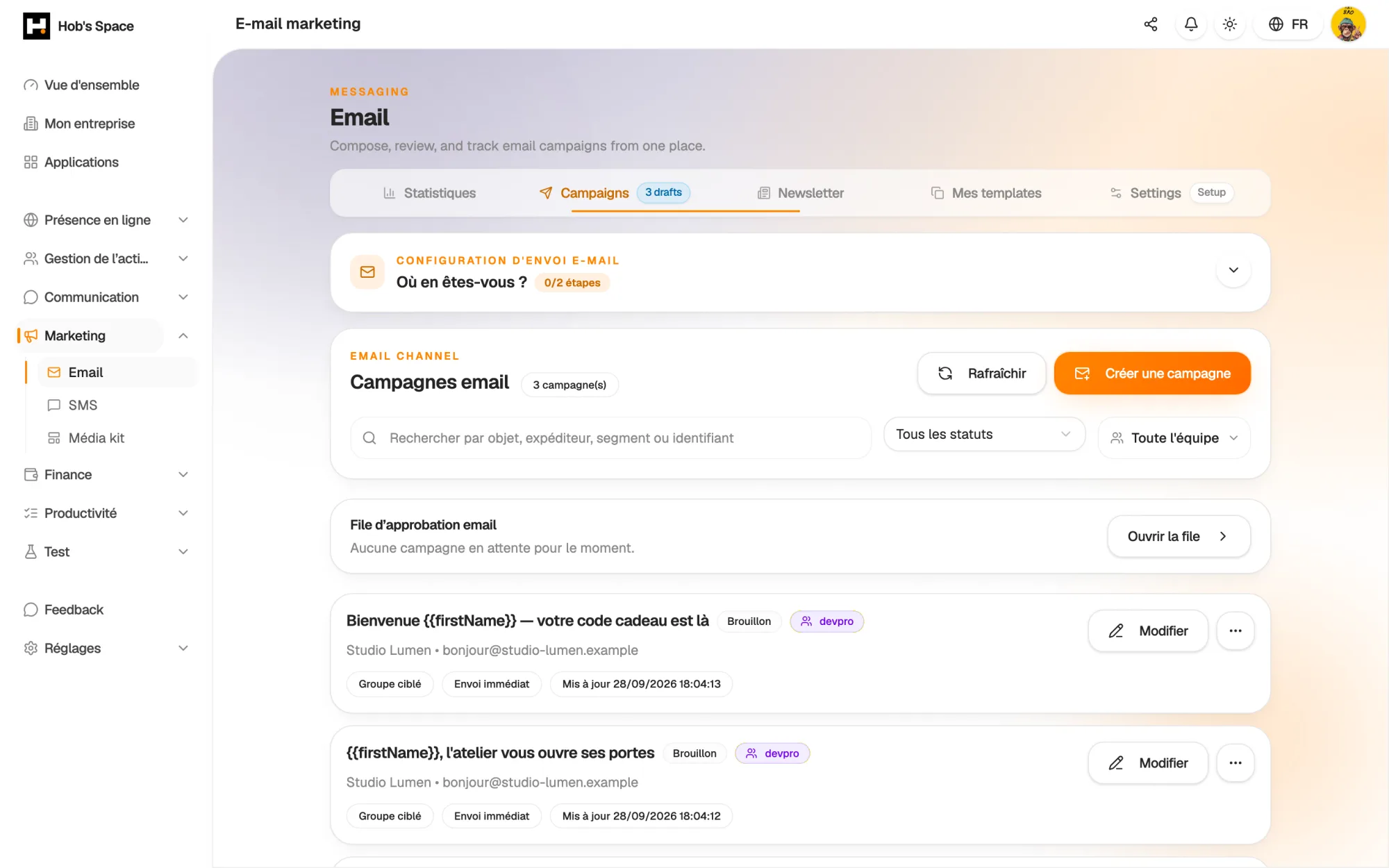
Your campaigns, their status and their results in one place

Your campaigns, their status and their results in one place

Editor

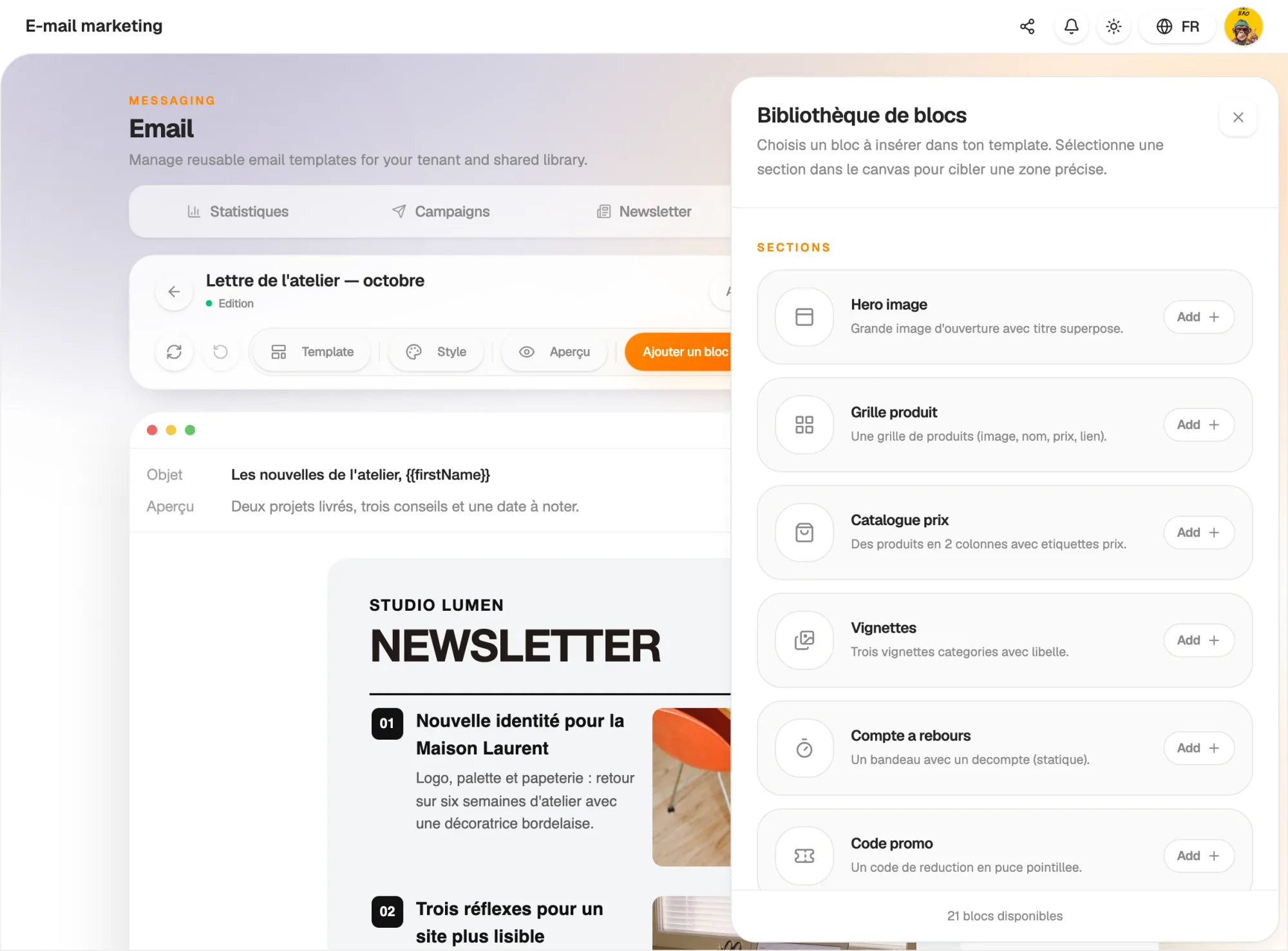
A block editor designed for email

Put your message together with blocks you move by drag and drop: heading, text, image, button, social links, footer. Richer blocks are ready to use: banner, product grid, price catalogue, countdown, promo code, photo row, navigation bar.

The Style panel sets the fonts, colours, width and corner radius of the whole email. Your changes are saved automatically, and the history lets you undo a change.

  • Twenty-one block types, moved by drag and drop
  • Global style: fonts, colours, width, corner radius
  • Automatic saving and undo
A block editor designed for email

Templates

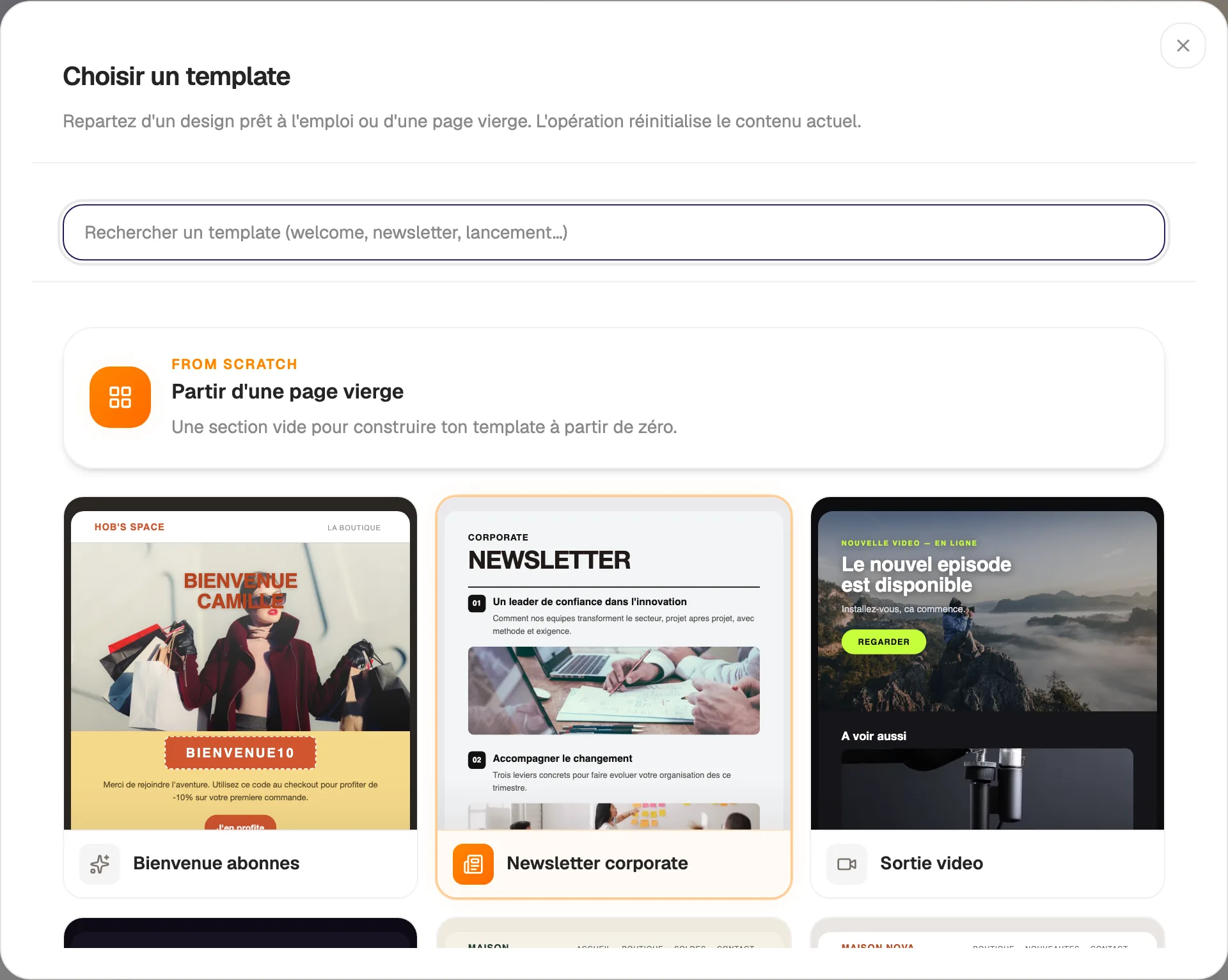
Start from a template, keep your own

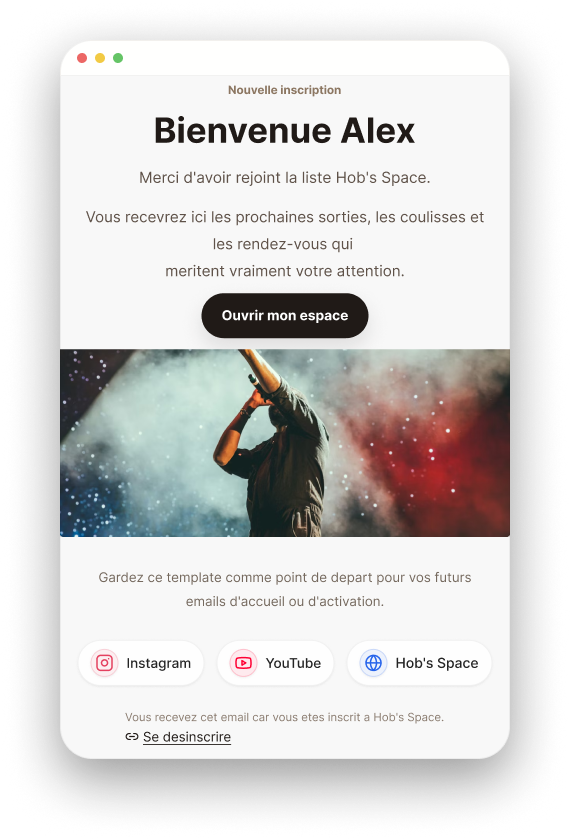
Subscriber welcome, product launch, video release, podcast episode, ticketing announcement, merch drop: sixteen templates cover the most common sends. Each one is fully editable.

Save your own templates to reuse them, duplicate them or import an existing HTML email, by file or by copy and paste. From the editor, one button creates a campaign straight from the open template.

  • Sixteen templates ready to customise
  • A library of reusable templates
  • Import of an existing HTML email
Start from a template, keep your own

Audience

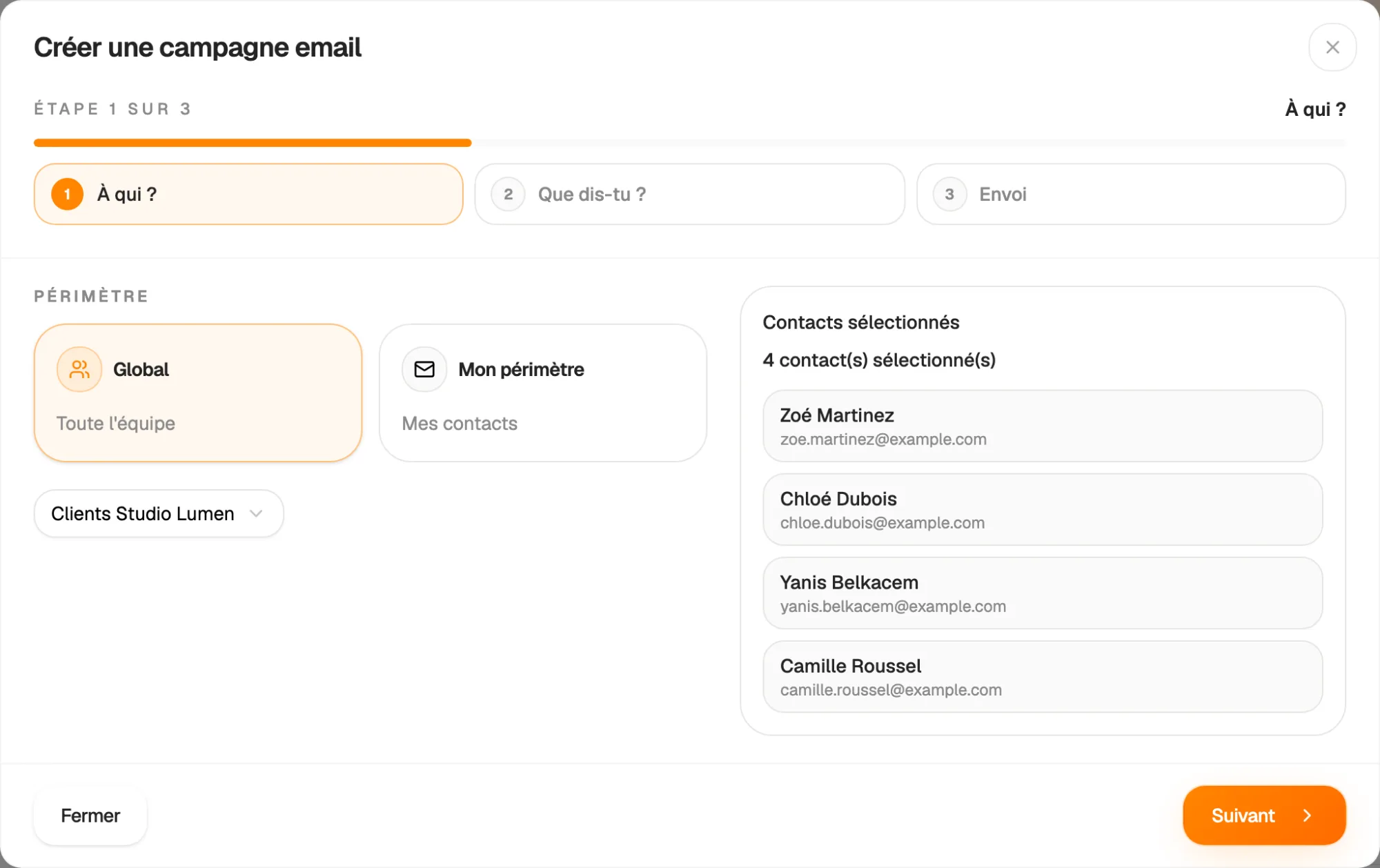
Your CRM contacts, sorted by group or by origin

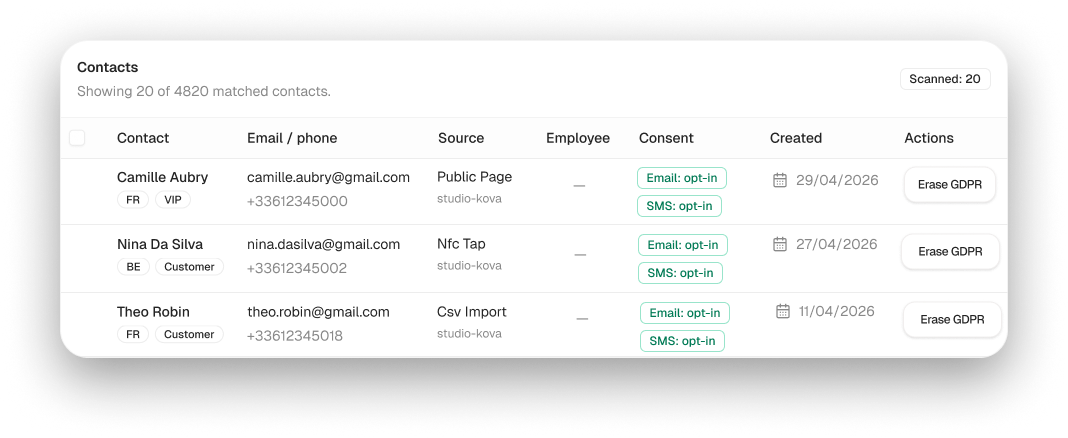
Send to all your contacts, to a CRM group, or to people who came from the same source: a form, an NFC card or a file import. The number of recipients and a sample of contacts are shown before sending.

Only contacts who have agreed to receive your emails are included. Personalise the message with each recipient's first name, last name, email or phone number.

  • Targeting by group, form, NFC card or import
  • Number of recipients shown before sending
  • Personalisation variables: first name, last name, email, phone
Your CRM contacts, sorted by group or by origin

Sending

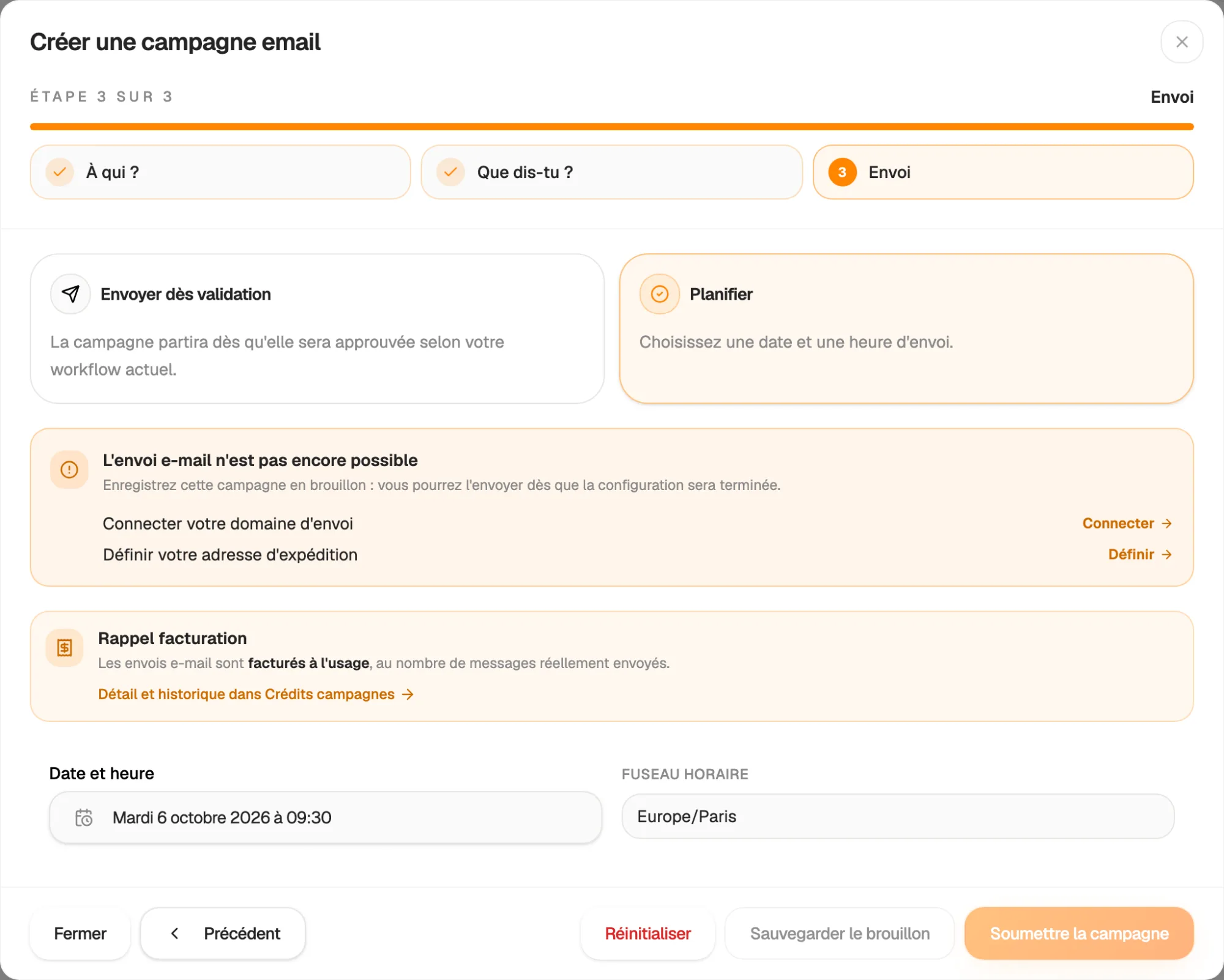
Test, schedule, then let it go

Send yourself a test email before you confirm. Then choose to send as soon as it is approved or at a specific date and time: your time zone is detected automatically.

Campaigns go out in the background, in batches, from your own sending domain. Hob's Space guides you through setting up this domain and checking the DNS records. Every email contains an unsubscribe link.

  • Test email before sending
  • Immediate or scheduled send on the date you choose
  • Sent from your domain, verified step by step
Test, schedule, then let it go

Statistics

What was read, clicked or bounced

For each campaign, track emails sent, delivered, opened and clicked, as well as bounces, failures and unsubscribes. Open and click rates are calculated for you.

The Statistics tab brings all your campaigns together over the period of your choice: trend chart, breakdown by status and a ranking of your best campaigns.

  • Sent, delivered, opens, clicks, bounces
  • Unsubscribes tracked campaign by campaign
  • Trend and best campaigns over the chosen period

And also…

  • Duplication

    Start again from an existing campaign to create a new one.

  • Rich blocks

    Product grid, price catalogue, countdown and promo code.

  • HTML import

    Drop a file or paste the code of an existing email.

  • Consent respected

    A contact without consent or who has unsubscribed is never included in a send.

  • Unsubscribe

    A link to a preferences page is added to every email.

  • Your domain

    Send from your own address, with guided DNS verification.

  • Approval

    Approve or reject a campaign before it is sent, with a reason.

  • Readable on mobile

    Columns stack automatically on small screens.

Works with

Your campaigns build on the contacts in your CRM and the forms that collect them. Announce your promo codes, products and events, then measure the effect of each send.

Frequently asked questions

Get started today.

Create your account and publish your first page in minutes.

Create my account