All applications

CRM / ContactsIncluded from Starter

All your clients in one place, at last

Contacts, leads, conversations, follow-ups, quotes and invoices: the Hob's Space CRM brings together everything you know about each client, and tells you who to follow up today.

Create my account

Your contacts, their status and their next follow-up, at a glance

Your contacts, their status and their next follow-up, at a glance

Client record

A complete record for every contact

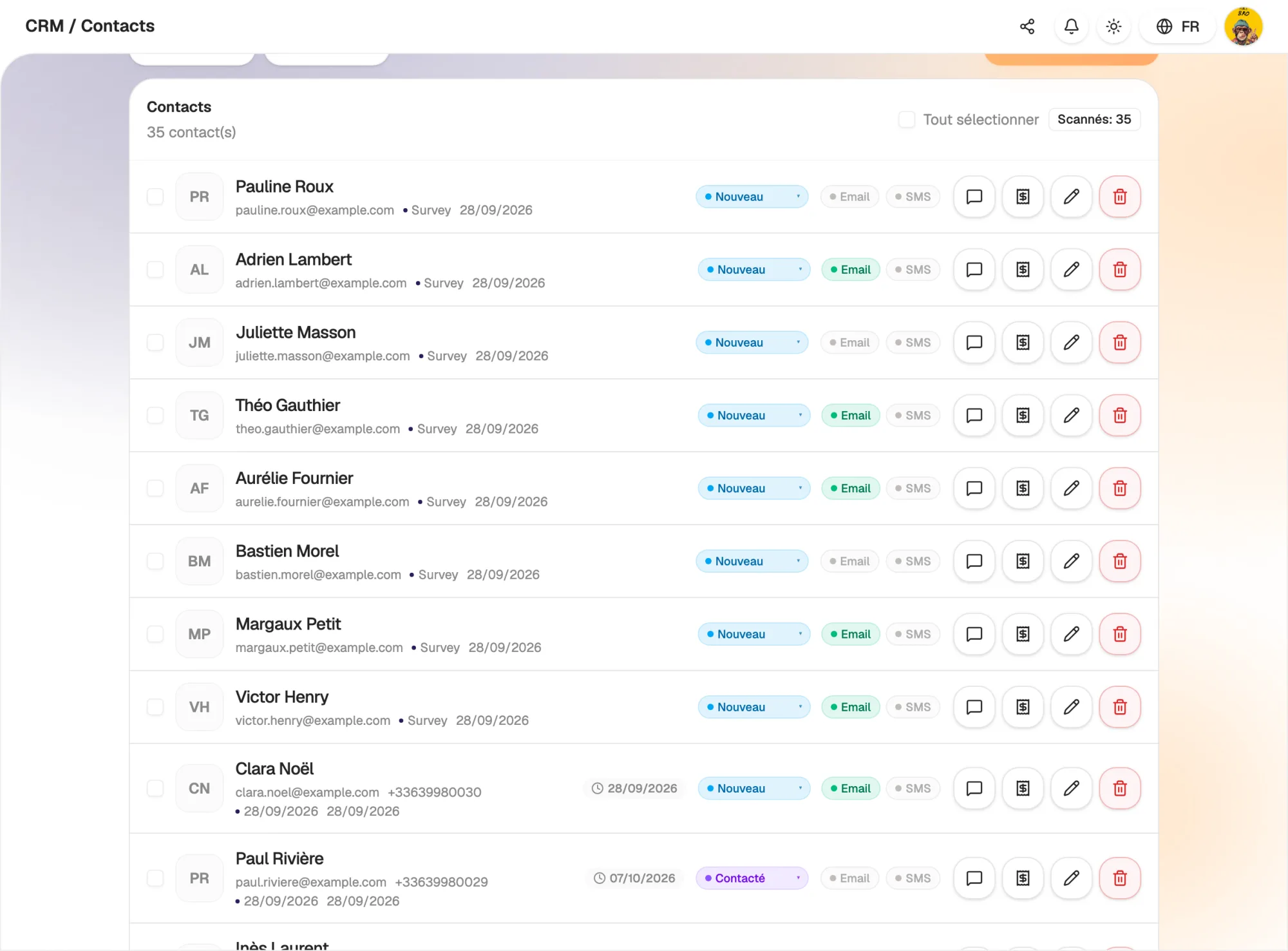
Name, email, phone, company, industry, role, address: every contact has a record, created automatically when a visitor fills in one of your forms or scans one of your NFC cards.

Qualify your leads in one click (low, medium or high interest), note the value of the deal and keep the history of your conversations in one place. No more digging through your emails to remember where you were.

  • Contacts created automatically from your forms, pages and NFC cards
  • Qualification: company, industry, interest level, deal value
  • Conversation history kept on each record
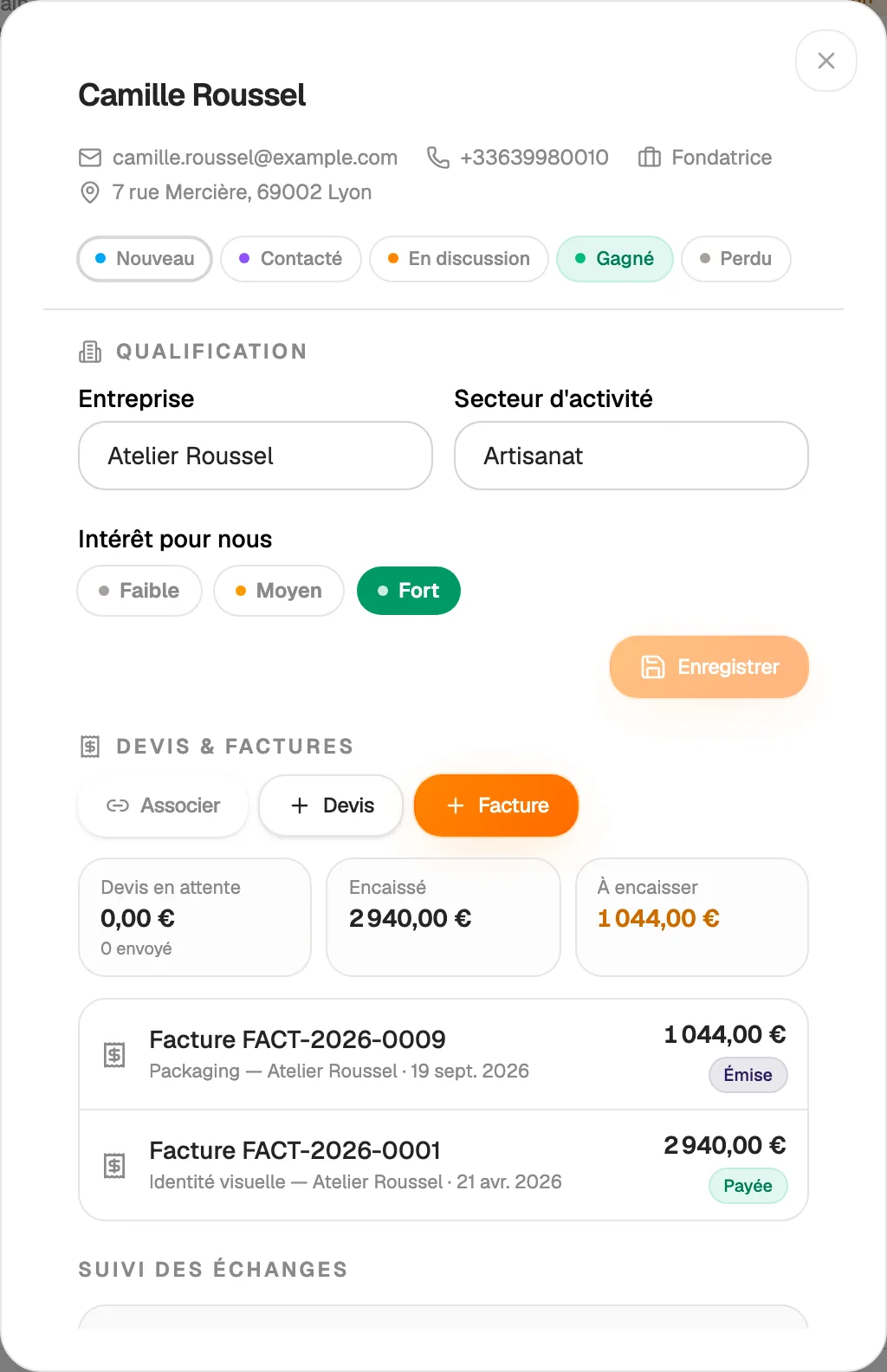
A complete record for every contact

Pipeline

See where every deal stands

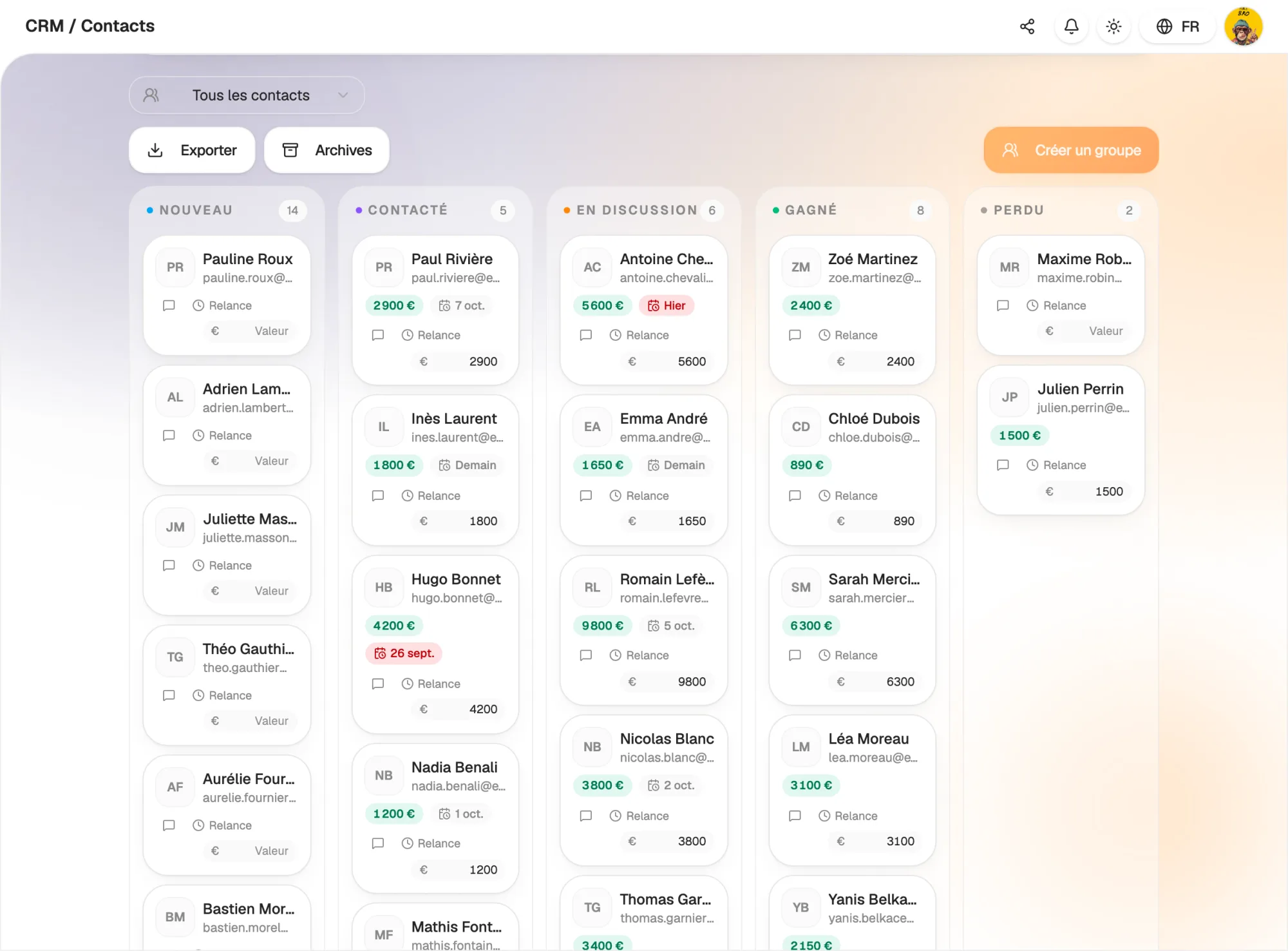
Drag your contacts from one column to the next: new, contacted, in discussion, won, lost. The pipeline shows at a glance what is moving and what is stuck.

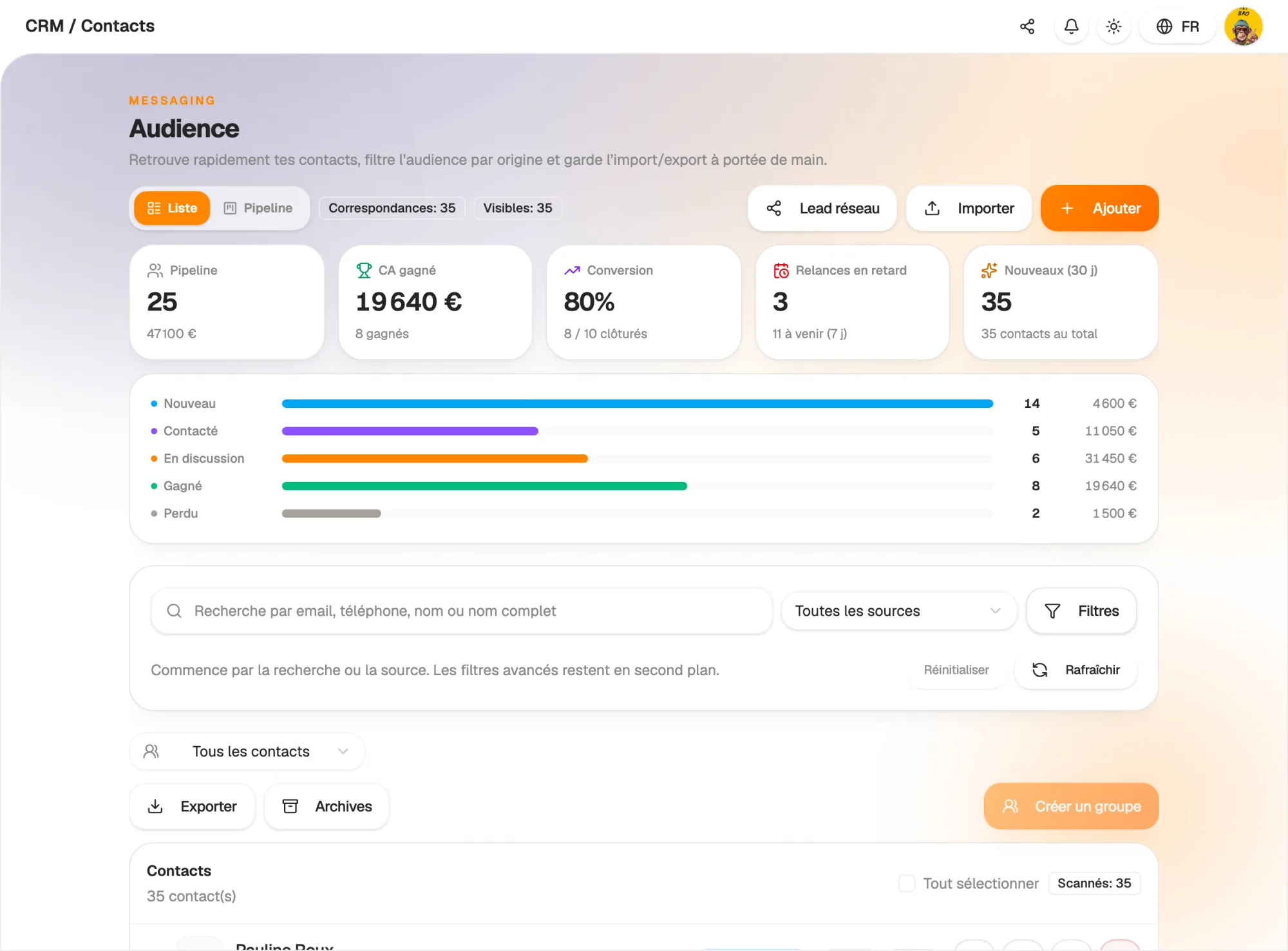
Status can also be changed straight from the contact list. CRM indicators track your activity: leads per stage, deals won, follow-ups due.

  • Visual pipeline in columns, with drag and drop
  • Status editable from the list or the record
  • Indicators of your sales activity
See where every deal stands

Follow-ups

Never let a lead slip away again

Set a follow-up date on any contact. On the day, Hob's Space notifies you, and the list highlights overdue follow-ups.

Every morning you know who to call, who to email and which deals deserve your attention. Sales follow-up becomes a habit, not a chore.

  • Next follow-up date on every contact
  • Notification on the follow-up day
  • Overdue follow-ups flagged in the list
Never let a lead slip away again

Import

Bring in your client file in a minute

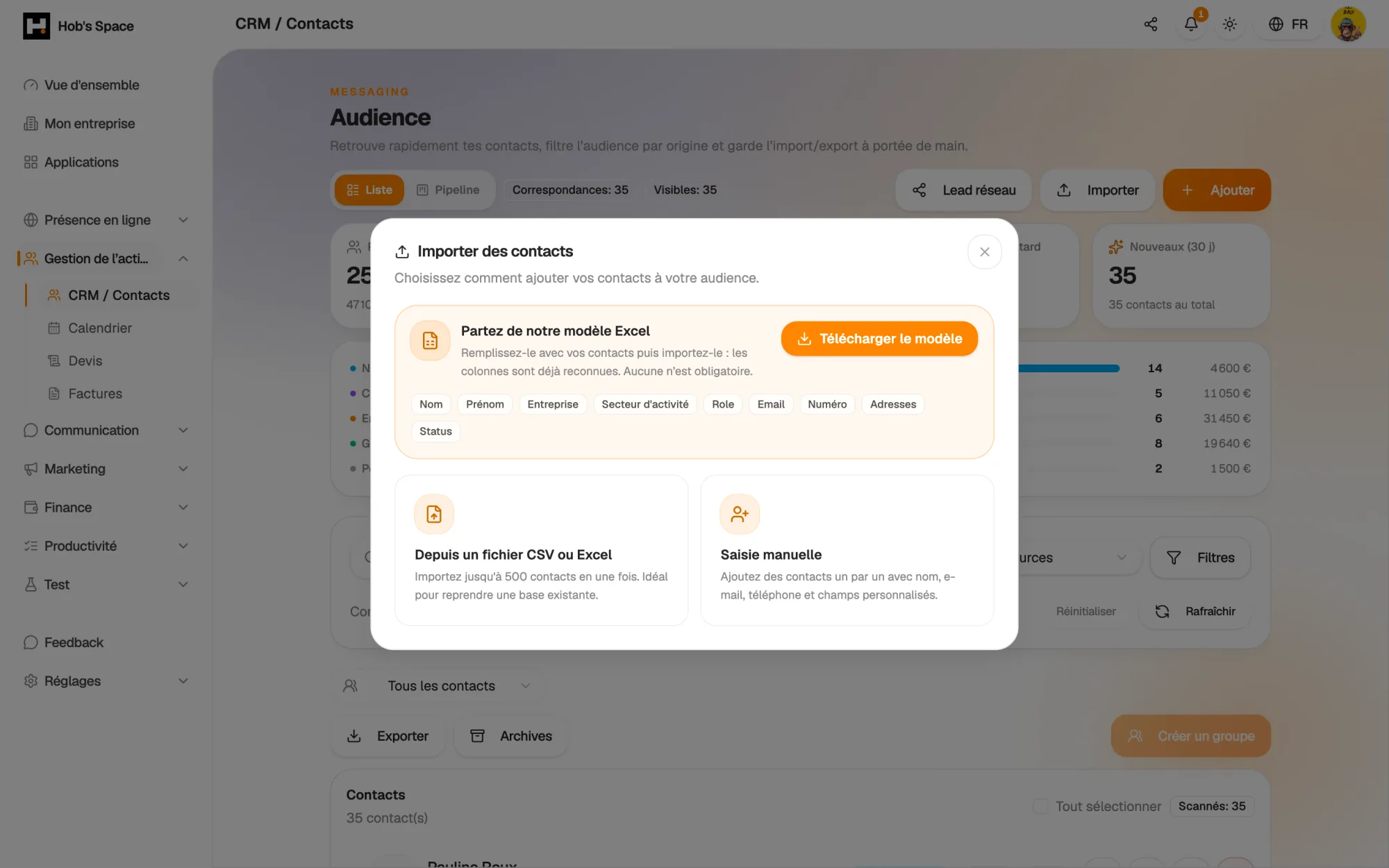
Download our Excel template, paste your contacts in and import it: names, emails, phone numbers, companies, industries, roles, addresses and statuses are recognised. No column is mandatory.

Duplicates are detected on import: an existing contact is updated rather than created again. A detailed report shows what was added, updated or skipped, line by line.

  • Ready-to-fill Excel template, CSV accepted
  • Duplicate detection by email and phone
  • Line-by-line import report
Bring in your client file in a minute

Quotes and invoices

From lead to invoice, without switching tools

Each contact record shows its quotes and invoices, with what has been collected and what is still outstanding. Create a quote or invoice from the record: it opens already addressed to the client.

An “Invoice” button is also available on every row of the contact list. Your sales and financial figures finally meet.

  • Quotes and invoices linked to each contact
  • Documents created already addressed to the client
  • Collected and outstanding amounts per client
From lead to invoice, without switching tools

And also…

  • Contact groups

    Organise your contacts into groups to find and target them easily.

  • Filters and search

    Filter by source, group, country or status, and find anyone in a few letters.

  • Where each contact comes from

    Form, page, NFC card, import: you know where every lead came from.

  • Conversation history

    Keep track of your conversations right on the contact record.

  • GDPR consent

    Email and SMS consent tracked per contact, unsubscribes respected, erasure on request.

  • Tags

    Tag several contacts at once to segment your database.

  • Indicators

    Track leads per stage and the deals you have won.

  • Targeted campaigns

    Send an email or SMS to a group of consenting contacts in a few clicks.

Works with

The CRM is the heart of Hob's Space: your forms, bookings, quotes, invoices and campaigns share the same contacts.

Frequently asked questions

Get started today.

Create your account and publish your first page in minutes.

Create my account