All applications

ShopPro plan

Sell what you make, where people find you

Physical products, digital files, appointments, calls or courses: add them to your shop and sell them from your link in bio or your website. Payments, stock, orders and shipping are all managed in one place.

Create my account

Your products sorted by type, ready to sell

Your products sorted by type, ready to sell

Catalogue

A form tailored to each type of product

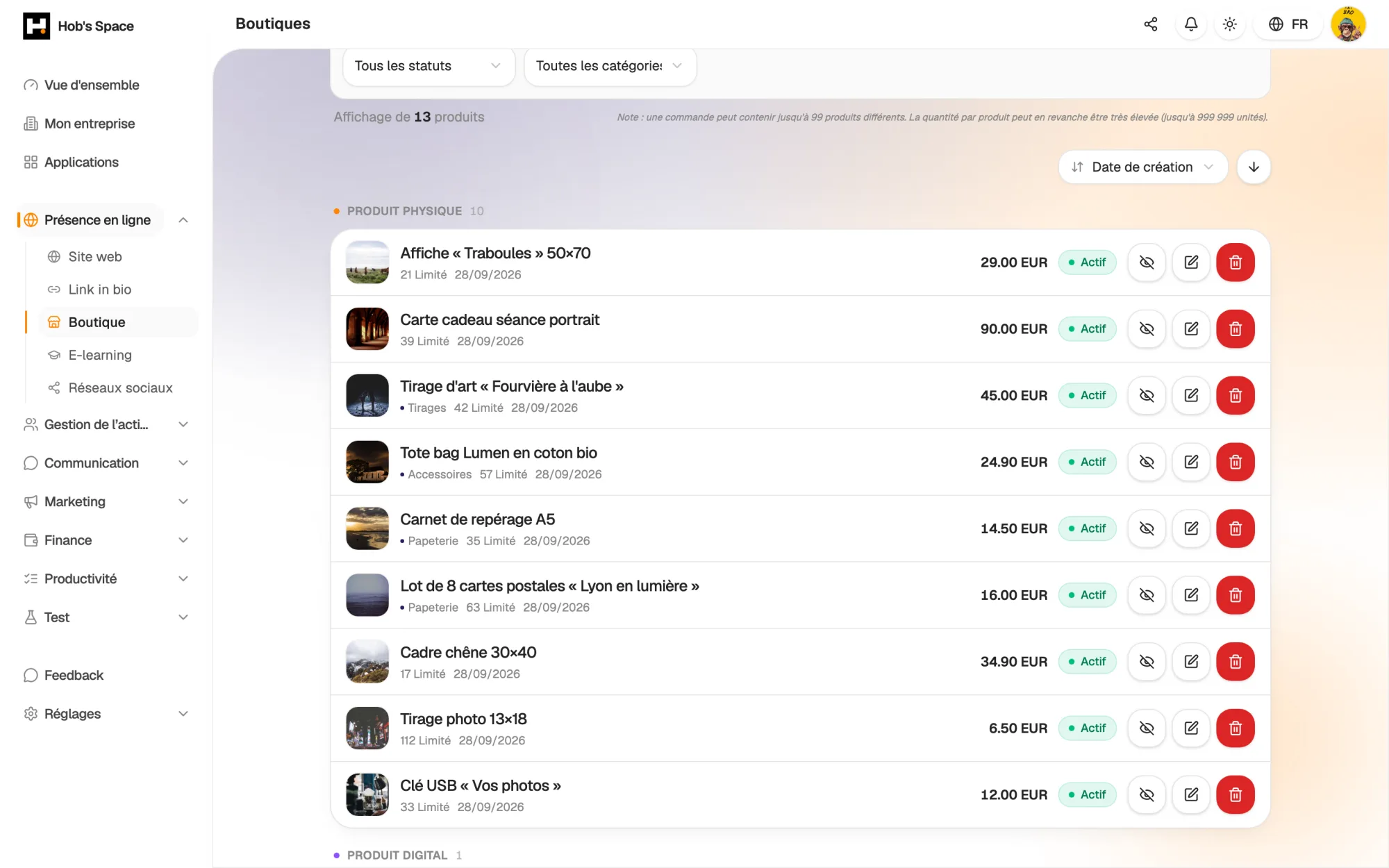
Start by choosing the type: physical, digital, appointment, call or course. The form adapts: weight and dimensions for a parcel, a file or link for a digital product, duration and opening hours for an appointment.

For a physical item, add options such as size or colour. Each variant has its own price, SKU, image and stock. An email lets you know when stock is low or sold out.

  • Five product types in a single shop
  • Variants with their own price, SKU and stock
  • Email alert when stock is low or sold out
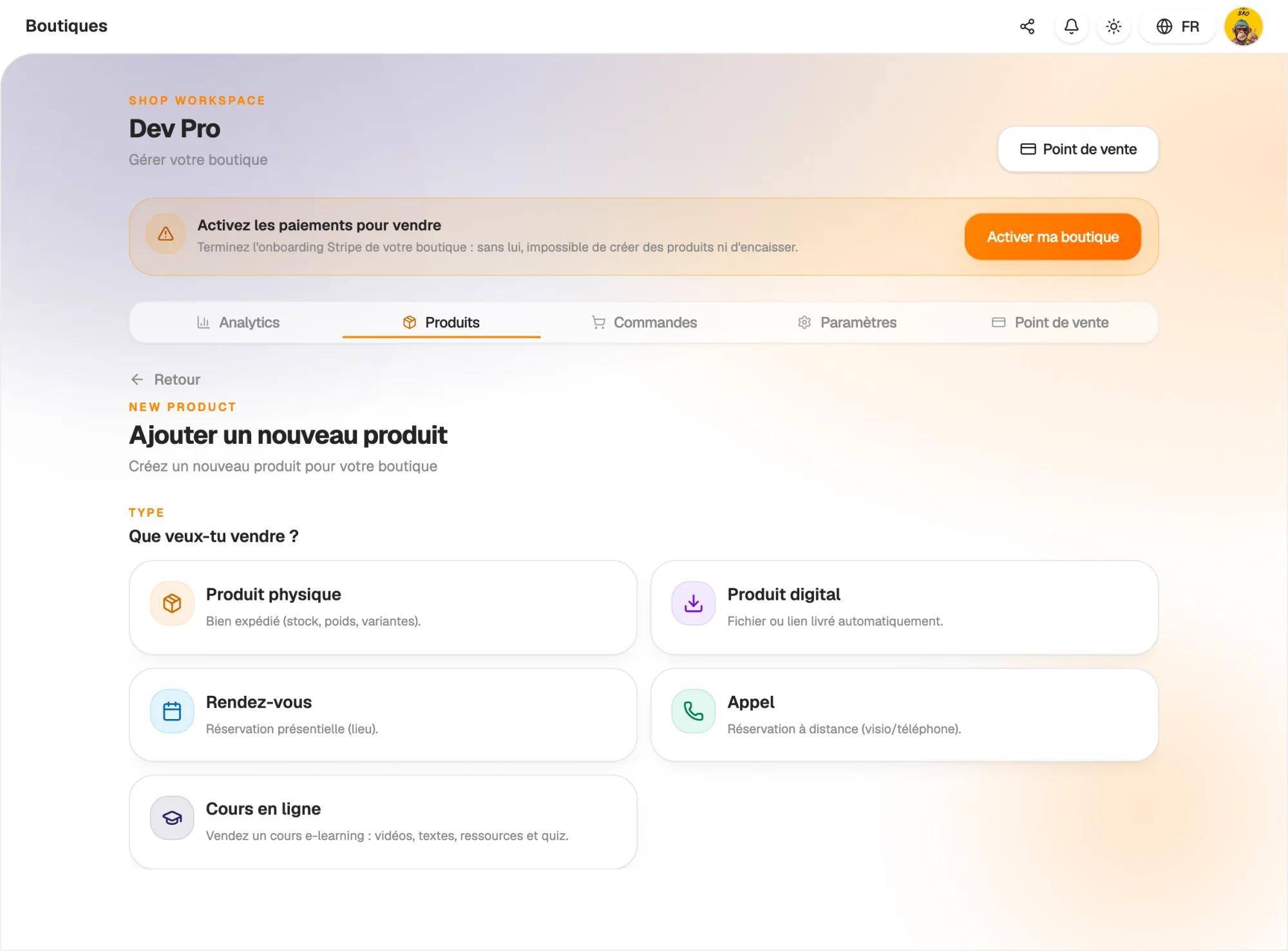
A form tailored to each type of product

Payment

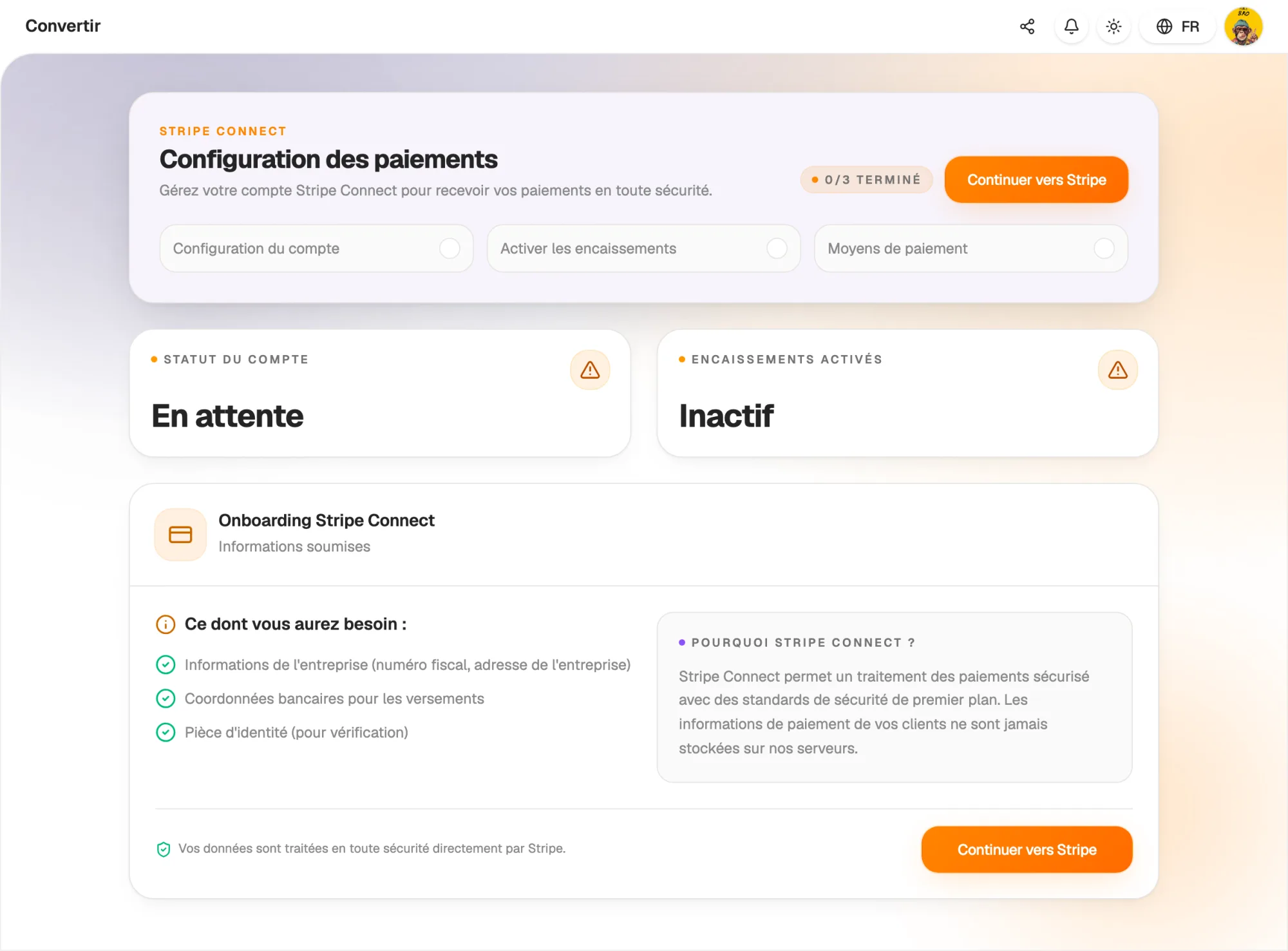
Get paid through Stripe, into your own account

Turn on payments by creating your Stripe account from the shop. Your sales are paid out to that account. Hob's Space takes no commission on your sales: only Stripe fees apply.

Your customers buy without creating an account. Stock is held during checkout, so the last item is never sold twice. You can prepare your catalogue before activating Stripe.

  • Payouts to your own Stripe account
  • Checkout without a customer account
  • No Hob's Space commission on your sales
Get paid through Stripe, into your own account

Orders

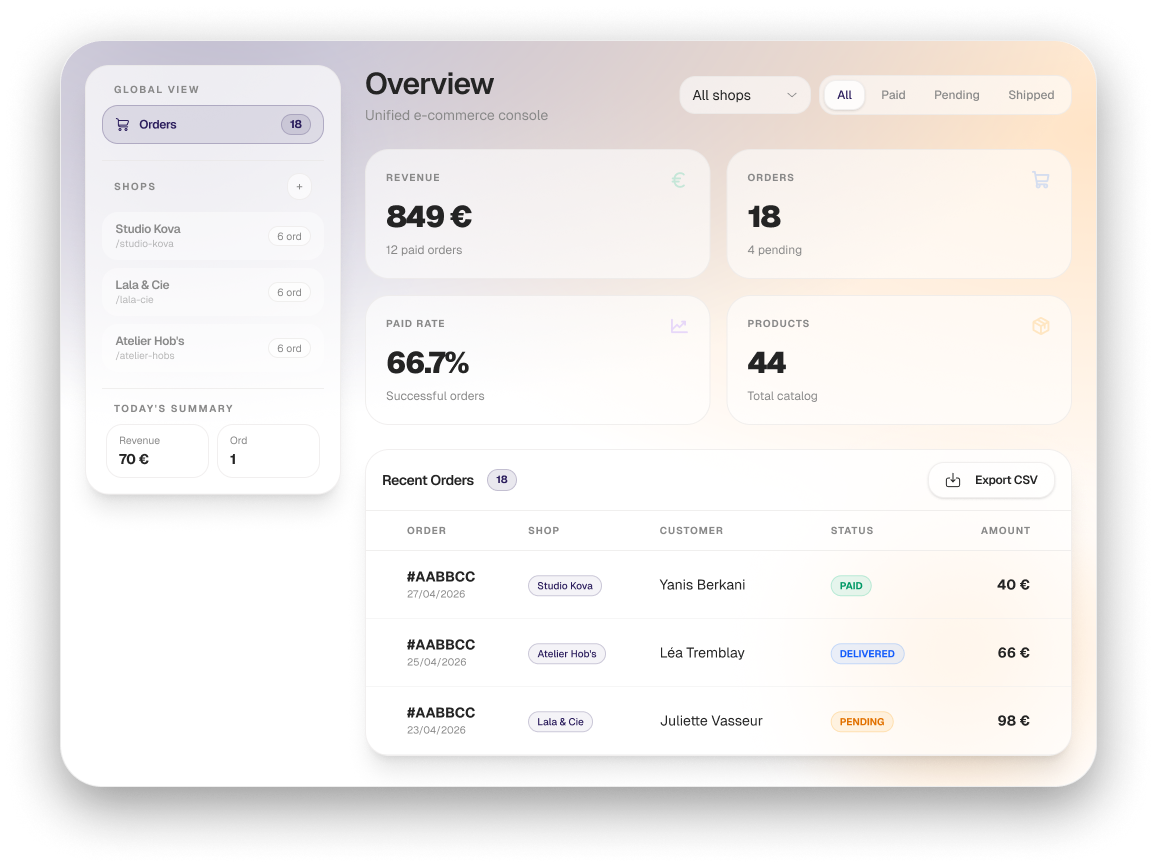
Every order tracked through to delivery

Orders come in with their status: pending, paid, preparing, shipped, delivered, refunded or cancelled. Filter by status or amount, or find an order by searching.

From the order, mark it as preparing, then ship it with the carrier and tracking number. The customer receives an email at each key step: confirmation, shipping, refund.

  • Search and filters by status or amount
  • Tracking number passed on to the customer
  • Refunds from the order page

Shipping

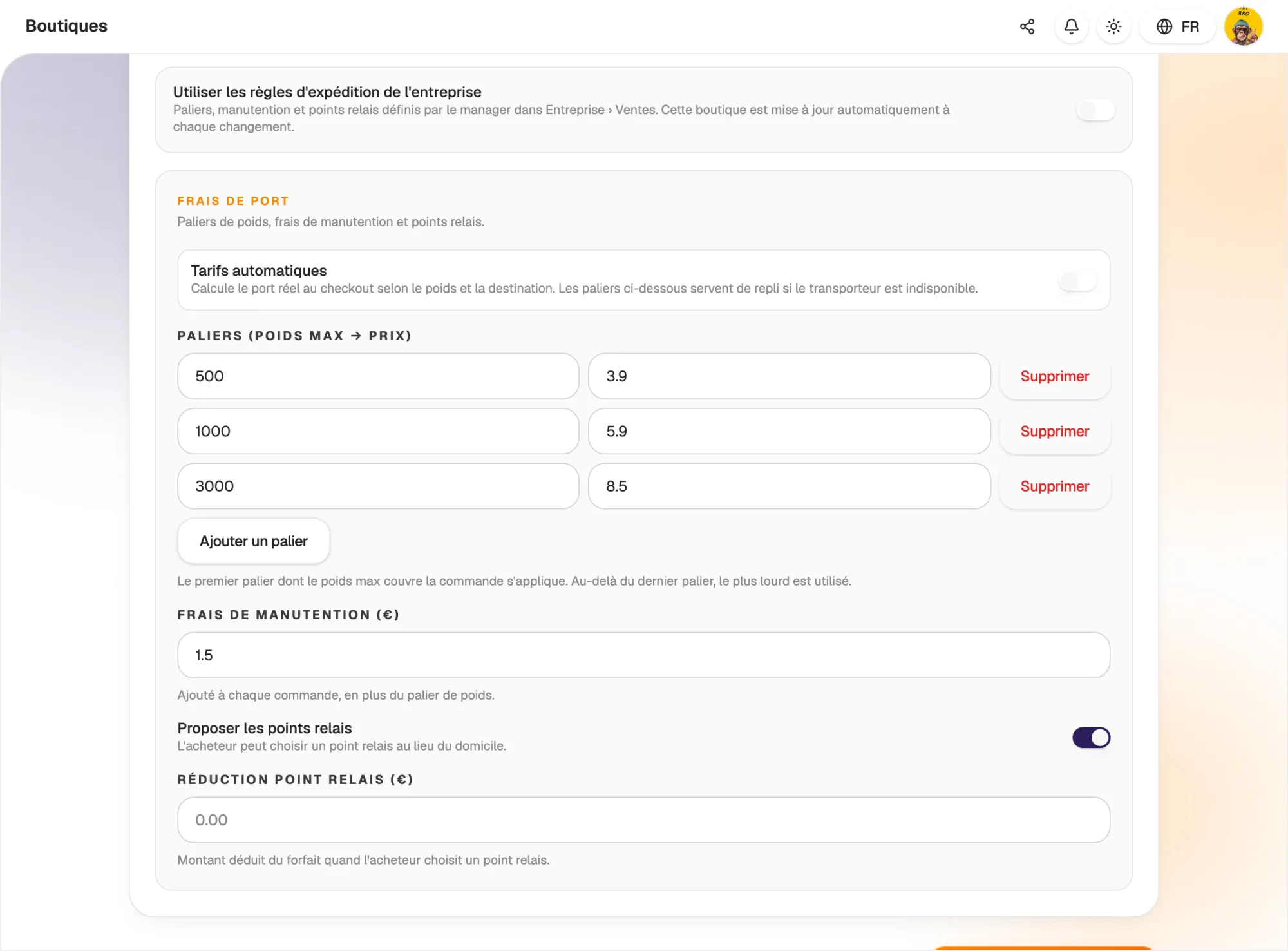
Shipping costs calculated by weight

Set your weight bands and handling fee: postage is calculated automatically in the basket from the total weight. You can also offer delivery to a pick-up point, with its own discount.

When you ship, generate the label from the order and print it. The order status updates when the parcel is shipped, then delivered.

  • Shipping costs by weight band
  • Delivery to pick-up points
  • Shipping label generated from the order
Shipping costs calculated by weight

Channels

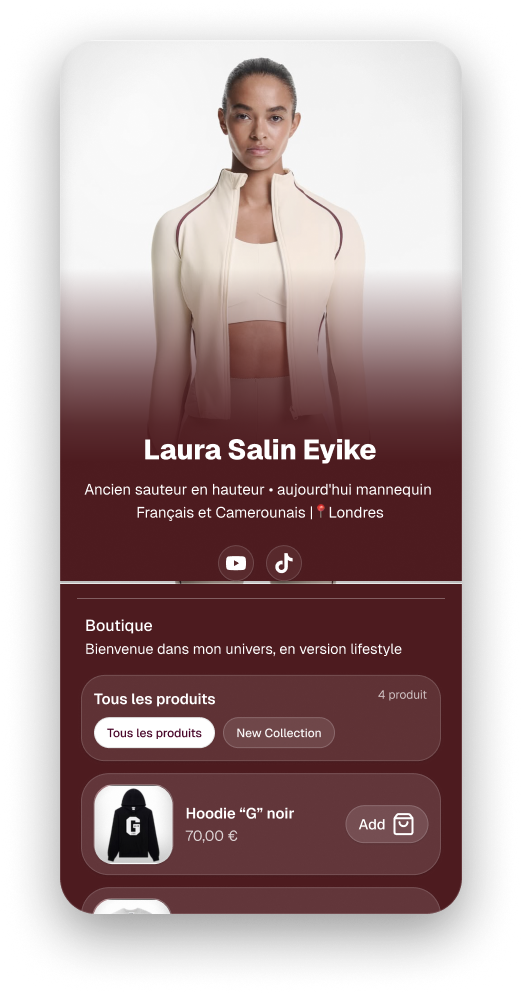
One shop, several shop windows

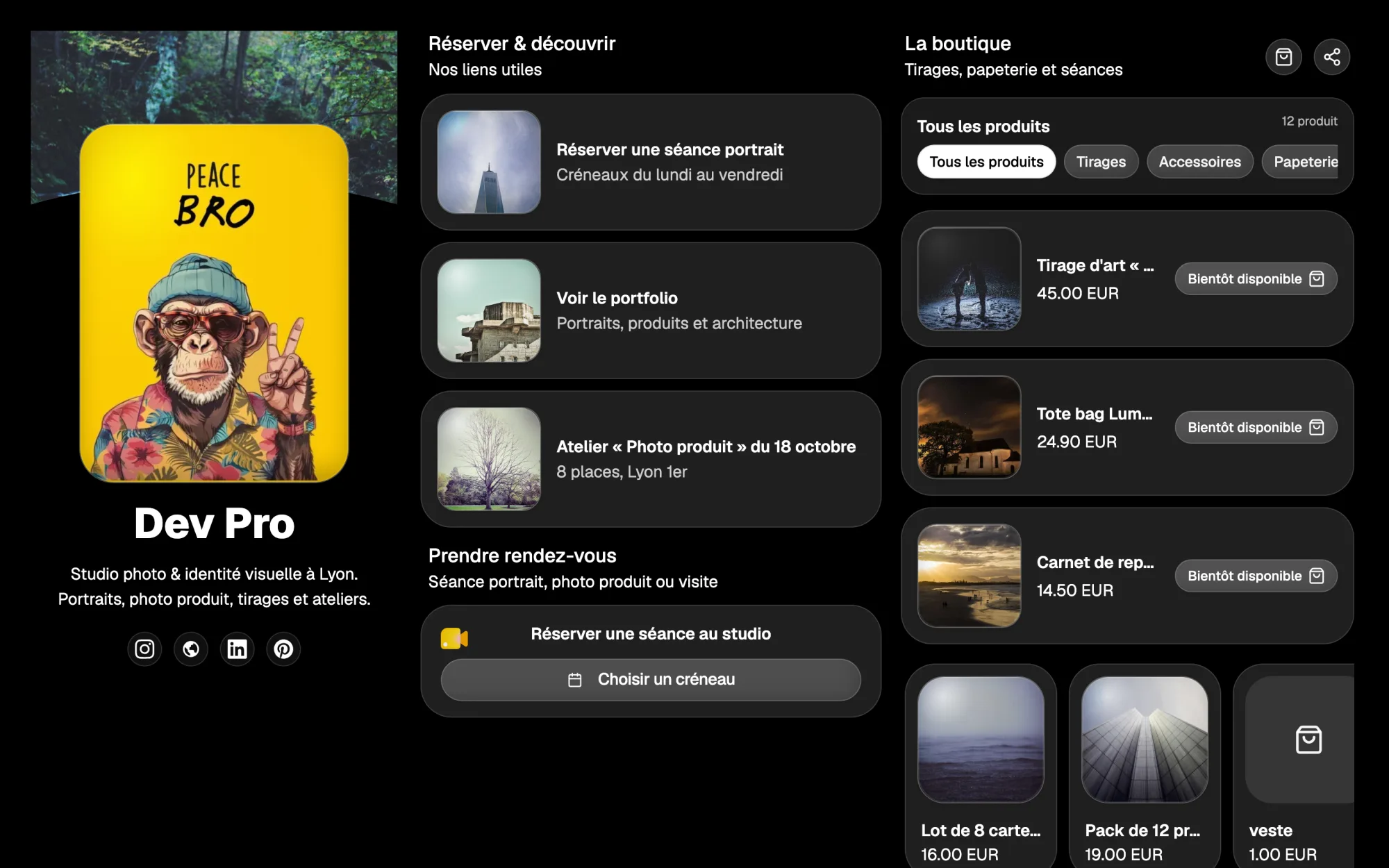
Right after creating a product, add it to your link in bio: the Shop block shows your items with a full basket.

Your website also has its own shop, product, basket and order confirmation pages. You manage one catalogue and one order list, wherever the sale happens.

  • Shop block for your link in bio
  • Shop and product pages on your website
  • One catalogue for all your channels
One shop, several shop windows

Till

Sell in person too, from the same catalogue

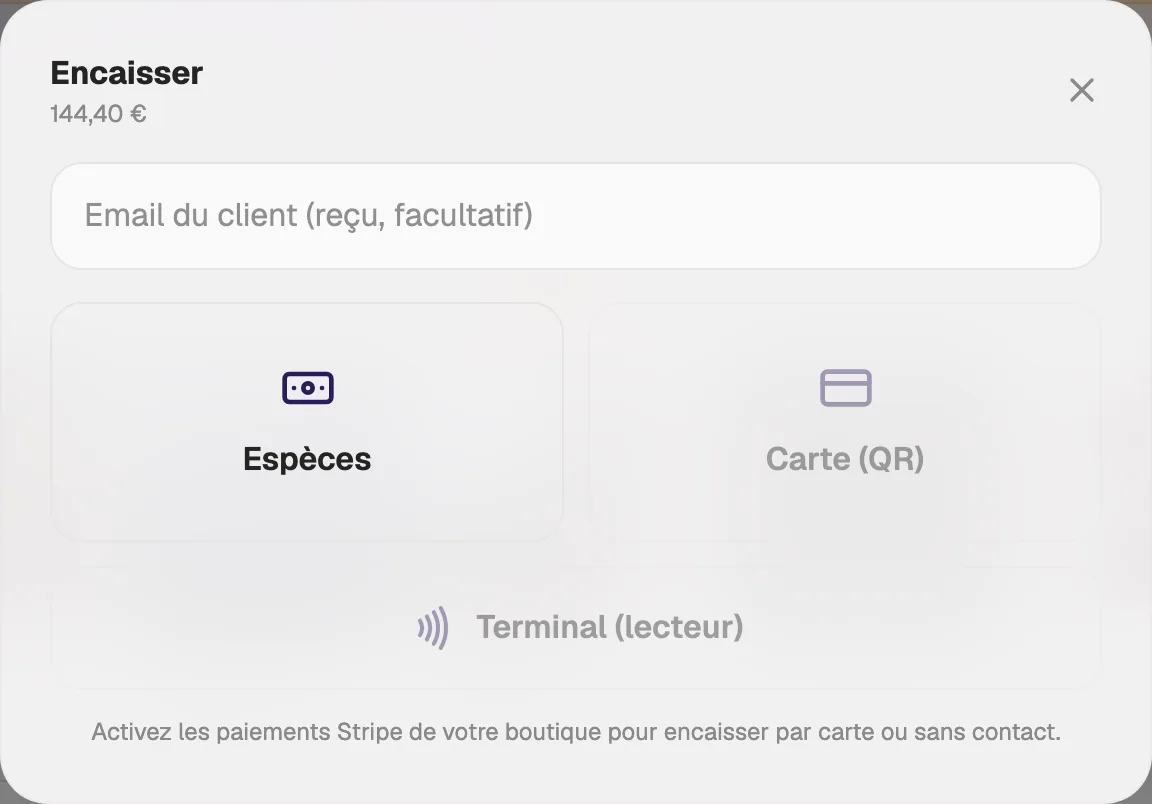
Market stall, workshop, fair or counter: the till opens on your computer, tablet or phone. Search for a product, scan its barcode or add a one-off item as a free sale.

Take cash with the change calculated for you, card payments with a QR code the customer scans, or a Stripe Terminal reader. Stock and promo codes are the ones from your online shop.

  • Search, favourites and barcode scanning
  • Cash, QR code or Stripe Terminal reader
  • Opening, closing and sales journal
Sell in person too, from the same catalogue

Promo codes

Discounts that apply themselves

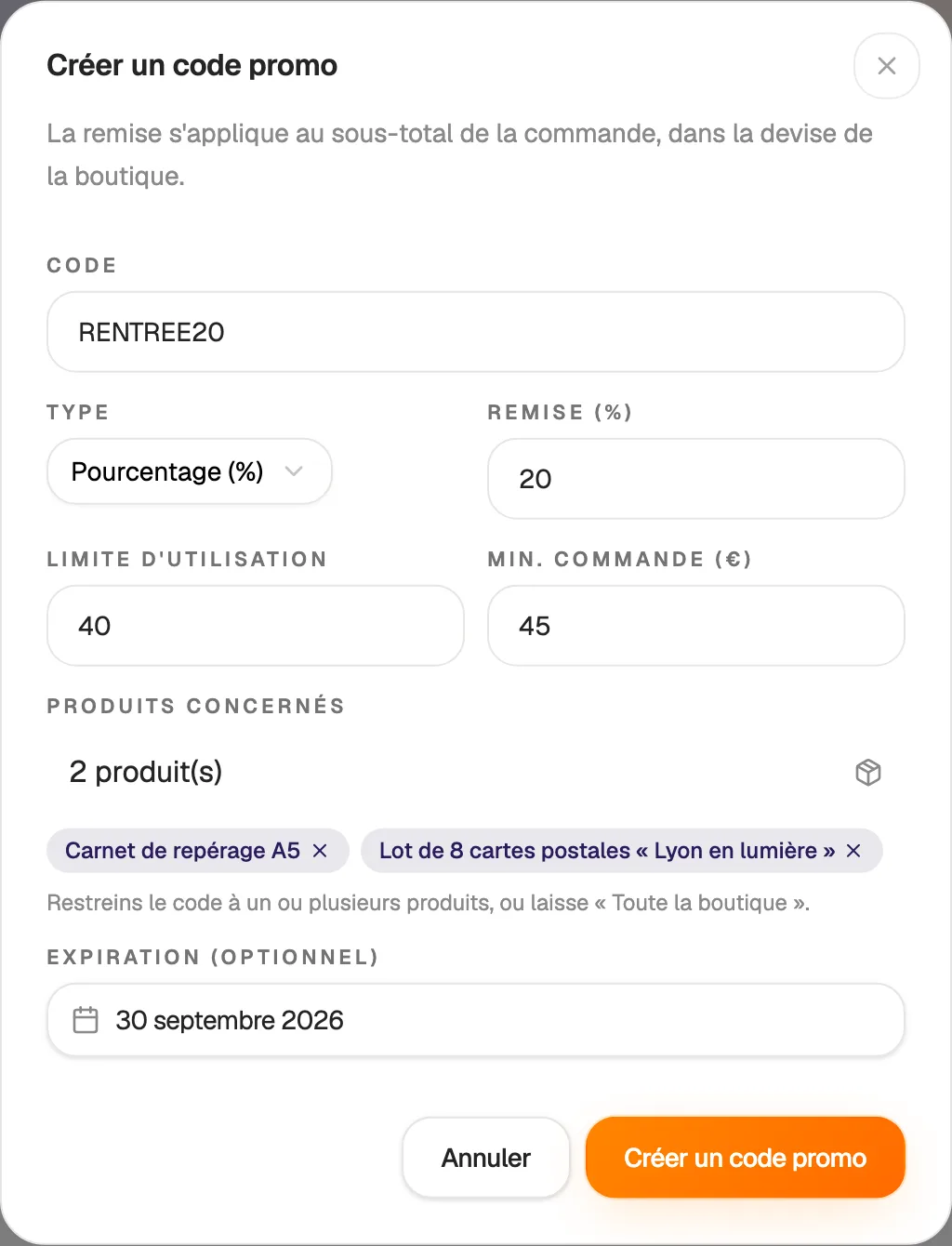
Create a code in seconds: a percentage or a fixed amount. Your customers enter it at checkout, on your Link in bio, your website or at the till, and the discount is calculated automatically.

Set your conditions: expiry date, number of uses, minimum amount or specific products. A switch pauses the code at any time, without deleting it.

  • Percentage or fixed-amount discount
  • Expiry, usage limit and minimum amount
  • Code reserved for certain products
Discounts that apply themselves

Statistics

Your sales, clear at a glance

Revenue, orders, average basket and items sold appear at the top, each compared with the previous period. The day-by-day chart shows your sales peaks.

See your five best products, revenue by type and by category, and where your sales come from: Link in bio, website or till.

  • Revenue, orders, average basket
  • Automatic comparison with the previous period
  • Best sellers and sales channels

And also…

  • Digital products

    After payment, the customer receives a protected download link.

  • Paid appointments

    Duration, opening hours and minimum notice: the slot is booked on payment.

  • Promo codes

    Percentage or fixed amount, minimum spend, expiry date, number of uses.

  • Basket reminders

    An email goes to customers who did not complete their payment.

  • Categories

    Organise your products so customers can find their way around.

  • Online courses

    Sell your courses: access is sent by email after purchase.

  • Sale alerts

    You receive an email for every new sale.

  • Team shops

    With the Crew plan, each team member has a shop and you follow them all.

Works with

The Shop is connected to the rest of Hob's Space: your products appear on your link in bio and your website, your courses are built in E-learning, and your sales feed Shop stats.

Frequently asked questions

Get started today.

Create your account and publish your first page in minutes.

Create my account