All applications

E-learningPro plan

Turn your know-how into an online course

Organise your course into modules and lessons, add your videos, materials and quizzes, then sell it or give it away. Your students get in through a link sent by email, with no password.

Create my account

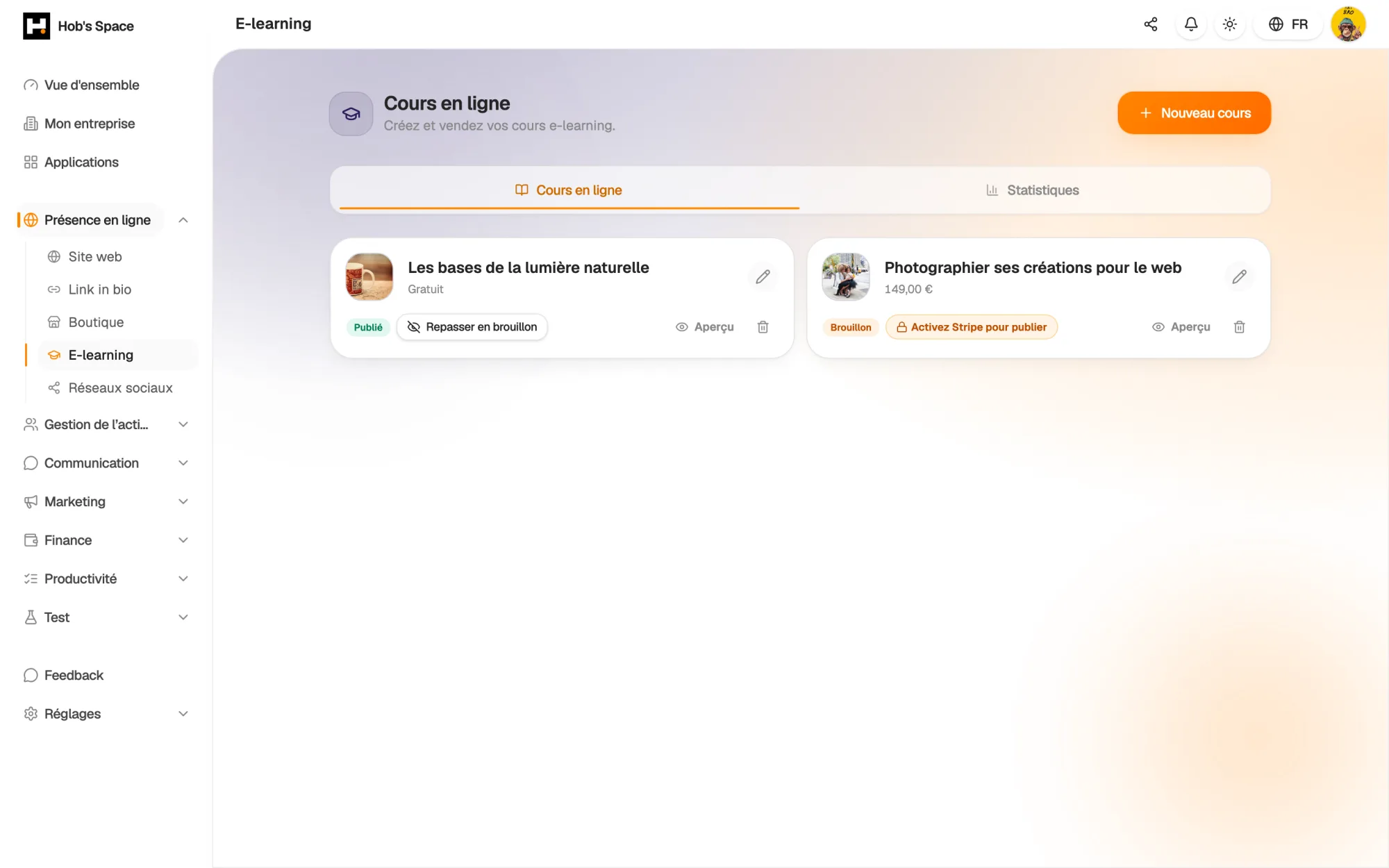
Your courses, their publication status and their price

Your courses, their publication status and their price

Building

Modules and lessons, in the order you choose

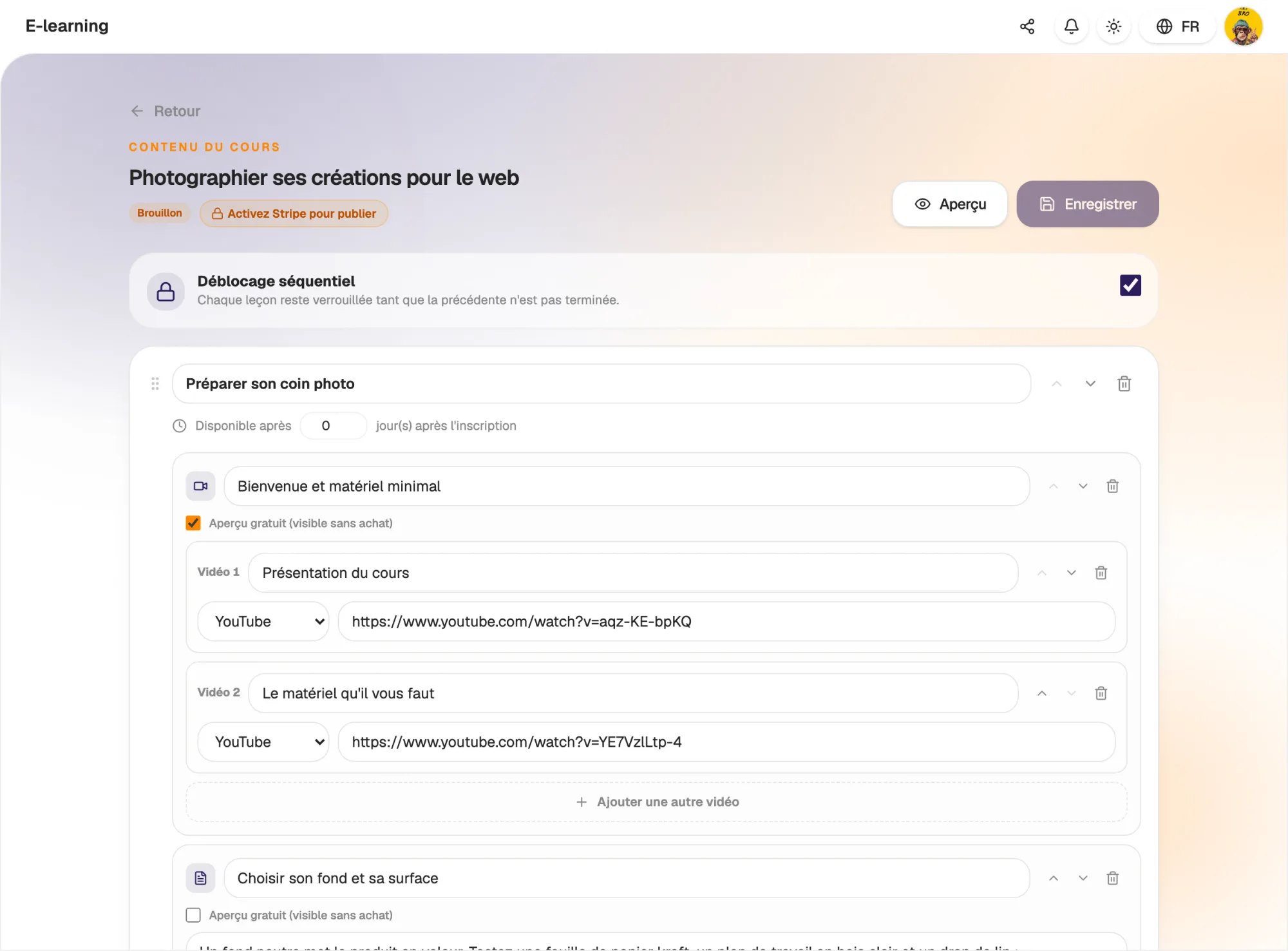
Give your course a title, a price and a cover image, then add your modules. In each module, create video lessons, text lessons, downloadable resources and quizzes.

A video lesson can hold several videos: uploaded files, YouTube links or Vimeo links. Modules, lessons and videos can be reordered at any time, and the Save button shows you when changes are pending.

  • Four lesson types: video, text, resource, quiz
  • Up to 20 videos in a single lesson
  • Preview the course as your students see it
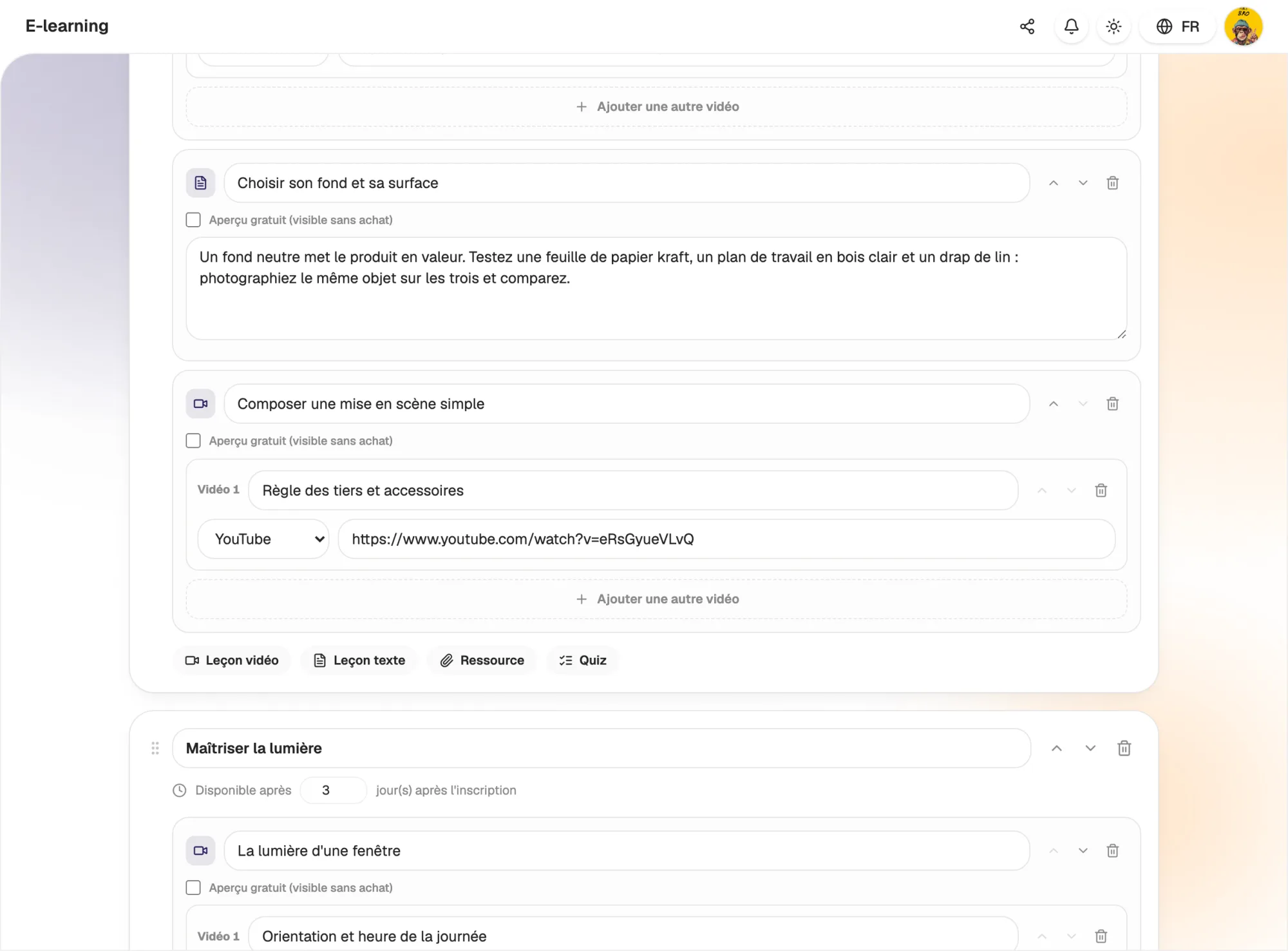
Modules and lessons, in the order you choose

Pacing

Release content at the right time

Schedule each module to open a set number of days after enrolment. Turn on sequential unlocking: a lesson only opens once the previous one is complete.

Locking is checked by the server: the content of a locked lesson is never sent to the student. You can also mark lessons as free previews, visible before any purchase.

  • Modules released based on enrolment date
  • Sequential lesson unlocking
  • Free preview lessons on the course page
Release content at the right time

Selling

Sell your course or give it away

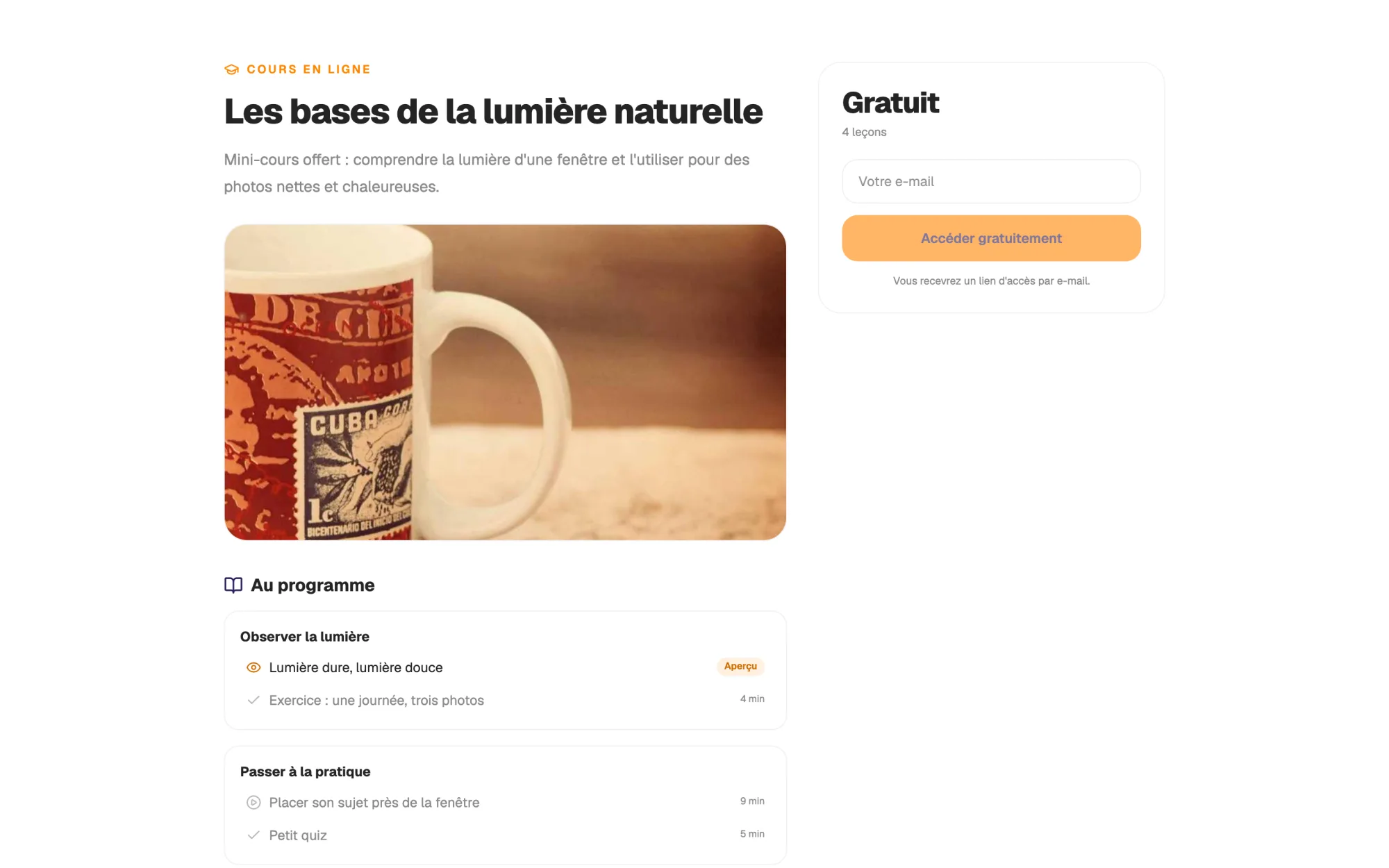
Each course has its own landing page: description, outline by module, number of lessons and price. Purchases go through your shop's Stripe checkout, and access is emailed as soon as payment is confirmed.

A course priced at €0 is unlocked by leaving an email address. If an order is refunded, access is removed. You can also feature your course on your link in bio with the Course block.

  • Landing page with the full outline
  • Paid or free courses
  • Access sent by email after purchase
Sell your course or give it away

Students

A clear player that picks up where the student left off

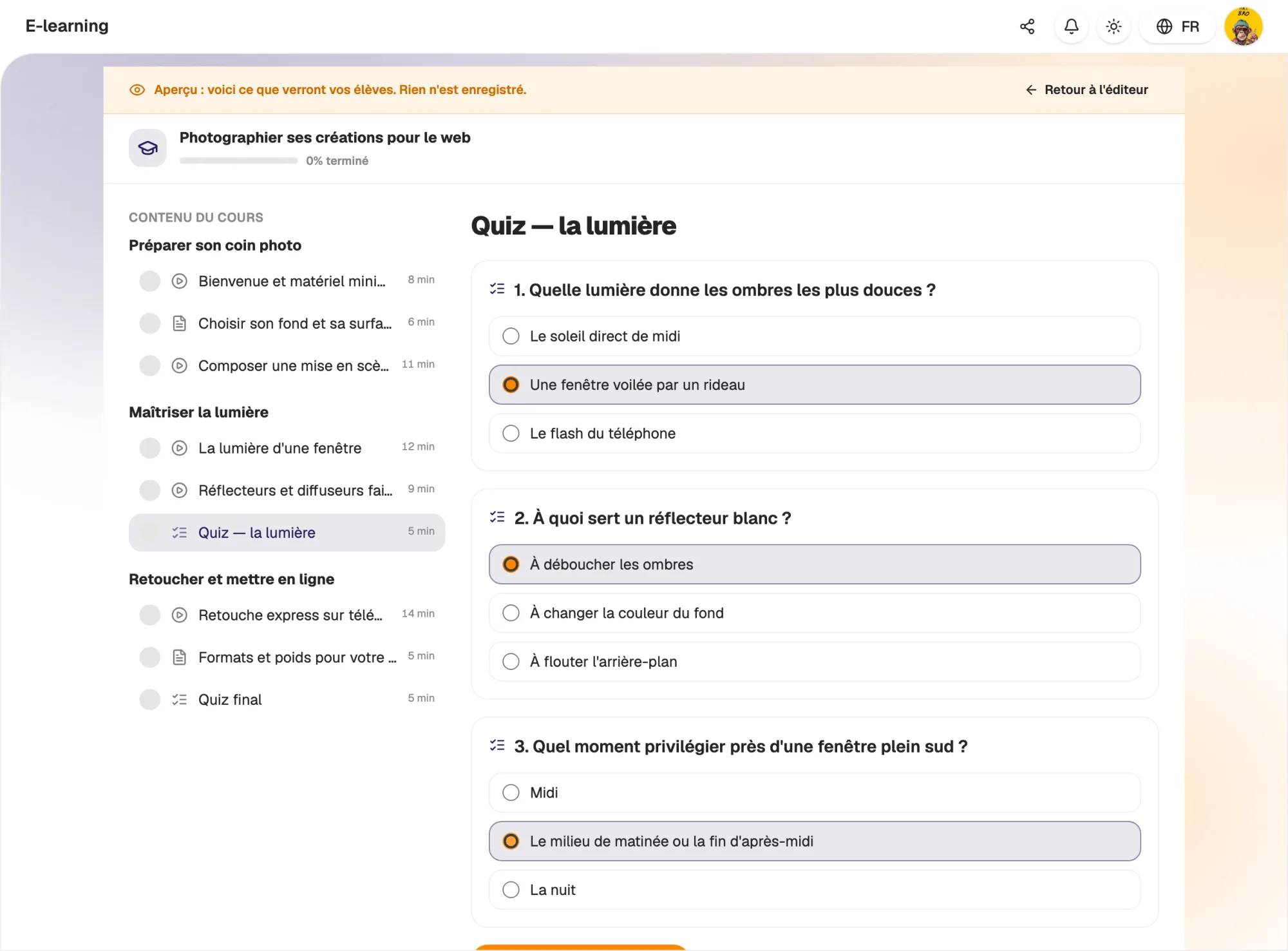
Students see the table of contents, their progress percentage and the current lesson. They mark lessons as complete, and when they come back the course opens on their last lesson.

Quizzes are marked by the server: correct answers are never visible in advance. Students see their score, whether they passed and the correction for each question, and can try again.

  • Progress saved lesson by lesson
  • Automatic resume at the last lesson
  • Graded quizzes with an adjustable pass mark
A clear player that picks up where the student left off

Tracking

See how your courses are followed

The Statistics tab shows the number of courses, enrolments, completed courses and the completion rate, followed by a breakdown for each course.

Within each course, see which lessons are completed most and the average score on each quiz. You know where students drop off and which lesson deserves another look.

  • Enrolments, completed courses and completion rate
  • Completion lesson by lesson
  • Average score on each quiz
hobs.space/cours/marketing-101
Marketing digital
Module 2 · Créer une audience
4 / 9
03:3208:05
Introduction au parcours4:20
Définir sa cible8:05
Créer du contenu qui convertit12:40
Quiz final · 8 questionsCertifiant
66%
Progression
6 / 9 leçons

And also…

  • Certificate

    A PDF certificate in the student's name, once every lesson is complete.

  • Protected videos

    Your video files are private and streamed, with no download button.

  • Resources

    Attach material to download: fact sheet, template, workbook.

  • Password-free access

    Students open their course through a personal link sent by email.

  • Access recovery

    Students who lost their link get it again by entering their email.

  • Seven languages

    The student area, emails and certificate follow the student's language.

  • Draft and publish

    Work on a draft and publish your course when it is ready.

  • Course block

    Feature your course on your link in bio with a button to its page.

Works with

Your courses are products in your Shop: same Stripe checkout, same orders, same visibility on your link in bio. And you follow your enrolments in the E-learning Statistics tab.

Frequently asked questions

Get started today.

Create your account and publish your first page in minutes.

Create my account