All applications

Link in bioIncluded from Starter

One address for everything you offer

Links, videos, products, appointments, contact form: build your page block by block and share it from your bio. You see the result live on a phone preview, then track what gets clicked.

Create my account

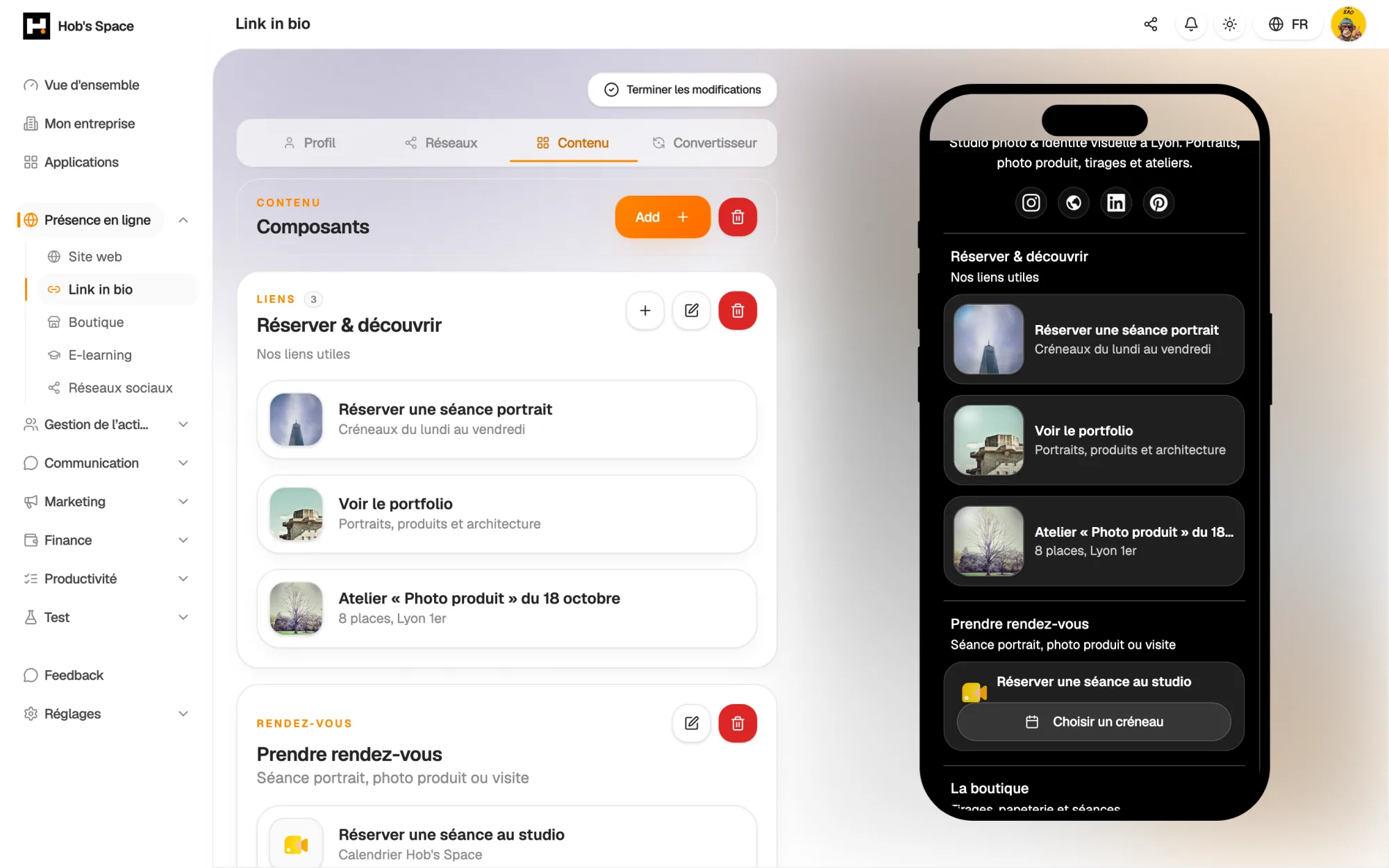
The page editor and its live mobile preview

The page editor and its live mobile preview

Building

Your page, block by block

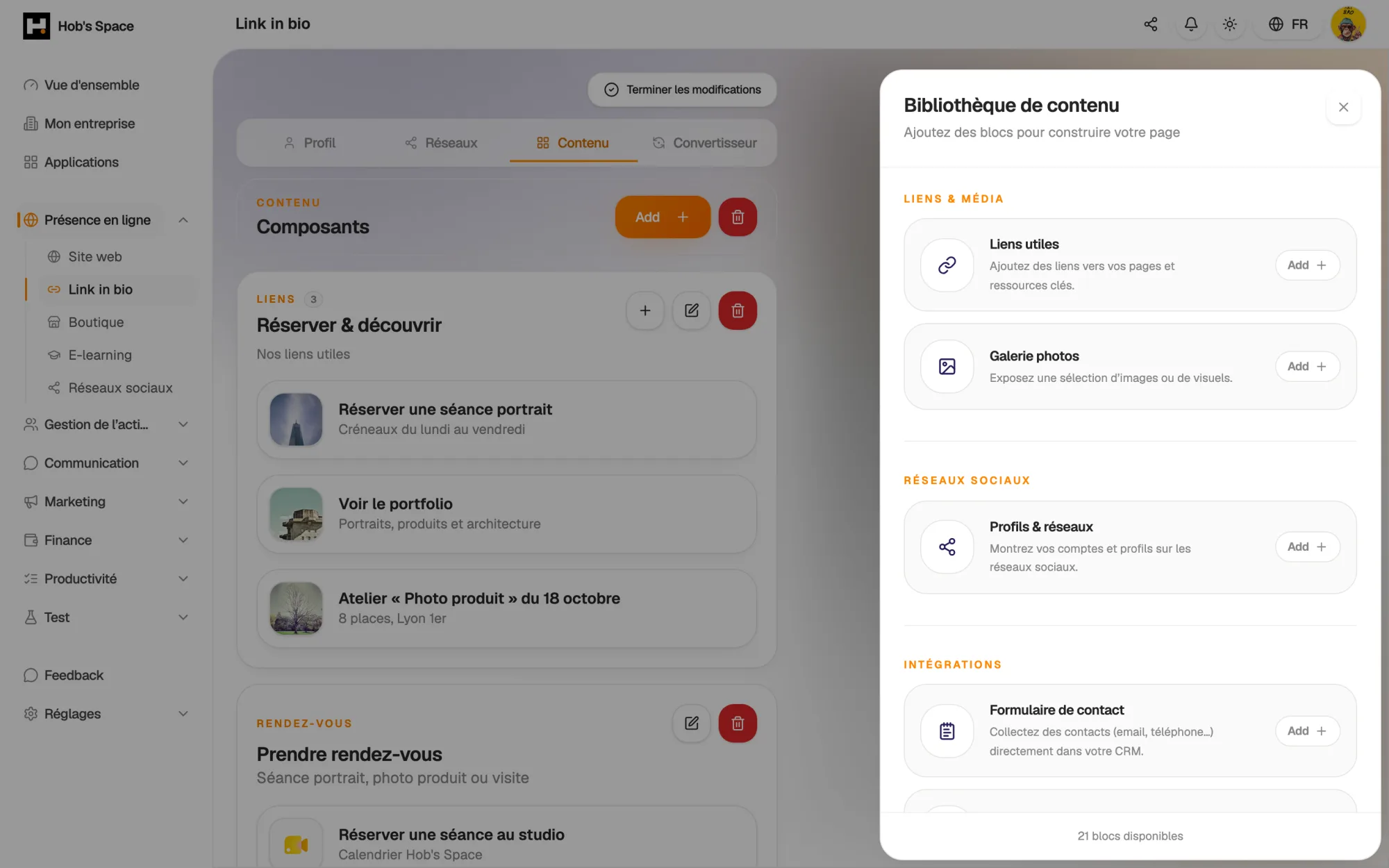
Pick your blocks from a palette sorted by purpose: links, social networks, integrations, products, audio, video, content and events. Every block you add shows up straight away in the phone preview next to the editor.

Photo gallery, downloadable files, text, event dates, music and podcast links, short videos: add as many blocks as you like, whatever your plan.

  • Block palette sorted by category
  • Live mobile preview while you edit
  • Unlimited blocks on every plan
Your page, block by block

Appearance

Your colours, your typography

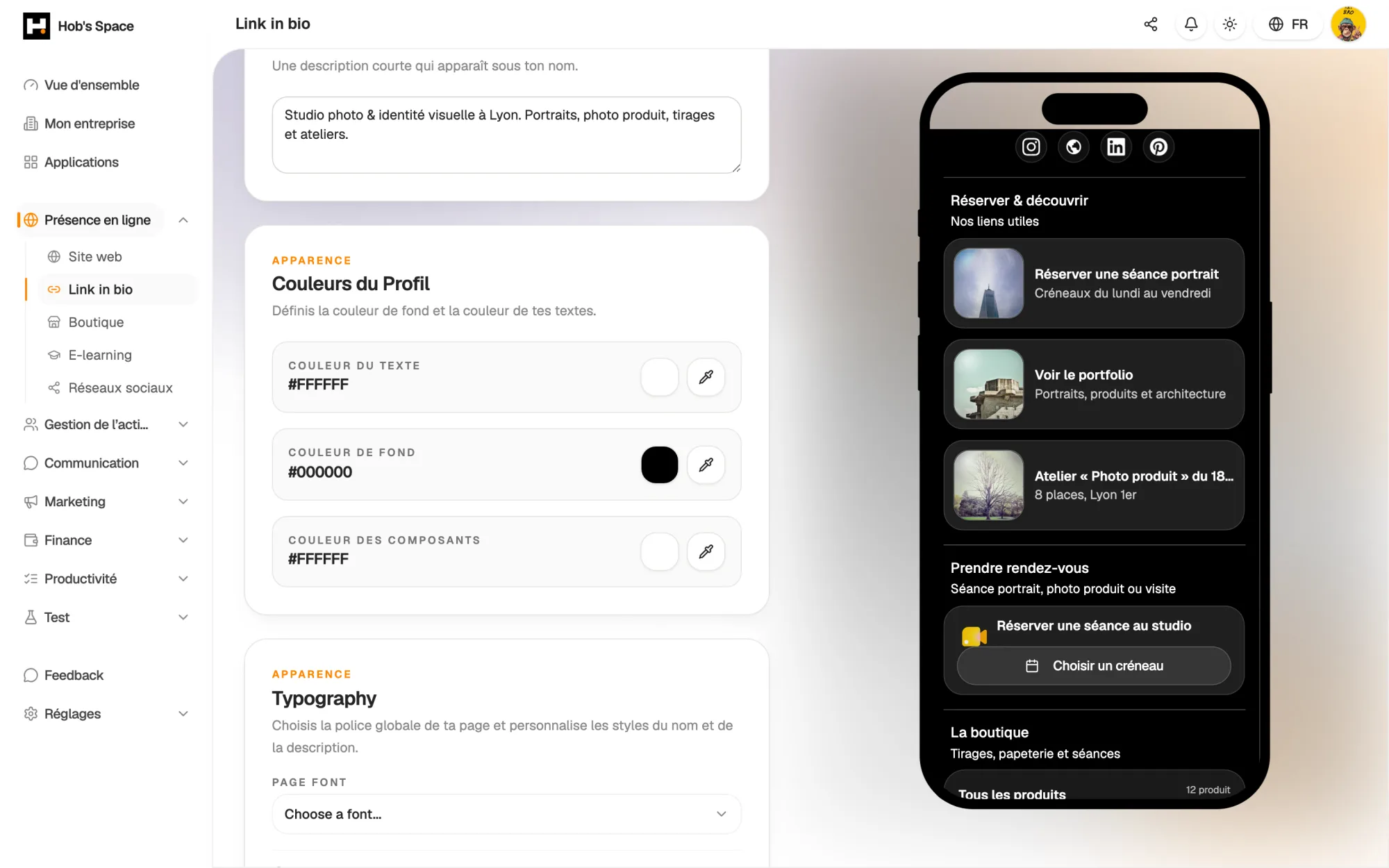
Profile photo, banner, plain background, image or video: the top of your page sets the tone at first glance. Set the background colour, the text colour and the colour of your components.

More than a hundred fonts are available, in sans-serif, serif, display or mono. Your name and description each have their own style: weight, italics, alignment, size and colour.

  • Colour, image or video background
  • More than 100 fonts to choose from
  • A dedicated style for your name and description
Your colours, your typography

Conversion

Sell and take bookings without leaving the page

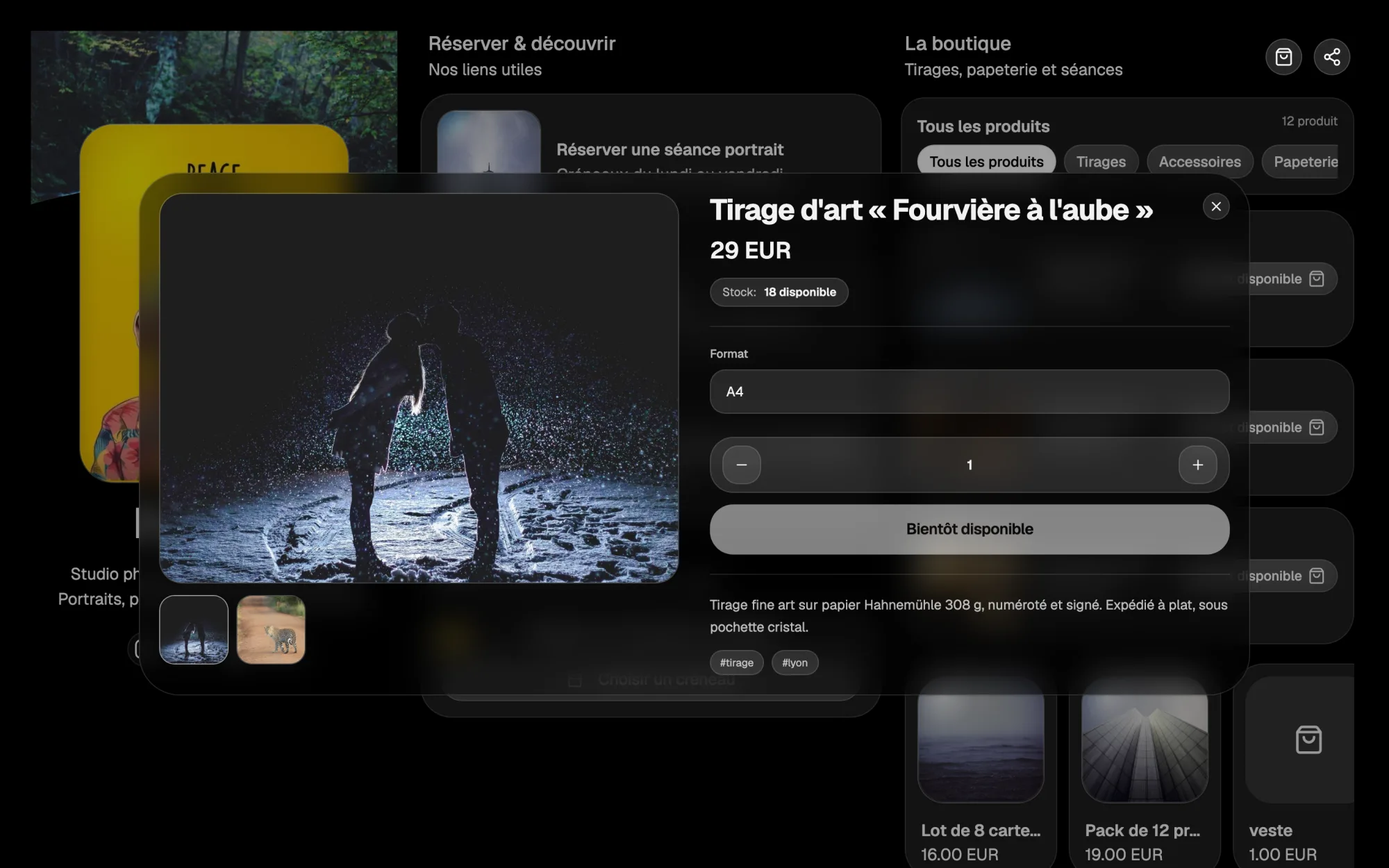
The Shop block shows your products with a real basket: visitors buy straight from your page, with payment handled by Stripe. The Appointment block opens your Hob's Space calendar or your Calendly link.

The contact form asks for first name, last name, email and, if you wish, phone number, with marketing consent. Each submission creates or updates the contact in your CRM.

  • Basket and payment built into the page
  • Appointment booking from your page
  • Contacts sent straight to the CRM
Sell and take bookings without leaving the page

Statistics

Know what works on your page

Views, unique visitors, sessions, average time, scroll depth, click-through rate: the Statistics tab takes over as soon as your profile is complete. You choose the period to analyse.

The component ranking shows the clicks and click-through rate of each block. The Acquisition tab shows where your visitors come from, including referring sites and UTM parameters.

  • Clicks and click-through rate per block
  • Traffic sources and UTM parameters
  • One year of history from the Starter plan

Sharing

A page everyone can read, in their own language

Your page lives at hobs.space/your-name. It can be shared in one click, and visitors can save your contact details to their phone.

Automatic translation shows your page in the visitor's browser language: French, English, German, Spanish, Italian, Portuguese or Brazilian Portuguese. You can switch it off at any time.

  • Short address hobs.space/your-name
  • Automatic translation into 7 languages
  • Button to save your contact details

Converter

Bring over your old page in minutes

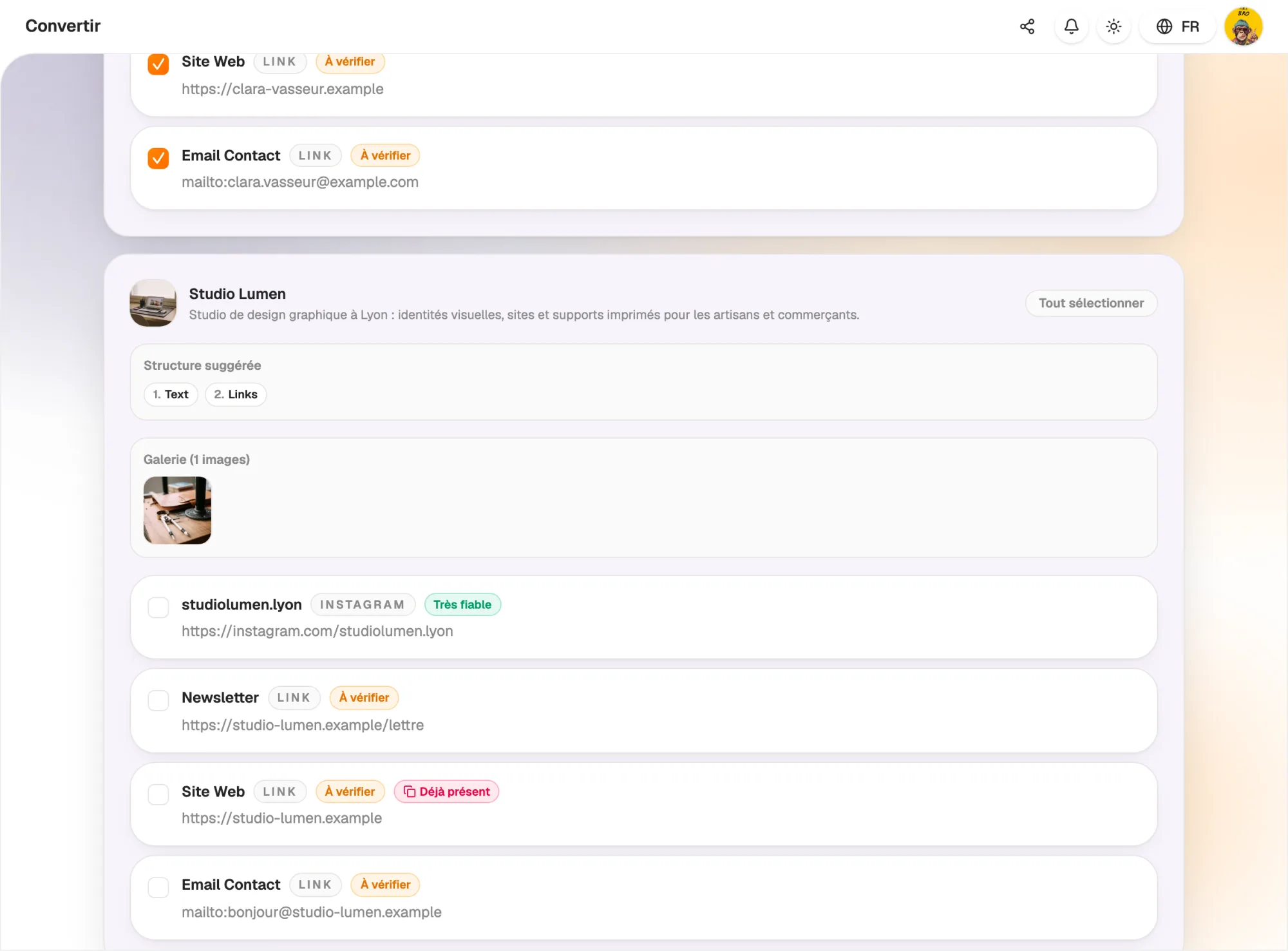
Paste the address of your Linktree, Beacons, Komi or Tapp.it page, or drop an Excel, CSV, PDF, Word or PowerPoint file. The Converter picks up your links, photo and bio.

AI places each link in the right block. You see everything before importing, tick what you keep, and the import creates a draft first: your page only changes when you apply it.

  • Linktree, Beacons, Komi and Tapp.it from their address
  • Duplicates flagged, item-by-item selection
  • Draft before applying
Bring over your old page in minutes

And also…

  • Links to your networks

    More than 35 platforms available, with the address pre-filled for connected accounts.

  • Photo import

    Add the latest photos published on a connected account to your gallery.

  • Short videos

    Embed your Reels and TikTok videos straight into the page.

  • Music and podcasts

    Showcase your tracks and episodes with dedicated blocks.

  • Google reviews

    Invite visitors to leave a review, with a window that opens on their first visit.

  • Files

    Offer documents to download: menu, catalogue, press kit.

  • Converter

    Bring over a Linktree or Beacons page and make it editable (Pro plan).

  • Team pages

    With the Crew plan, manage the page of each of your team members.

Works with

Your page shares its products, contacts and calendar with the rest of Hob's Space: a sale lands in the Shop, a completed form lands in the CRM, a booking lands in your calendar.

Frequently asked questions

Get started today.

Create your account and publish your first page in minutes.

Create my account