All applications

Expense reportsPro plan

Expense reports without staples or spreadsheets

A team member pays for something, drops in the receipt and AI fills in the report. They submit it, a manager approves or declines it, then marks it as reimbursed. The expense joins your accounting on its own.

Create my account

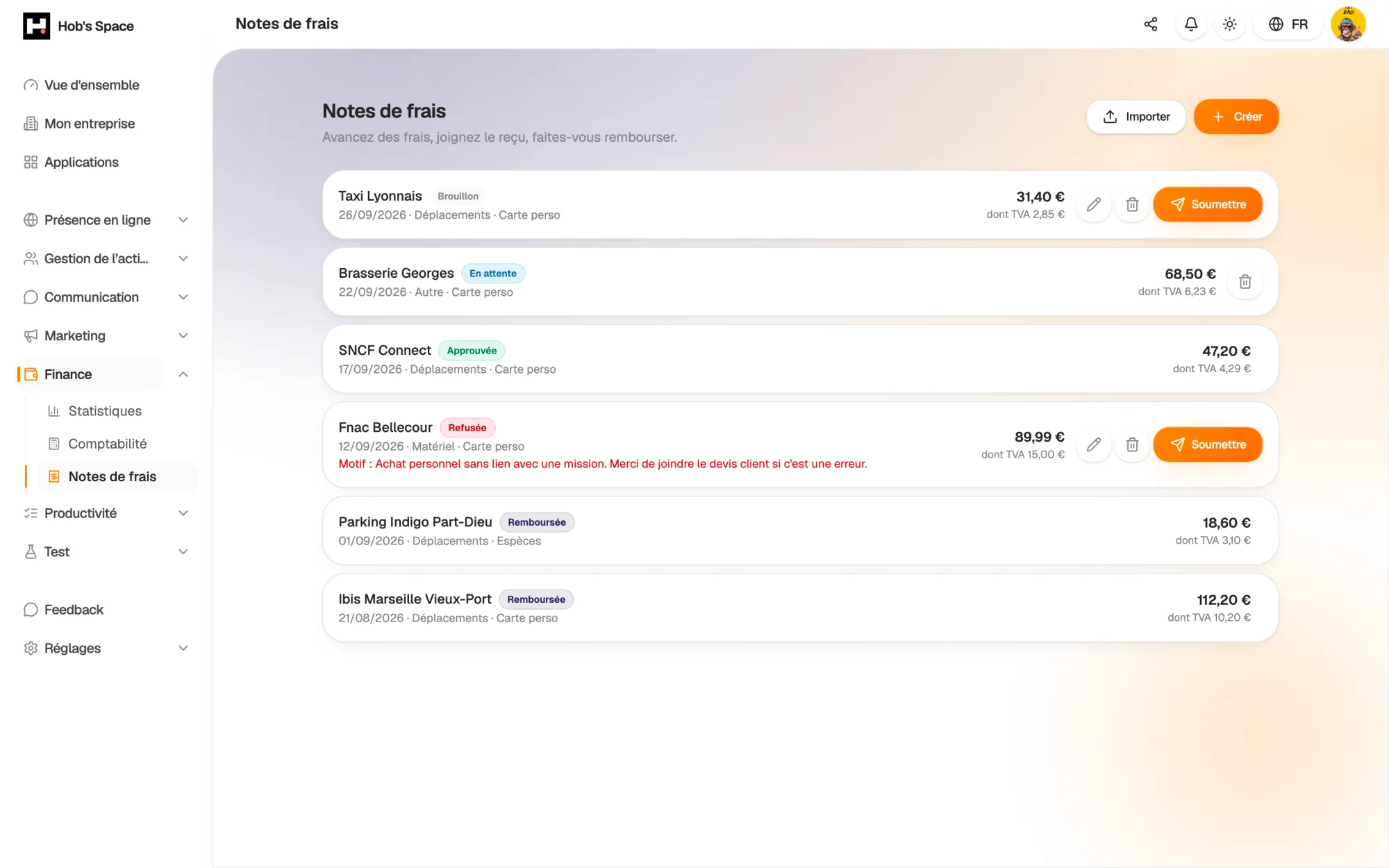
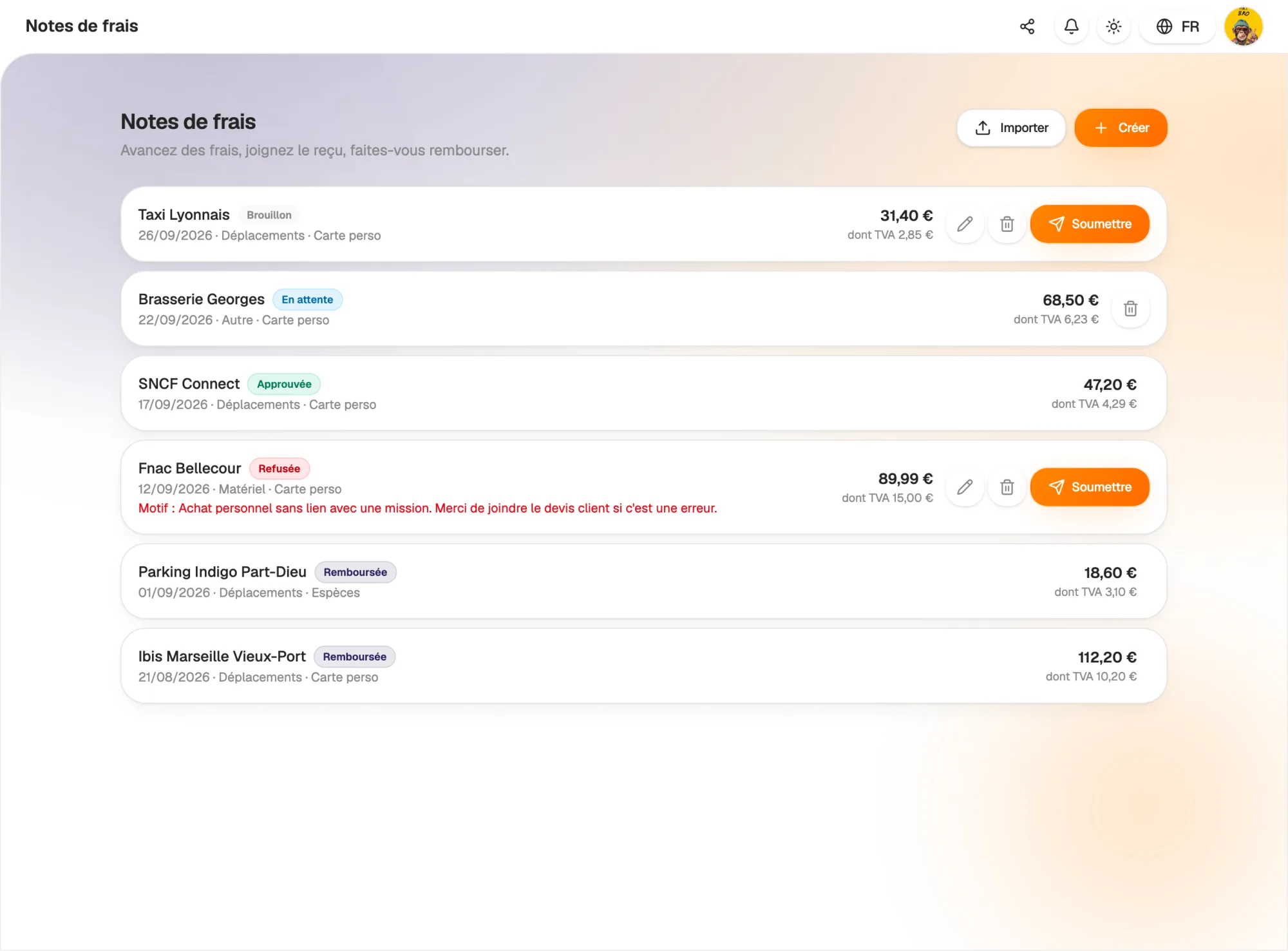
Expense reports, their amount and their status

Expense reports, their amount and their status

Entry

A complete report in under a minute

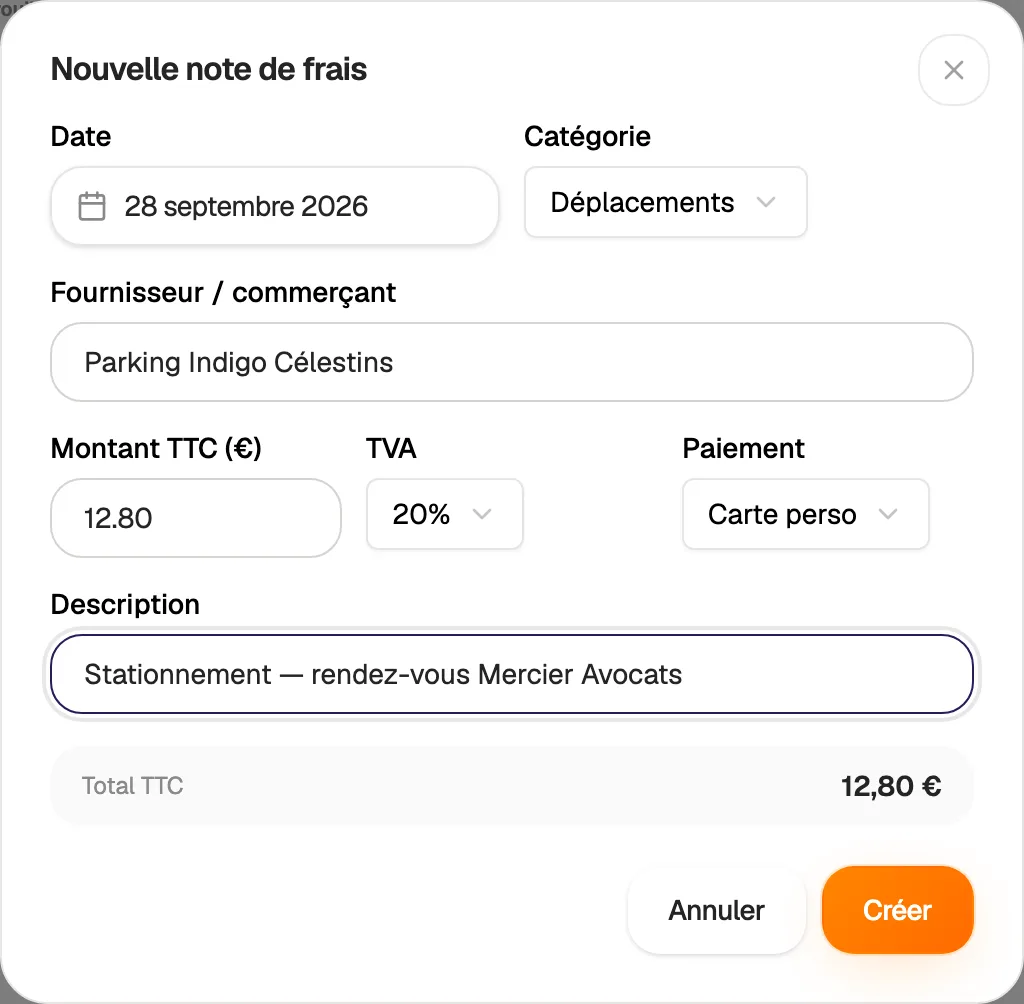
Create a report with the date, category, supplier or shop and a description. Enter the amount actually paid including VAT and the VAT rate: the recoverable part is calculated automatically.

Specify how the expense was paid: personal card, cash, personal transfer or other. The manager knows straight away what to reimburse and how.

  • Amount paid incl. VAT and recoverable VAT
  • Same categories as Accounting
  • Payment method shown on every report
A complete report in under a minute

Receipt scanning

One receipt, one photo, one pre-filled report

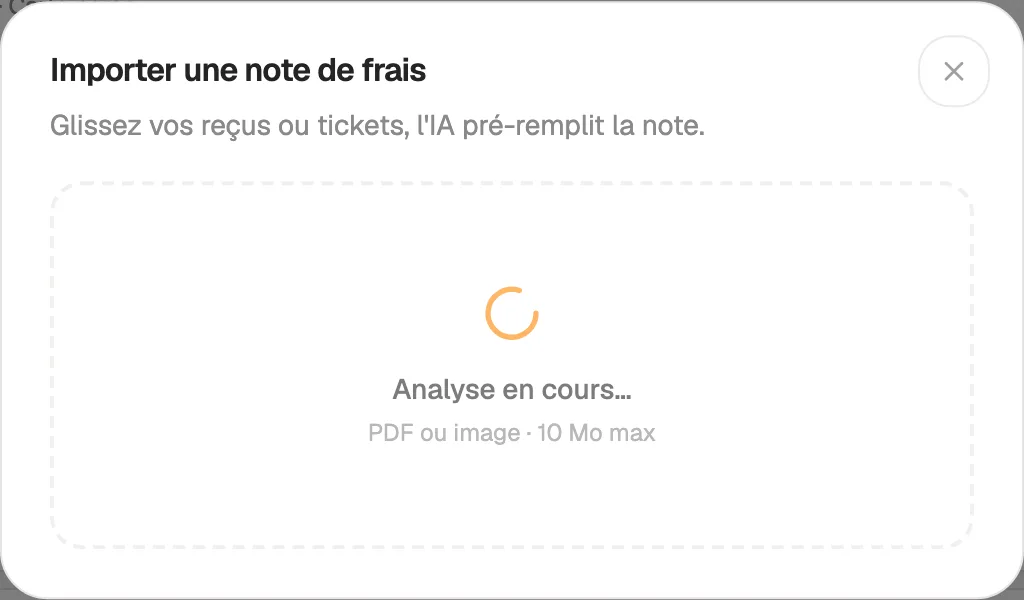
Drag in one or more receipts or till slips, as photos or PDFs. For each one, AI reads the date, shop, amount and VAT, picks a category and creates a draft report.

The receipt stays attached to the report. It is stored in a private space: only its author and the company's managers can open it. Review the report, correct it if needed, then submit it.

  • One report created per imported receipt
  • Receipt attached automatically
  • Receipt visible to the author and managers
One receipt, one photo, one pre-filled report

Submission

Submit, follow up, correct if needed

A report can be edited as long as it is a draft. When it is ready, submit it: it switches to “Pending” and appears for managers. Everyone only sees their own reports.

If it is declined, the reason is shown on the report. The team member corrects it and submits it again, without retyping everything. An approved or reimbursed report is locked and can no longer be deleted.

  • Statuses: draft, pending, approved, declined, reimbursed
  • Decline reason visible to the team member
  • Correct and resubmit after a decline
Submit, follow up, correct if needed

Approval

A “To review” tab for managers

In the “To review” tab, managers find reports awaiting approval and those to be reimbursed, with the person's name, the amount and the receipt. They approve in one click or decline with a reason.

On approval, Hob's Space creates the matching expense in the company's Accounting, with the team member's name, the category, the VAT and the receipt. No more retyping at the end of the month.

  • Reports to approve and to reimburse in one place
  • One-click approval or a reasoned decline
  • Expense created in Accounting on approval
hobs.space · notes de frais
Septembre
150,00 €
Restaurant client
Repas
48,90 €
Validé
Carburant
Transport
72,10 €
Validé
Abonnement SaaS
Logiciel
29,00 €
En attente
Justificatif
joint auto.

Reimbursement

Follow every reimbursement to the end

Once the transfer to the team member has been made, the manager marks the report as reimbursed. The date is recorded and the report leaves the list of items to review.

The team member sees the status of each report change: pending, approved, reimbursed. No need to chase by email to find out where their request stands.

  • “Reimbursed” marking with the date
  • Status visible to the team member
  • A “To review” queue that empties as you go
hobs.space · notes de frais
Septembre
150,00 €
Restaurant client
Repas
48,90 €
Validé
Carburant
Transport
72,10 €
Validé
Abonnement SaaS
Logiciel
29,00 €
En attente
Justificatif
joint auto.

And also…

  • AI reading

    Date, shop, amount and VAT extracted from the receipt, to review before sending.

  • Recoverable VAT

    Calculated from the amount incl. VAT and the chosen rate.

  • Private receipts

    The receipt can only be opened by its author and managers.

  • Payment methods

    Personal card, cash, personal transfer or other.

  • Locked reports

    An approved report can no longer be edited or deleted.

  • Linked to Accounting

    Every approved report becomes a deductible expense.

  • In your statistics

    Expenses from reports count towards the period's result.

  • Several companies

    Attach each report to the right company on the account.

Works with

Approved expense reports join Accounting with their receipt, and their amounts show up in your financial statistics.

Frequently asked questions

Get started today.

Create your account and publish your first page in minutes.

Create my account