All applications

AccountingPro plan

Simple bookkeeping, fed by your invoices

Your income comes from your invoices, and your expenses can be entered or scanned in seconds. Hob's Space calculates your result and your VAT to pay, and prepares a clean export for your accountant.

Create my account

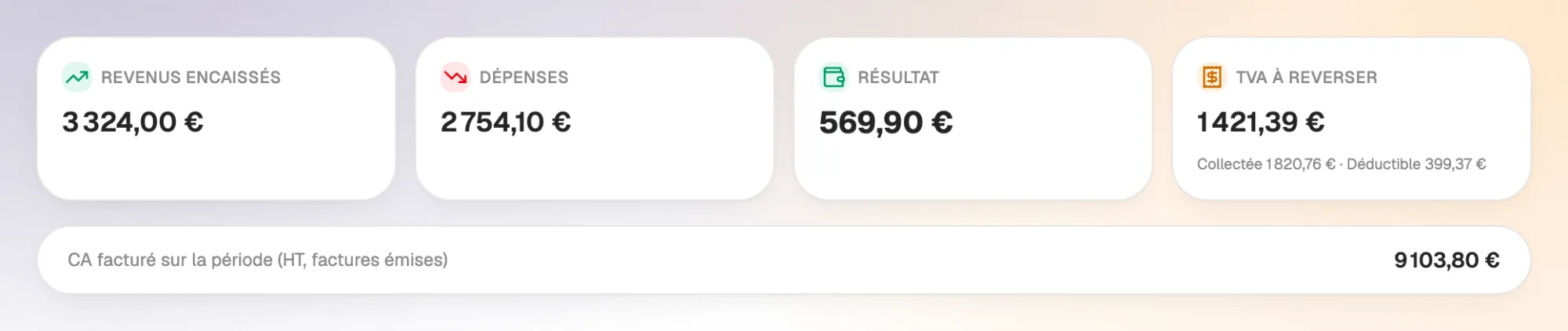
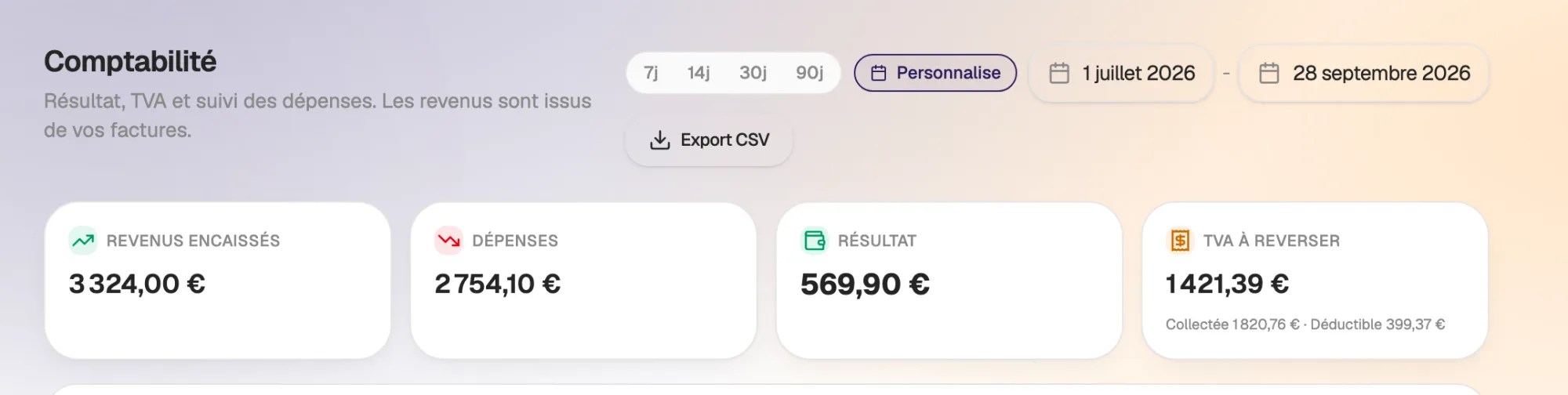
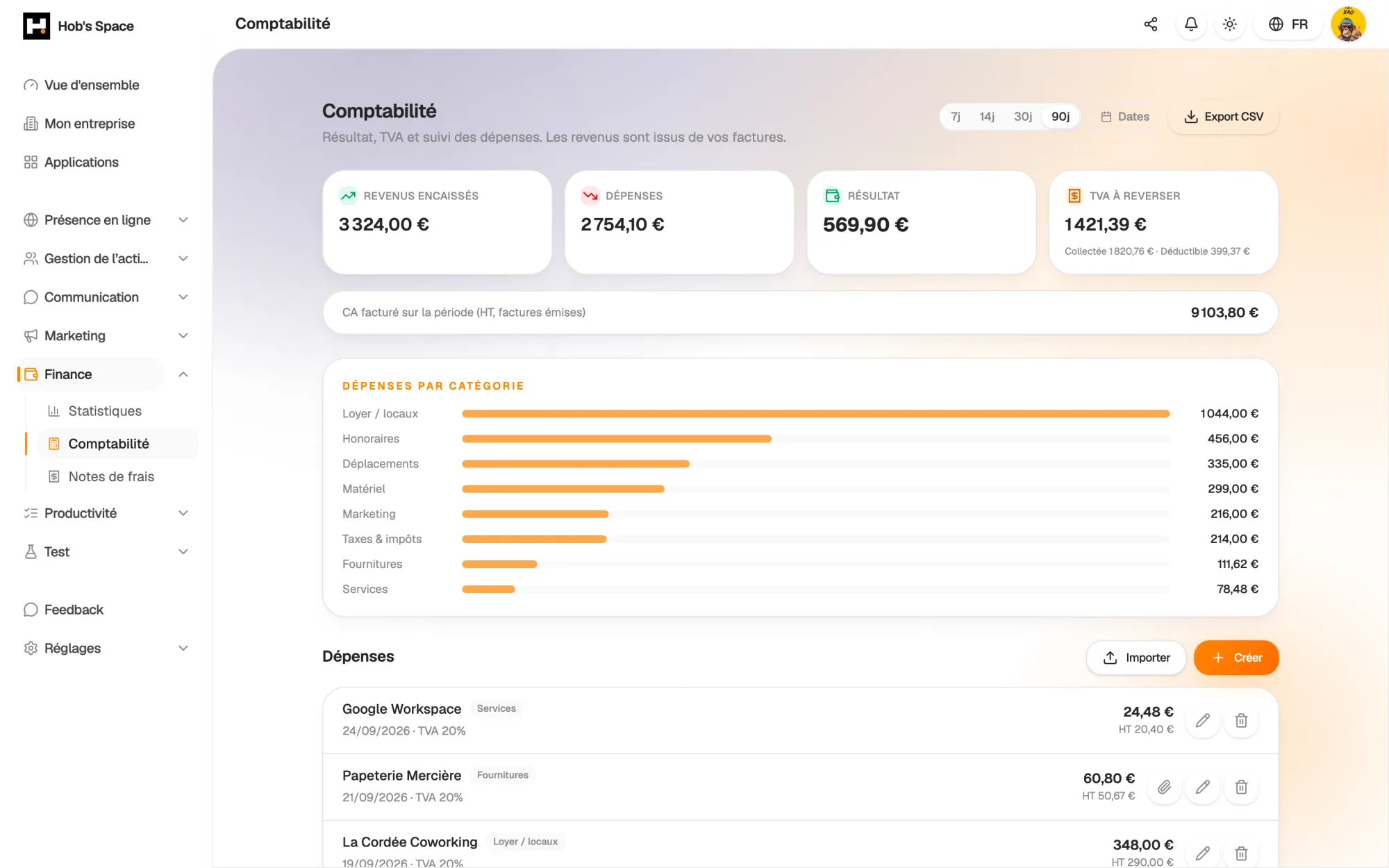
Income collected, expenses, result and VAT over the period

Income collected, expenses, result and VAT over the period

Expenses

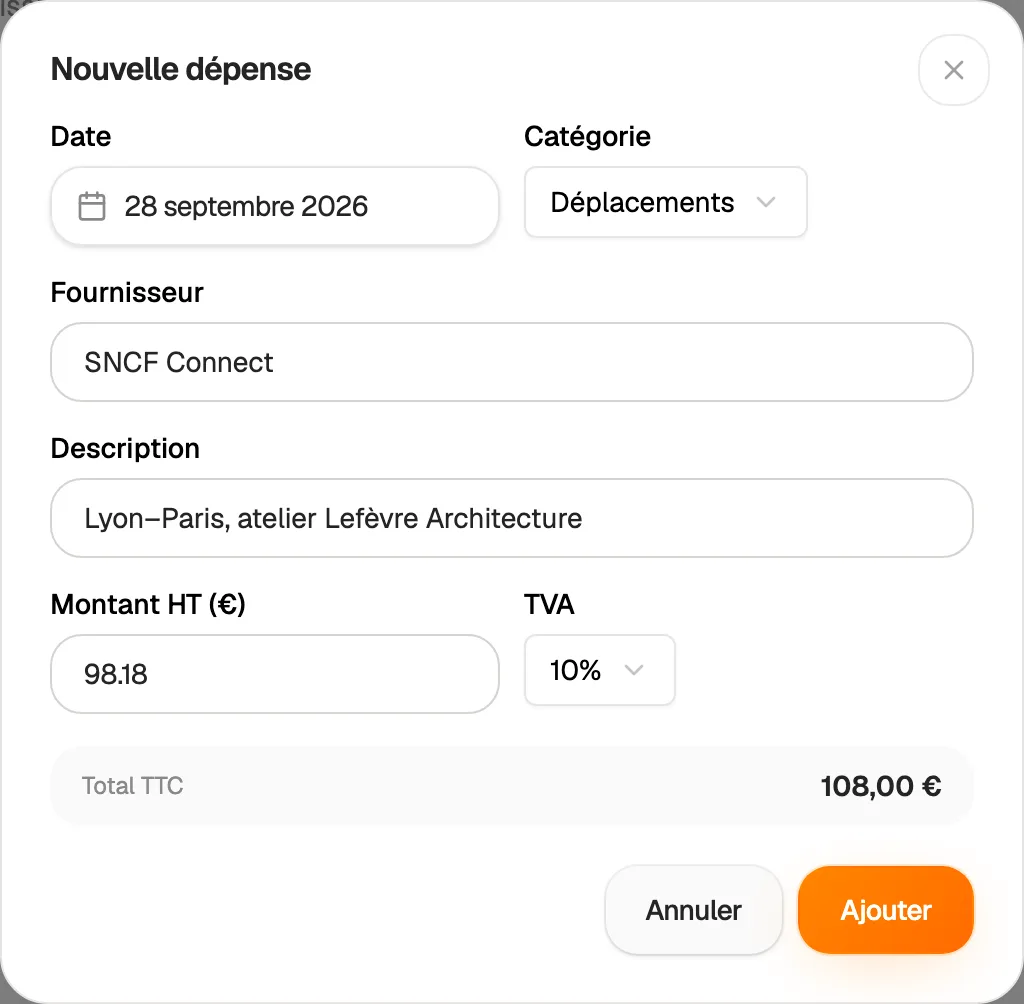
Every expense recorded in seconds

Add an expense with its date, supplier, category and a short description. Enter the amount excluding VAT and choose the VAT rate: 20%, 10%, 5.5%, 2.1% or 0%. The total including VAT and the input VAT are calculated for you.

Nine categories cover everyday costs: supplies, services, rent and premises, travel, marketing, equipment, fees, taxes and duties, other. Made a mistake? Edit or delete the expense from the list.

  • Amount excl. VAT, VAT rate and calculated total
  • Nine expense categories
  • Expenses can be edited and deleted
Every expense recorded in seconds

AI scanning

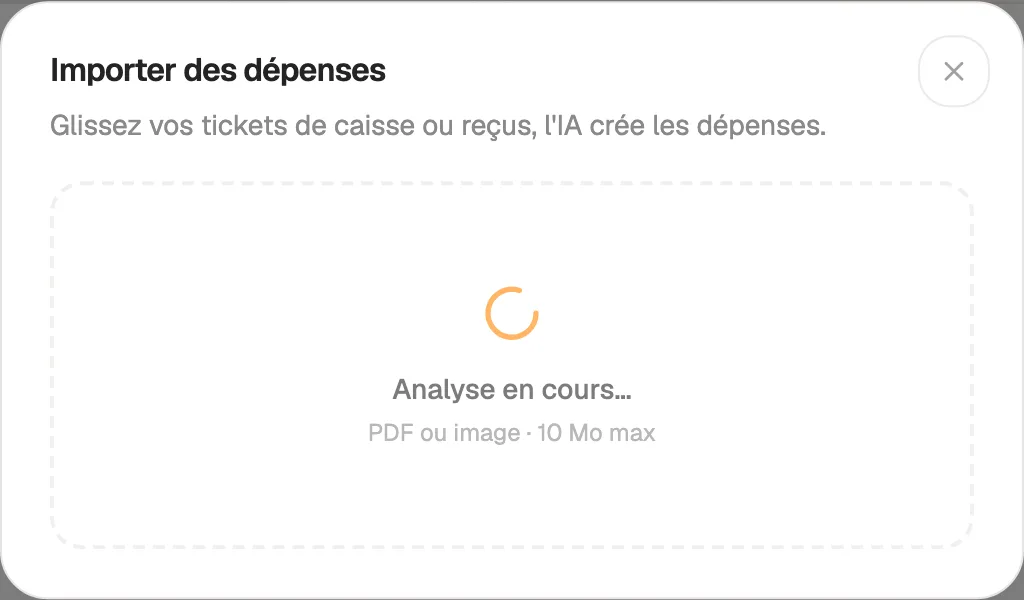
Drop your receipts, AI creates the expenses

Drag in up to ten till receipts, receipts or supplier invoices at once, as PDFs or photos (JPG, PNG, WEBP, HEIC). AI reads the date, supplier, amount and VAT, suggests a category and creates one expense per document.

The file stays attached to the expense, in a private space: open it whenever you need it, from the list. AI does not make anything up: if a detail is missing from the receipt, the field stays empty and you fill it in.

  • Up to ten documents per import
  • PDFs and photos, 10 MB maximum per file
  • Receipt kept and viewable
Drop your receipts, AI creates the expenses

Income

Your income comes from your invoices

No double entry: income collected is the payments recorded on your invoices during the period. Invoiced revenue excluding VAT is based on invoices issued in the same period, minus credit notes.

Deposit invoices are counted separately and removed from the final invoice, so nothing is counted twice. The period's result compares what you collected with what you spent.

  • Income collected from invoice payments
  • Invoiced revenue excl. VAT, minus credit notes
  • Deposits without double counting
Your income comes from your invoices

VAT

Your VAT to pay, ready before the deadline

Output VAT is calculated on invoices issued during the period. Input VAT is added up from your expenses. Hob's Space shows the difference: the VAT to pay.

Pick the period of your return, monthly or quarterly, with the date selector. You know the amount before filling in your return, which you check as usual.

  • Output VAT on issued invoices
  • Input VAT on expenses
  • Any period, to match your returns
Your VAT to pay, ready before the deadline

Export

A CSV journal for your accountant

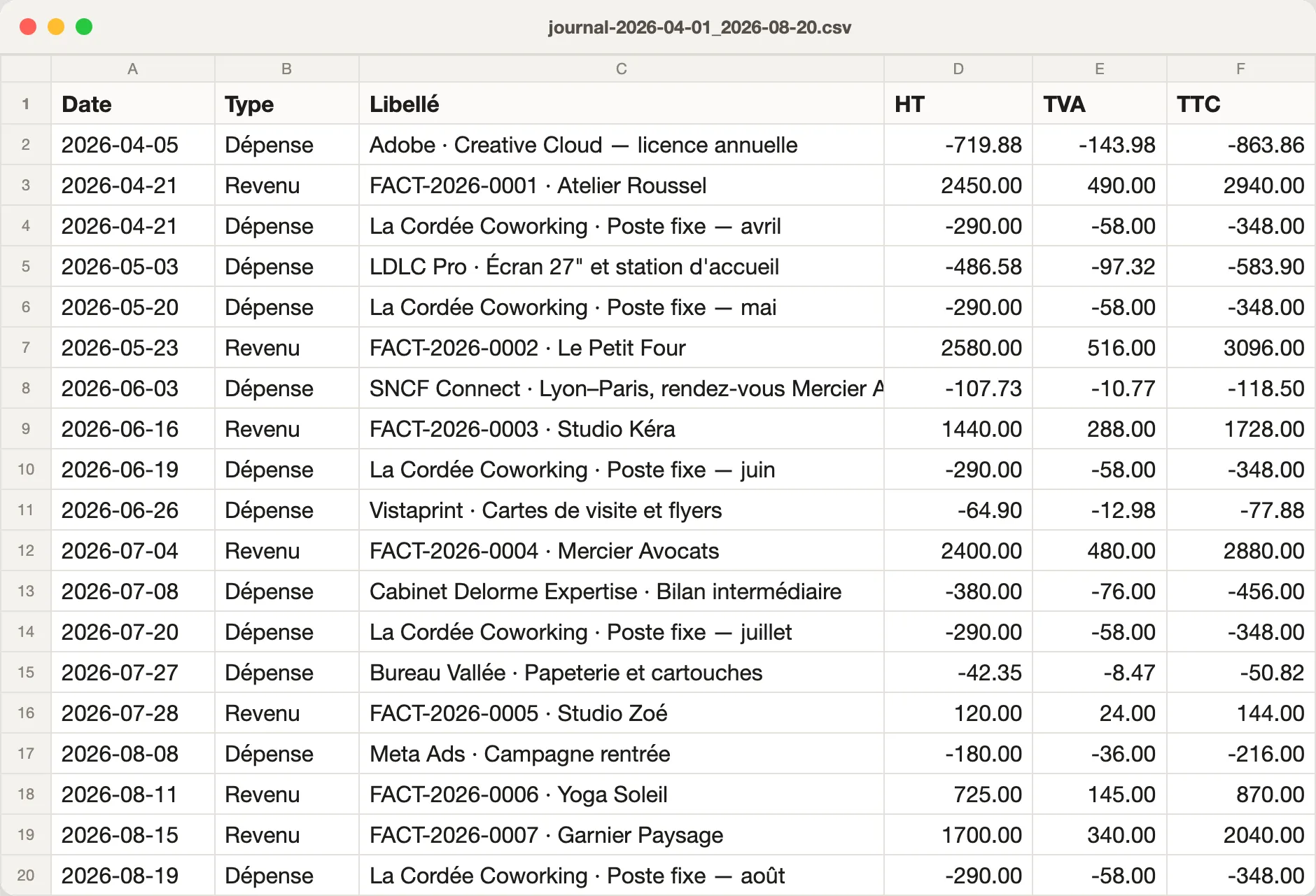
Export the period's journal in one click: one line per invoice, credit note or expense, with the date, type, label and the amounts excl. VAT, VAT and incl. VAT. Lines are sorted by date.

The file opens in Excel, Numbers or Google Sheets. Expenses appear as negative amounts, and so do credit notes: the total reads directly. Labels are protected against formulas running when the file is opened.

  • Income, credit notes and expenses in one file
  • Amounts excl. VAT, VAT and incl. VAT on every line
  • Works with Excel, Numbers and Google Sheets
A CSV journal for your accountant

And also…

  • Any period

    7, 14, 30 or 90 days, or specific dates to match your deadlines.

  • Expenses by category

    A chart shows where your money goes over the period.

  • Result

    Money collected minus expenses, calculated for the displayed period.

  • Receipts

    The scanned receipt stays attached to its expense, in a private space.

  • French VAT rates

    20%, 10%, 5.5%, 2.1% or 0%, chosen for each expense.

  • Expense reports

    An approved expense report arrives as an expense, with its receipt.

  • Credit notes included

    Issued credit notes are deducted from revenue and output VAT.

  • Several companies

    Keep the books of each company or view the consolidated picture.

Works with

Accounting reads your invoices for income and receives approved expense reports. Its figures also feed your financial statistics.

Frequently asked questions

Get started today.

Create your account and publish your first page in minutes.

Create my account