All applications

InvoicesIncluded from Starter

Compliant invoices, sent in two minutes

Create, issue and track your invoices in the same place as your clients and quotes. Numbering, VAT, mandatory mentions, deposits and reminders: Hob's Space handles the details so you can focus on your work.

Create my account

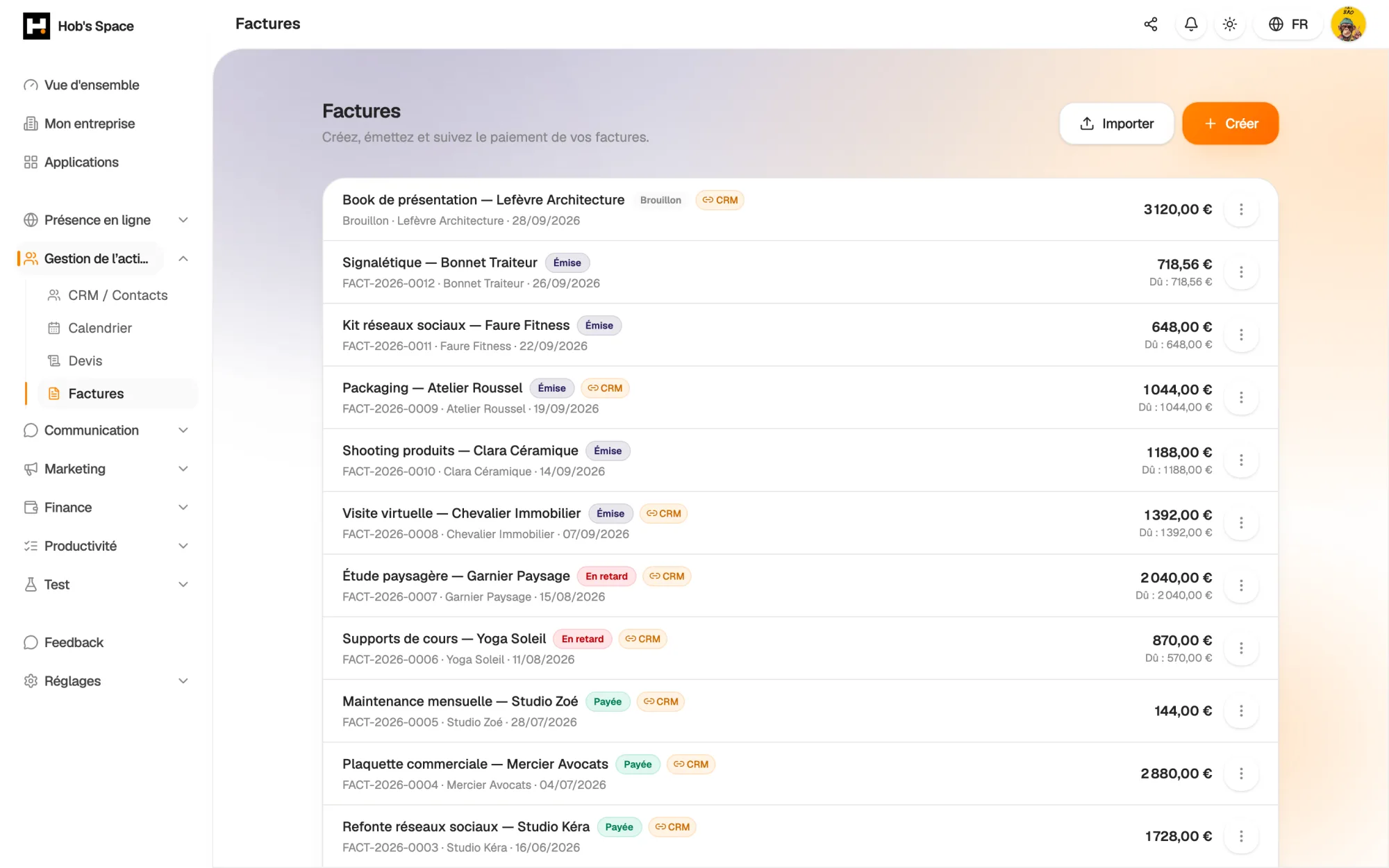
All your invoices, their status and what is still to be collected

All your invoices, their status and what is still to be collected

Creation

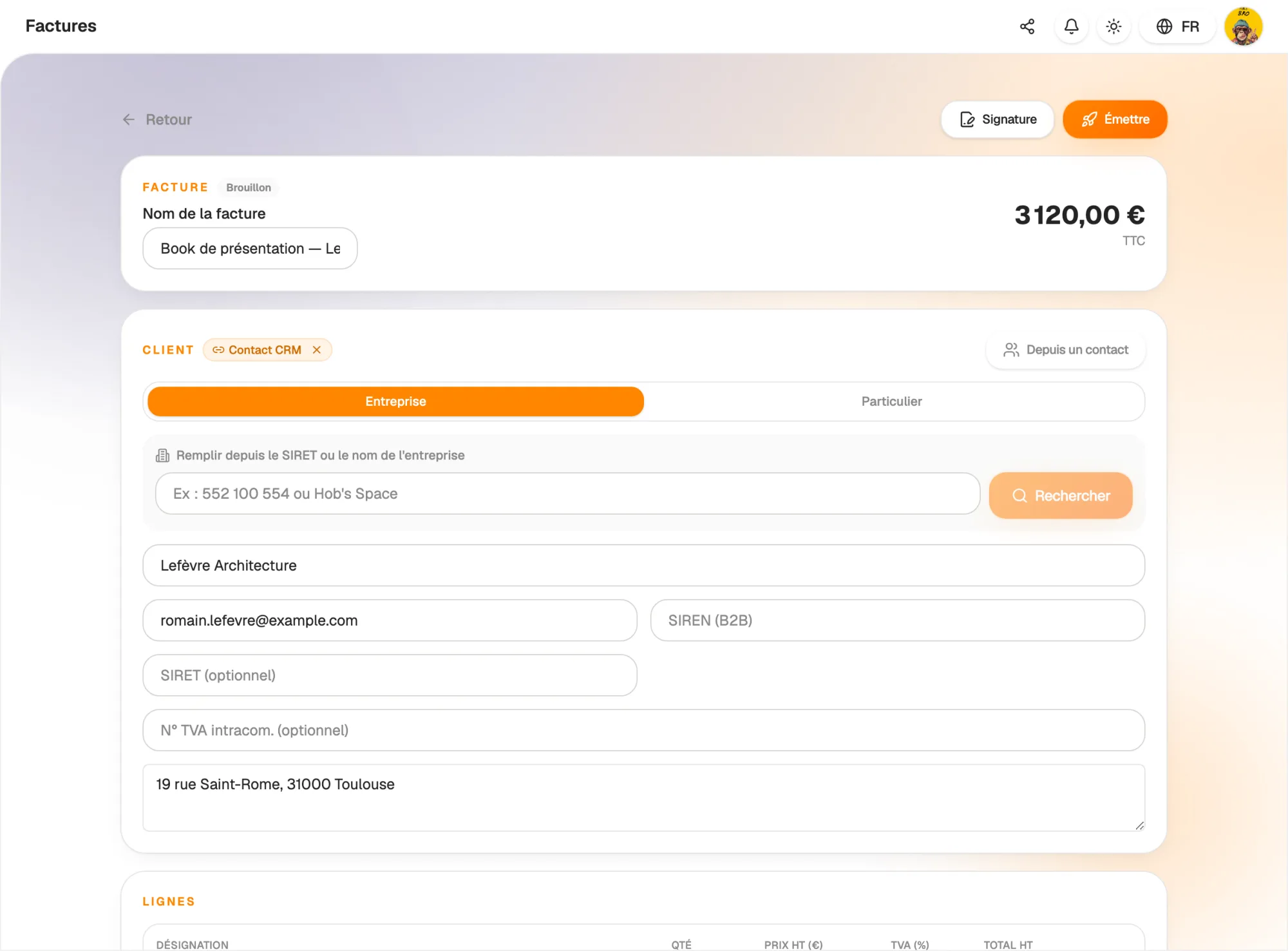
An invoice ready before your coffee is finished

Pick a client from your CRM or search for a company by name or registration number: its legal details fill in automatically. Add your lines (description, quantity, unit price excl. VAT, VAT rate, discount) and totals update as you type.

Work on a draft for as long as you need. The invoice only gets its final number when you issue it: no gaps in your numbering, even if you abandon a draft.

  • Client pre-filled from the CRM or the company directory
  • Per-line discounts and several VAT rates on one invoice
  • Unlimited drafts, number assigned on issue
An invoice ready before your coffee is finished

Compliance

Legal numbering and mandatory mentions, without thinking about it

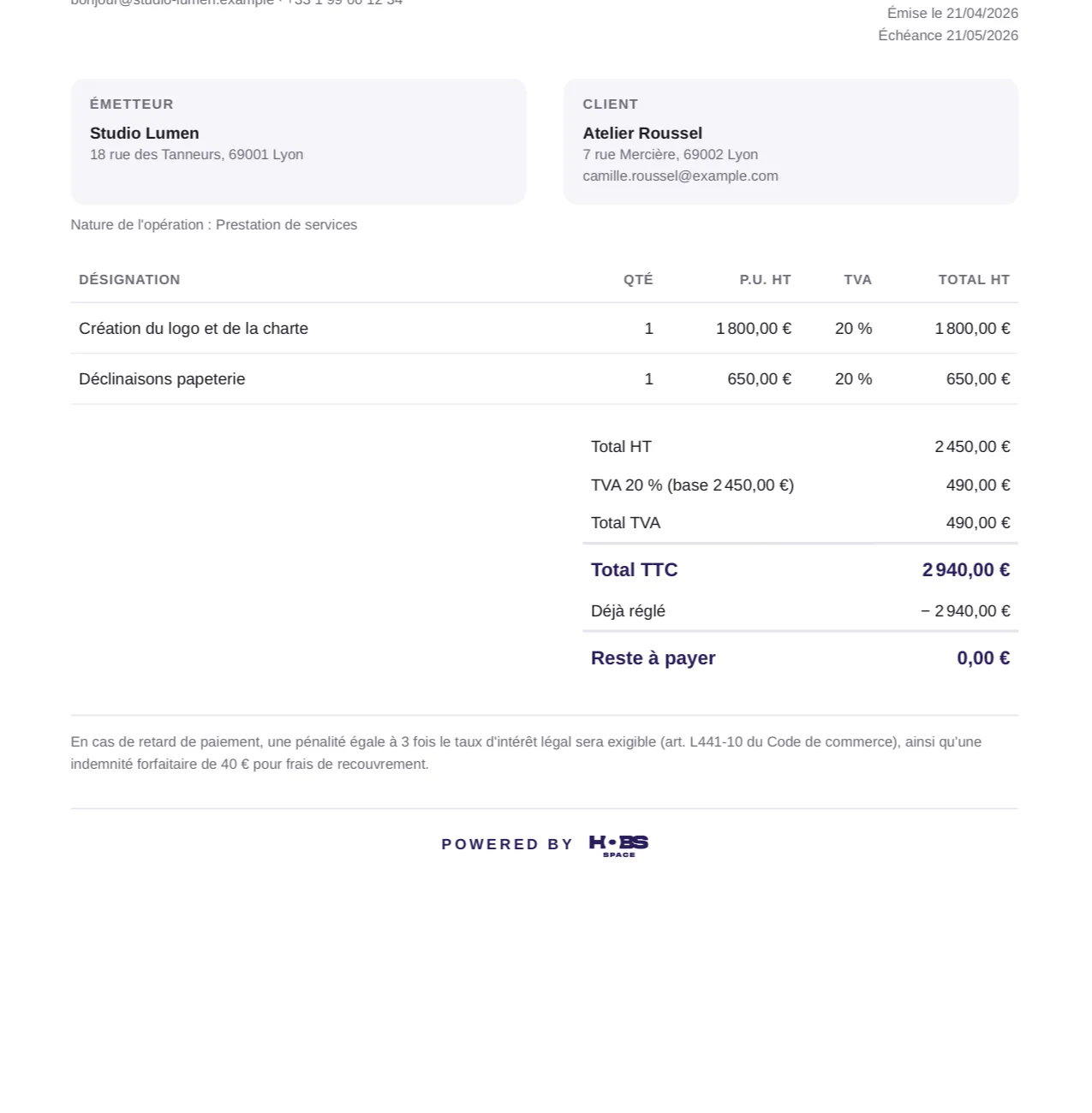
Every issued invoice gets a chronological, continuous number such as FACT-2026-0001. Your issuer details are frozen when the invoice is issued: a sent invoice never changes, even if you edit your settings later.

VAT-registered or exempt, the right regime applies automatically, with the VAT breakdown per rate and the expected mentions: type of operation, delivery or service date, payment terms. The PDF is generated cleanly, with your logo.

  • Gap-free chronological number, assigned on issue
  • VAT-registered or exempt, breakdown per rate
  • Invoice frozen once issued: corrections go through a credit note
Legal numbering and mandatory mentions, without thinking about it

Collection

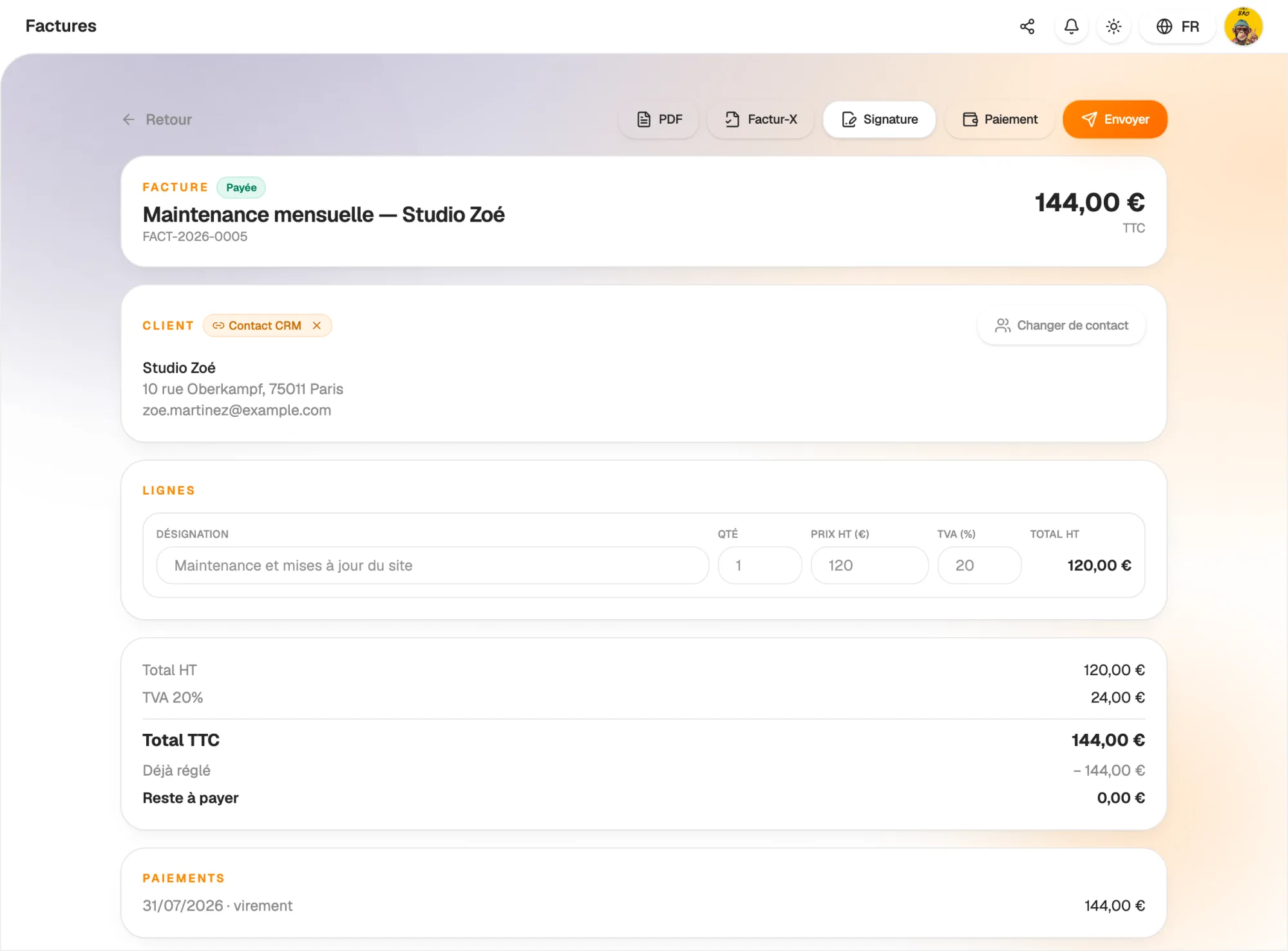
Track every euro, from the first deposit to the balance

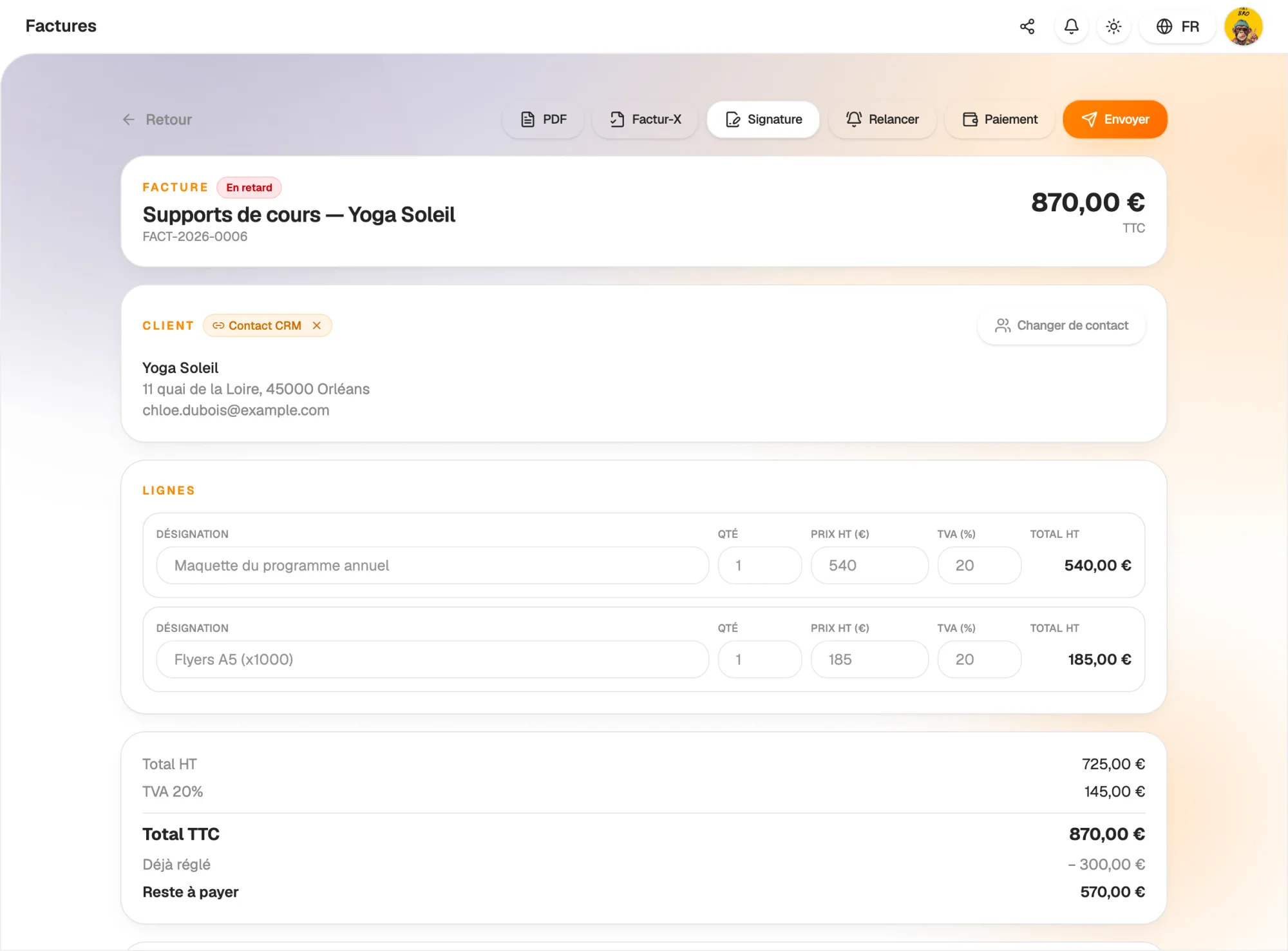
Record payments as they come in: bank transfer, card, cash or cheque. A partly paid invoice says so clearly and shows the amount still due; an overdue invoice switches to “Overdue” on its own.

For long projects, issue deposit invoices. They are automatically deducted from the final invoice: no more manual calculations or carry-over mistakes.

  • Partial payments and an always up-to-date balance
  • Deposits automatically deducted from the final invoice
  • Clear statuses: issued, sent, partly paid, paid, overdue
Track every euro, from the first deposit to the balance

Automation

Reminders and recurring invoices on autopilot

Subscriptions, monthly packages, maintenance: turn on recurrence (weekly, monthly, quarterly or yearly) and the next invoice is generated on schedule, until the end date you choose.

Payment reminders go out on their own when a due date has passed. You can also remind a client in one click from the invoice. Less time chasing payments, more cash in the bank.

  • Weekly, monthly, quarterly or yearly recurrence
  • Automatic reminders for overdue invoices
  • Sent by email with the PDF, straight from Hob's Space
Reminders and recurring invoices on autopilot

Connected

Every invoice linked to its client

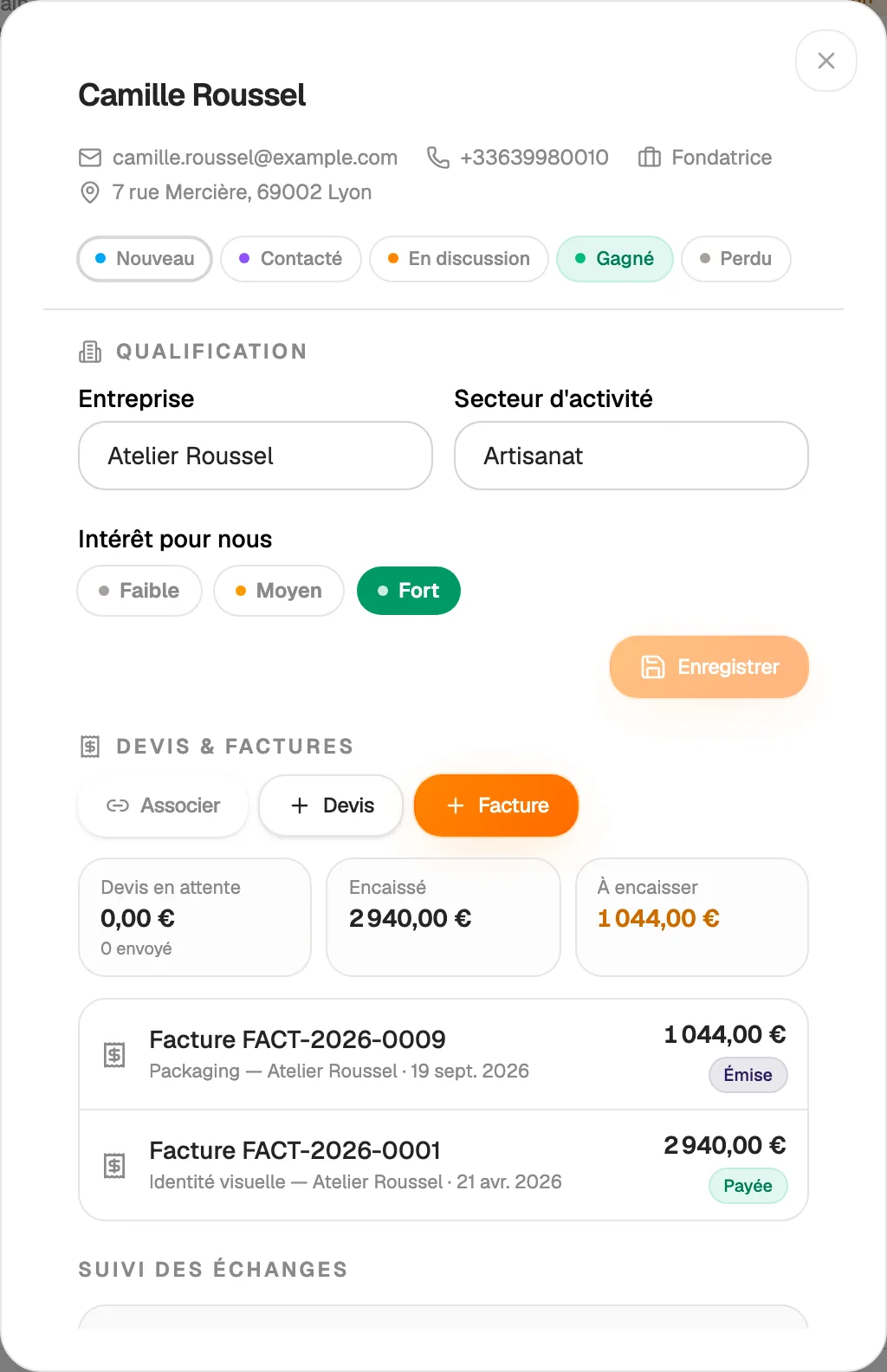
An invoice linked to a contact appears on their CRM record, alongside their quotes. See at a glance what this client bought, what they paid and what they still owe you.

You can even invoice a contact straight from the CRM list: the invoice opens already addressed, with their name, company and address. And any existing invoice, even one already sent, can be linked to a contact at any time.

  • Quotes and invoices shown on the contact record
  • “Invoice” button in the contact list
  • Collected and outstanding amounts per client
Every invoice linked to its client

And also…

  • Credit notes

    Correct or cancel an issued invoice with a credit note, as the law requires.

  • VAT under control

    Several rates per invoice, registered or exempt regime, automatic breakdown.

  • Company search

    Find a client by name or registration number and retrieve its legal details.

  • AI import

    Drop an existing invoice as a PDF: AI turns it into an editable draft.

  • Factur-X

    Download your invoices in the Factur-X e-invoicing format, on top of the PDF.

  • E-signature

    Send an invoice or quote to be signed online, with a certificate.

  • Several companies

    Invoice for several companies, each with its own numbering.

  • Polished PDF

    A clean document with your logo, your details and your payment terms.

Works with

Your invoices share the same clients, products and numbers as the rest of Hob's Space: an accepted quote becomes an invoice, a paid invoice feeds your statistics and accounting.

Frequently asked questions

Get started today.

Create your account and publish your first page in minutes.

Create my account