All applications

QR codesIncluded from Starter

QR codes in your brand style, editable after printing

Create a QR code in your brand colours for flyers, posters, business cards or shop windows. It goes through a short link: you change its destination whenever you like and see how many times it is scanned.

Create my account

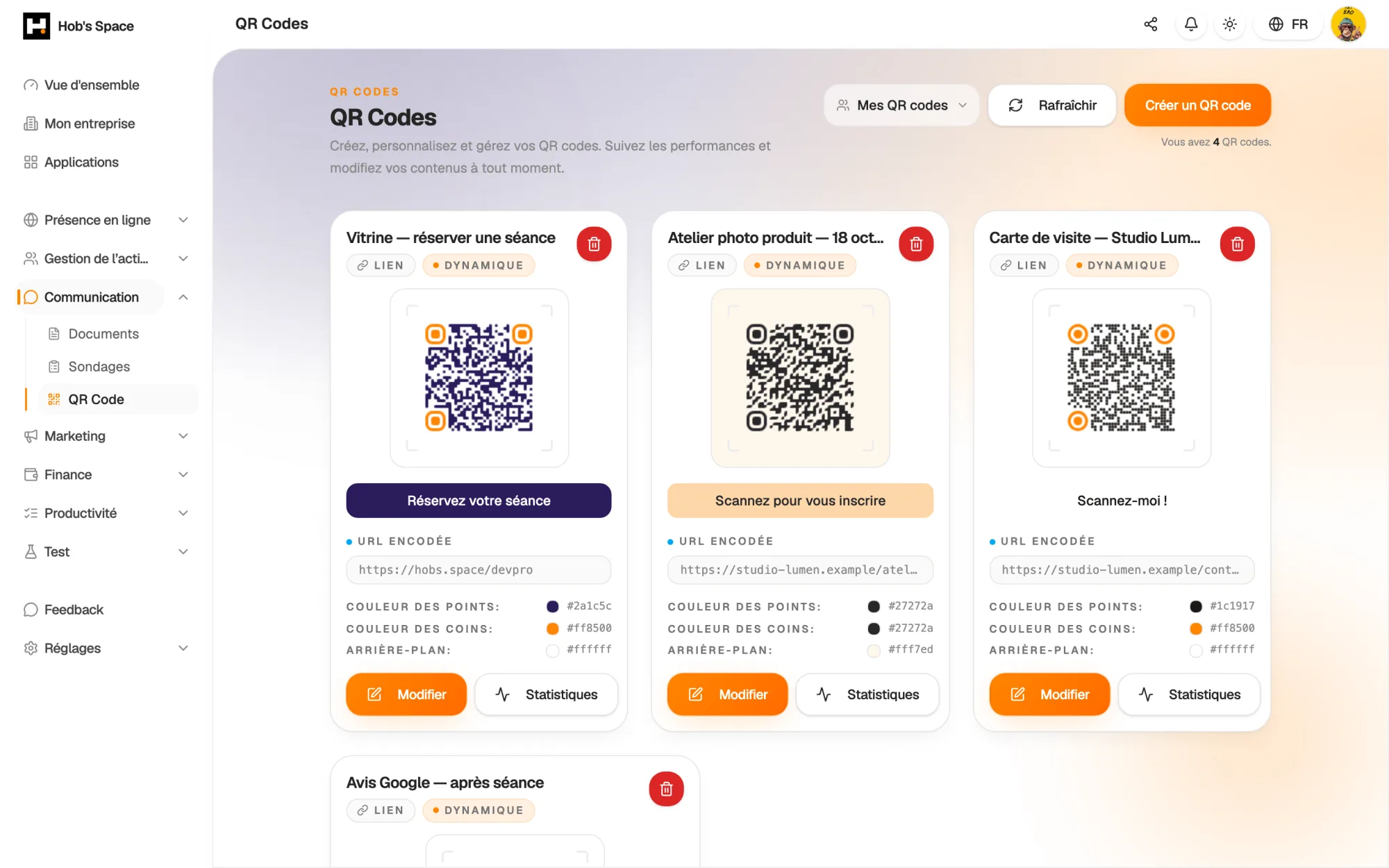
Your QR codes, ready to download or analyse

Your QR codes, ready to download or analyse

Creation

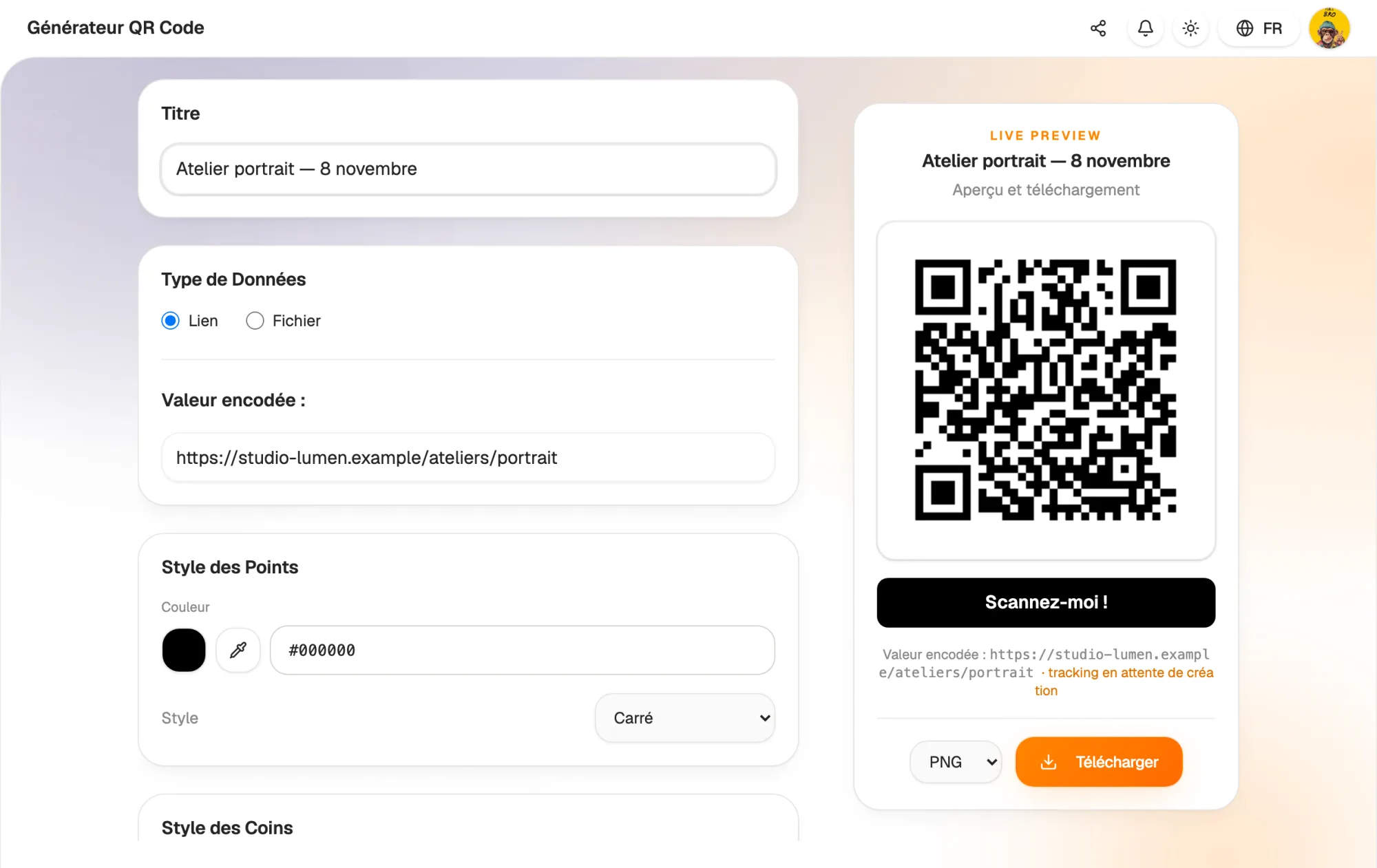
A link or a file, a QR code in a minute

Give your QR code a title, then choose its target: a link to your website, your page or a form, or a PDF or Word file that you upload directly. The preview updates as you set it up.

Once saved, your QR code joins the “My QR codes” list. You can come back to it to download it again, edit it or check its scans.

  • Target: link or PDF, DOC, DOCX file
  • Live preview while you create it
  • All your QR codes kept in one list
A link or a file, a QR code in a minute

Design

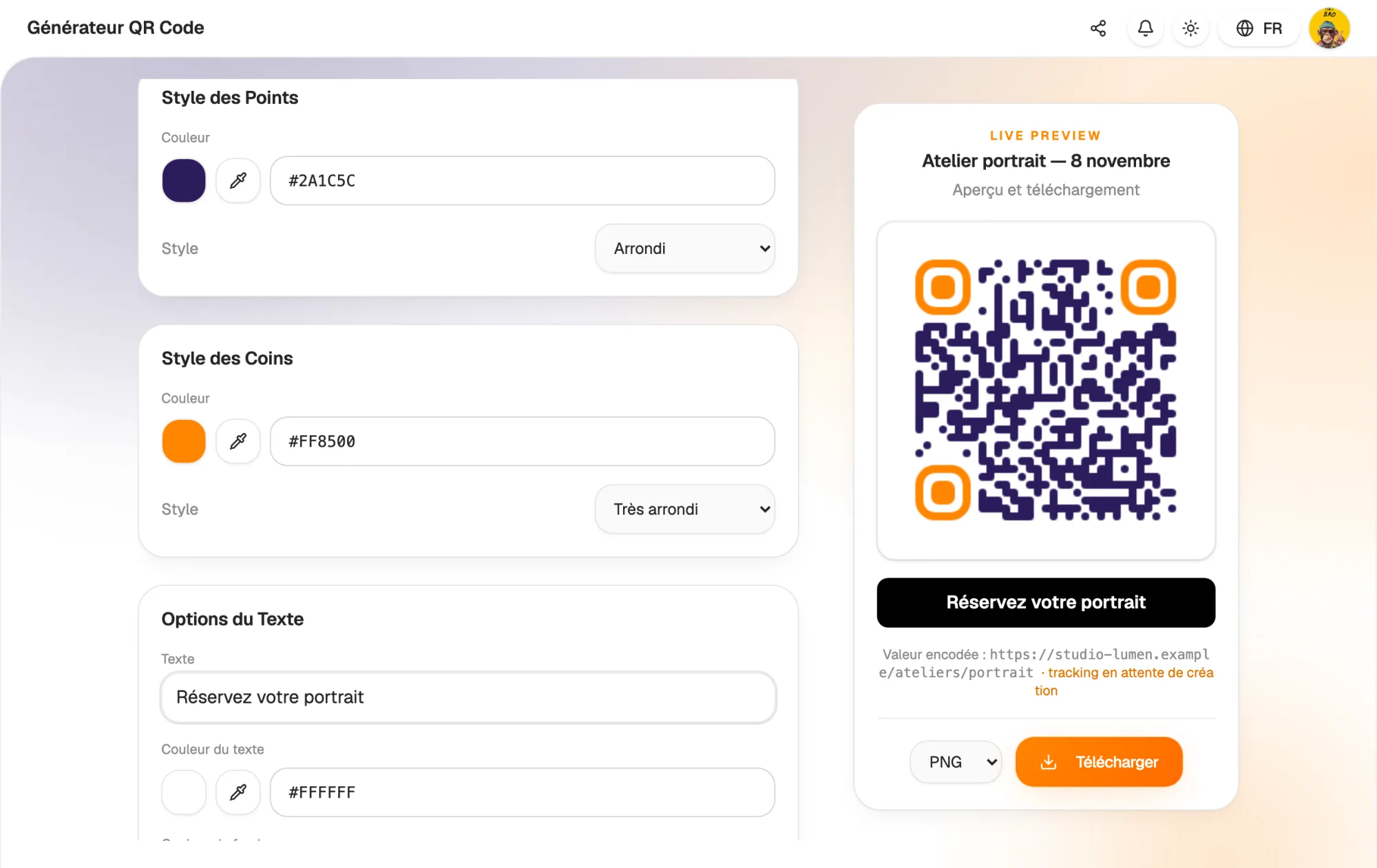
Your logo, your colours, your style

Choose the shape of the dots from six styles, from classic square to extra rounded, and the shape of the three corners. Set their colour and the background colour to stay true to your brand guidelines.

Place your logo in the centre and add a call to action under the code, such as “Scan me!”, with its own colour, background and corner radius. Then download the result as PNG, JPEG, SVG or PDF.

  • Six dot styles and three corner styles
  • Centred logo and custom call to action
  • PNG, JPEG, SVG and PDF export
Your logo, your colours, your style

Dynamic

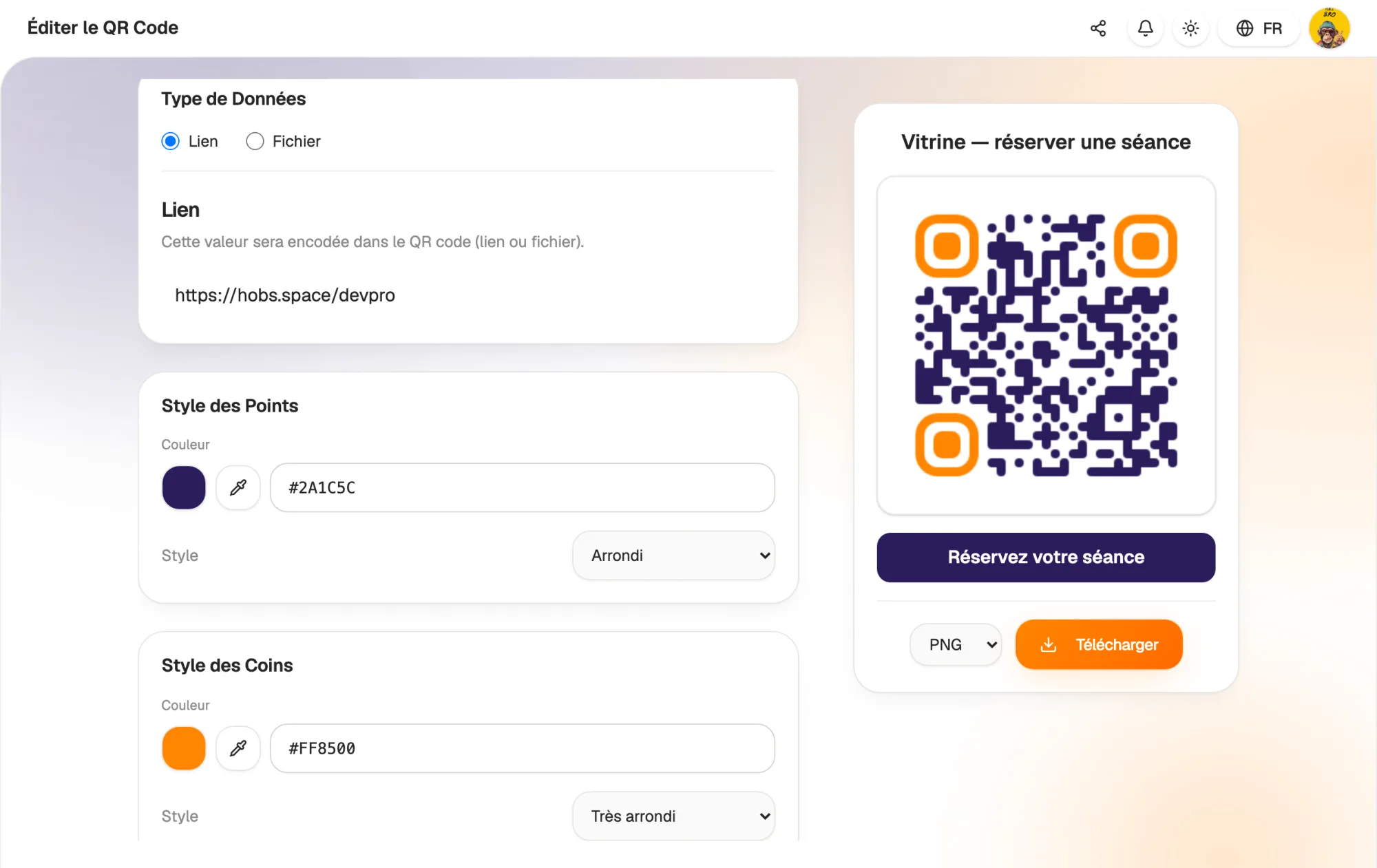
Change the destination, not the print run

Your QR codes point to a Hob's Space short link, which redirects to the destination you chose. A promotion ends, a page moves? Change the target in your workspace.

Flyers already handed out and posters already on the wall lead to the new content. You can also adjust the title, colours and style of an existing QR code.

  • Destination editable at any time
  • No reprinting needed
  • Design and content editable after creation
Change the destination, not the print run

Rules

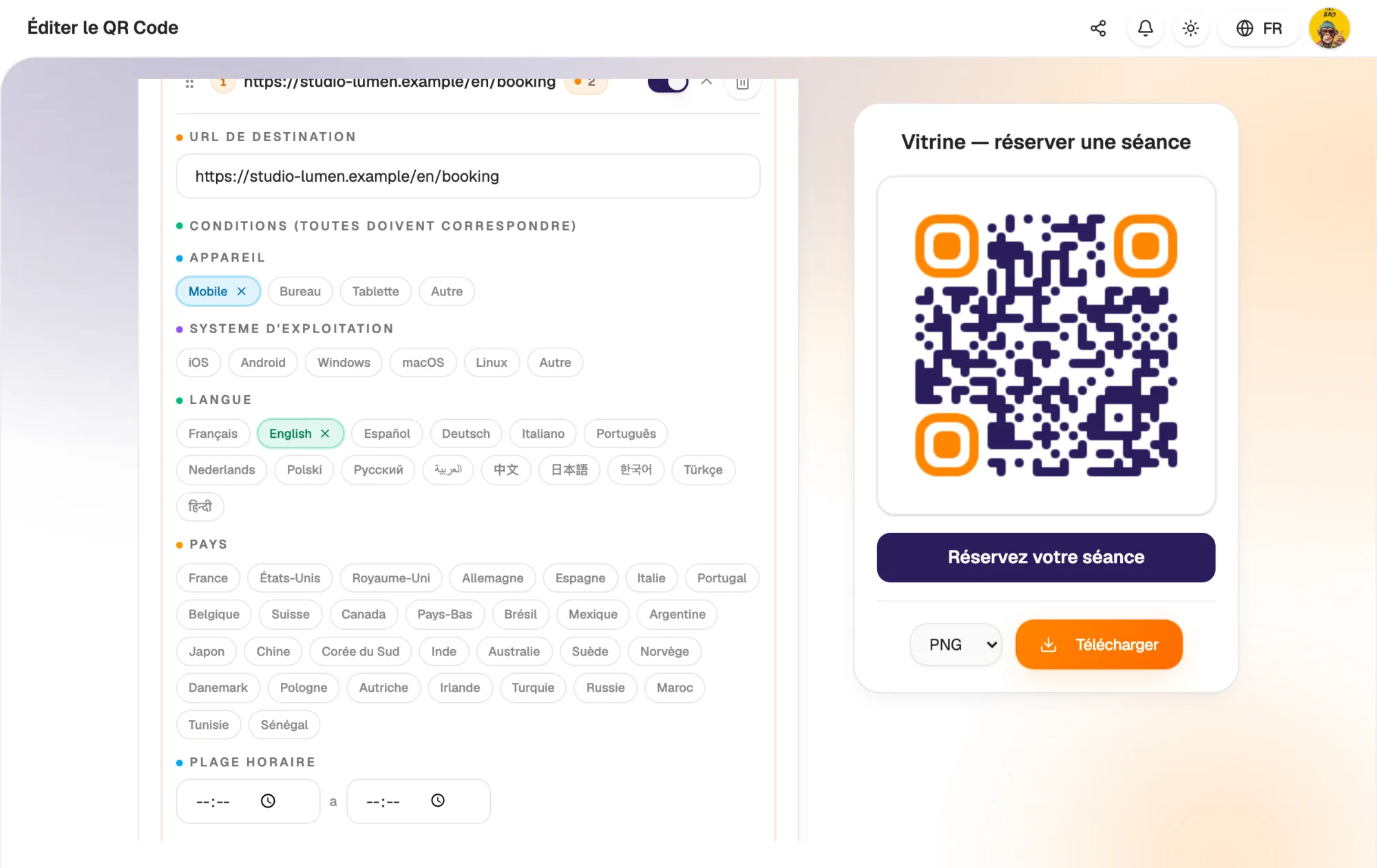
A different destination depending on who scans

Turn on dynamic rules to redirect by device (mobile, desktop, tablet), operating system (iOS, Android…), phone language, country, time of day or date range. Rules are checked in order of priority.

Protect access with a password, set a maximum number of scans or an expiry date. A fallback URL takes over when no rule matches or when the QR code has expired.

  • Conditions by device, system, language, country and time
  • Password, scan limit and expiry date
  • Fallback URL when no rule applies
A different destination depending on who scans

Statistics

Find out which materials work

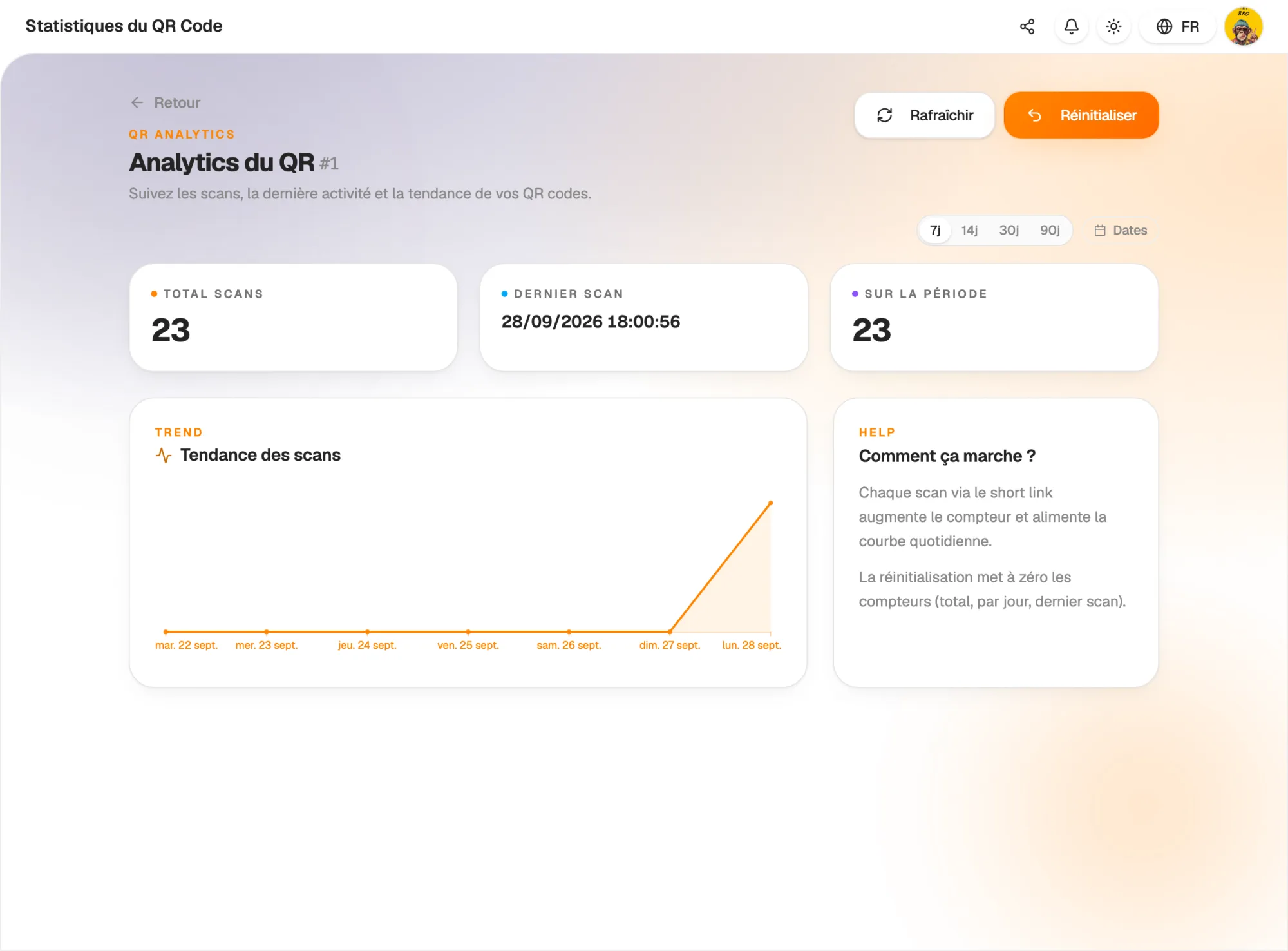
Every scan goes through the short link and moves the counter on. For each QR code, you see the total number of scans, the date of the last scan and the number of scans over the chosen period.

A daily chart shows the trend: over 7, 14, 30 or 90 days, or for the dates you choose. Before a new poster campaign, reset the counters to start from a clean slate.

  • Total scans and last scan
  • Daily chart over the chosen period
  • Counter reset
Find out which materials work

And also…

  • Built-in logo

    Place your logo in the centre of the QR code.

  • Four formats

    Download as PNG, JPEG, SVG or PDF to suit your printer.

  • QR code to a file

    Upload a PDF or Word document: the QR code opens it directly.

  • Password

    Restrict access to people who know the password.

  • Scan limit

    The QR code stops after the number of scans you set.

  • Expiry date

    Ideal for a time-limited offer.

  • Redirect by language

    Send each visitor to the version of your page in their language.

  • Scan trend

    A day-by-day chart to follow the impact of your materials.

Works with

Your QR codes lead to the rest of Hob's Space: your page, your website, your store or a survey. Print them once, then change the destination as your campaigns evolve.

Frequently asked questions

Get started today.

Create your account and publish your first page in minutes.

Create my account