All applications

SurveysPro plan

Ask the right questions, keep the answers that matter

Create a survey in minutes, share it by link or on your Hob's Space page and read the results from the very first answers. Respondents who leave their email join your CRM, with their consent.

Create my account

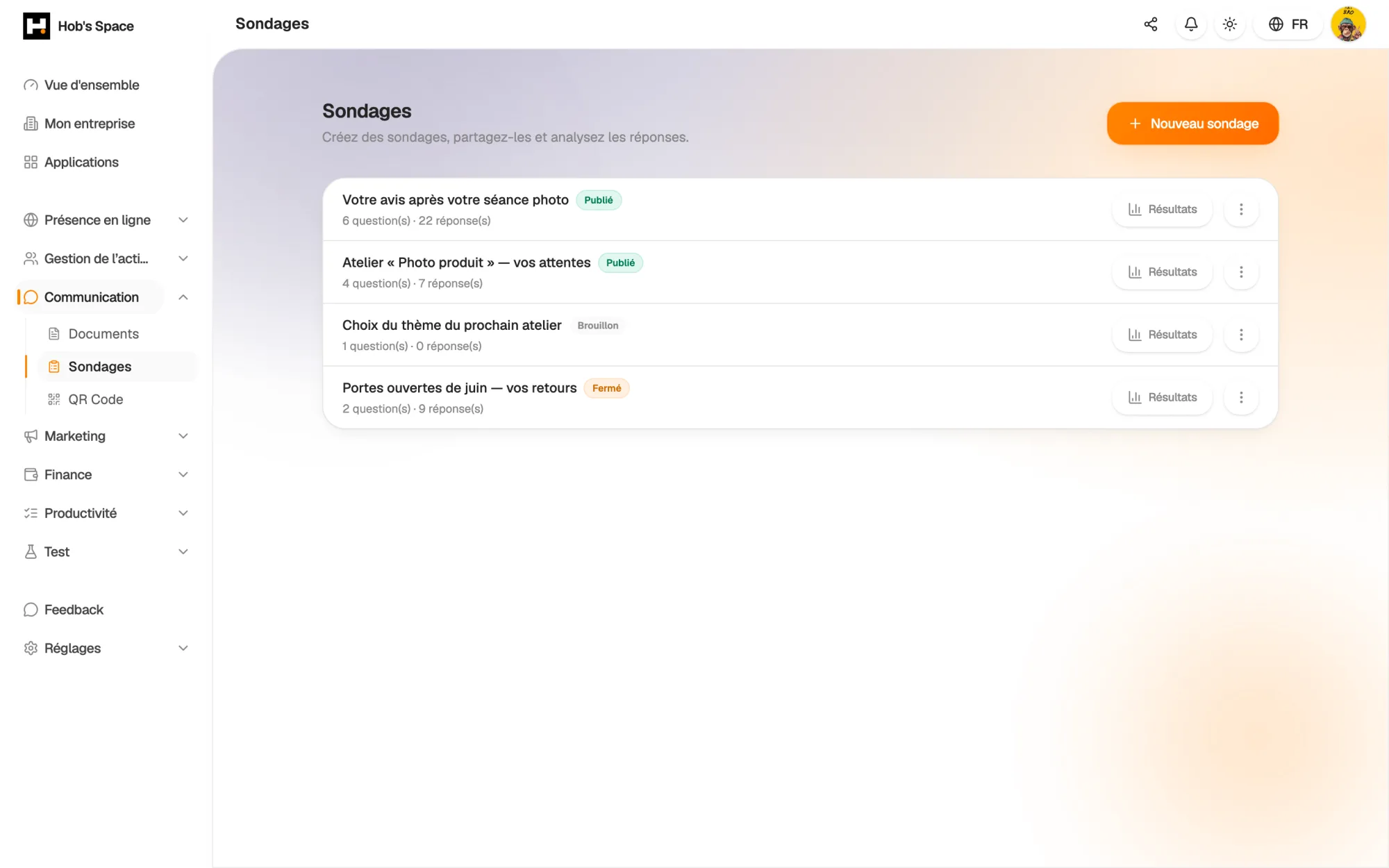
Your surveys, their status and the number of responses received

Your surveys, their status and the number of responses received

Creation

Eleven question types to ask anything

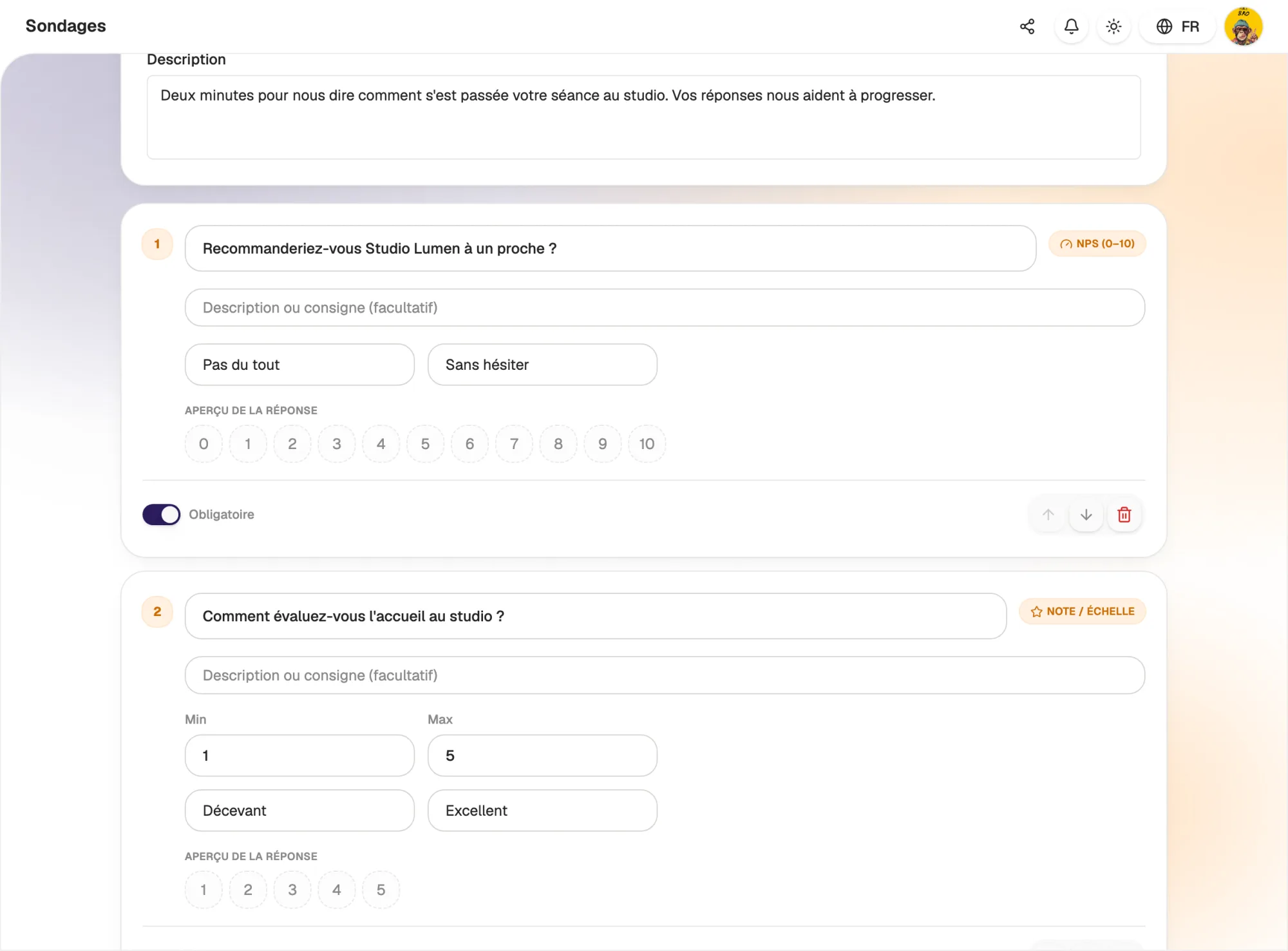
Single choice, multiple choice, dropdown, short or long answer, rating scale, NPS, yes/no, email, number and date: each question takes the form that suits what you want to know.

Add an instruction under a question, make it required and change the order in one click. For a scale, you set the minimum, the maximum and the label at each end, for example “Not at all” and “Absolutely”.

  • 11 question types, from single choice to NPS
  • Required or optional questions
  • Scales with custom labels
Eleven question types to ask anything

Sharing

A link to share, a block on your page

Publish your survey and copy its public link: respondents open it on their phone or computer, without creating an account. Send it by email, in a story or on a QR code.

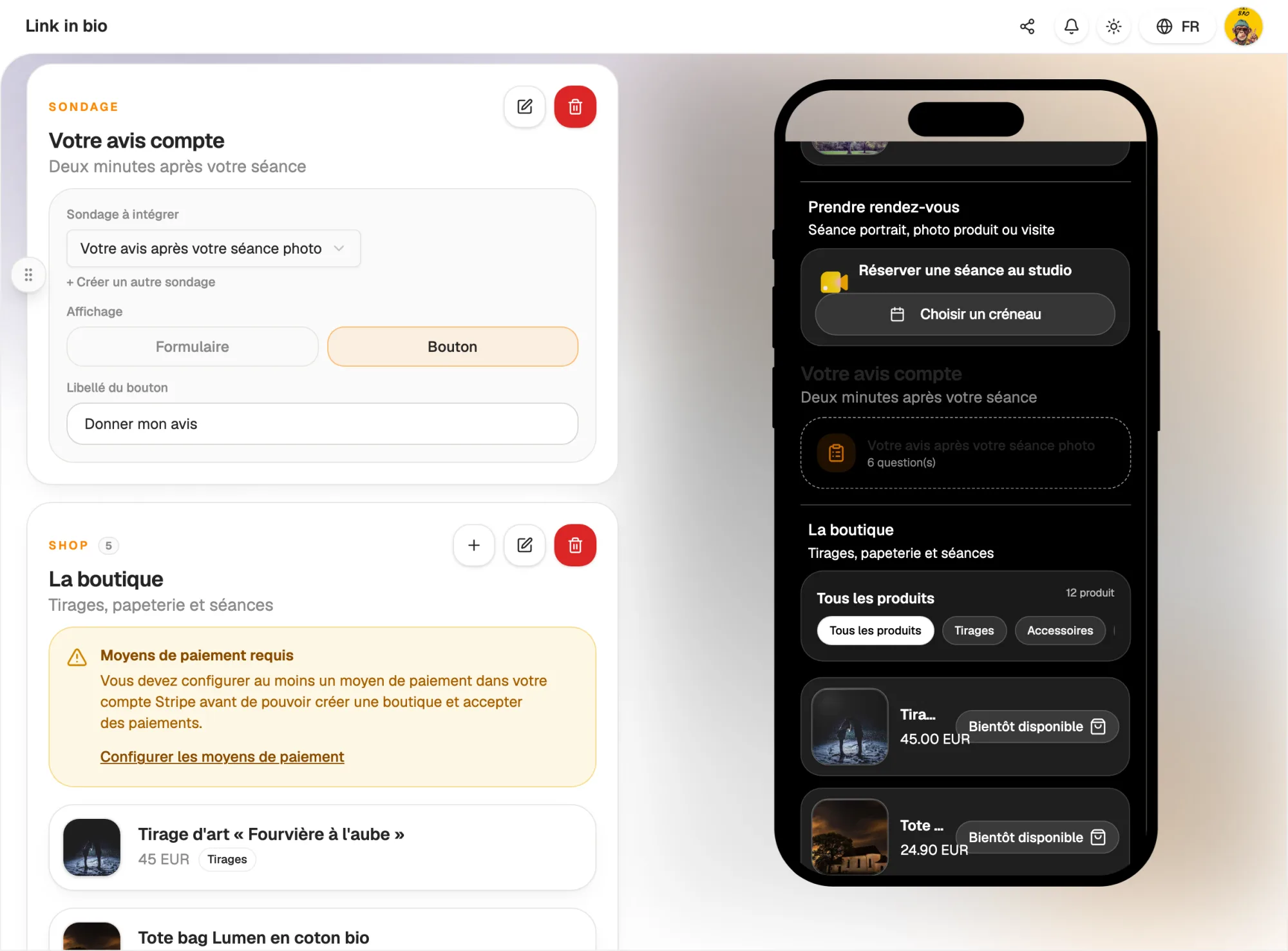
You can also add it to your Hob's Space page with the Survey block: the questionnaire appears right in the page, or behind a button. Close it whenever you like, or set a closing date in advance.

  • Public link, no account needed to answer
  • Survey block as a form or a button on your page
  • Close manually or on a set date
A link to share, a block on your page

Respondents

Anonymous or identified, you decide

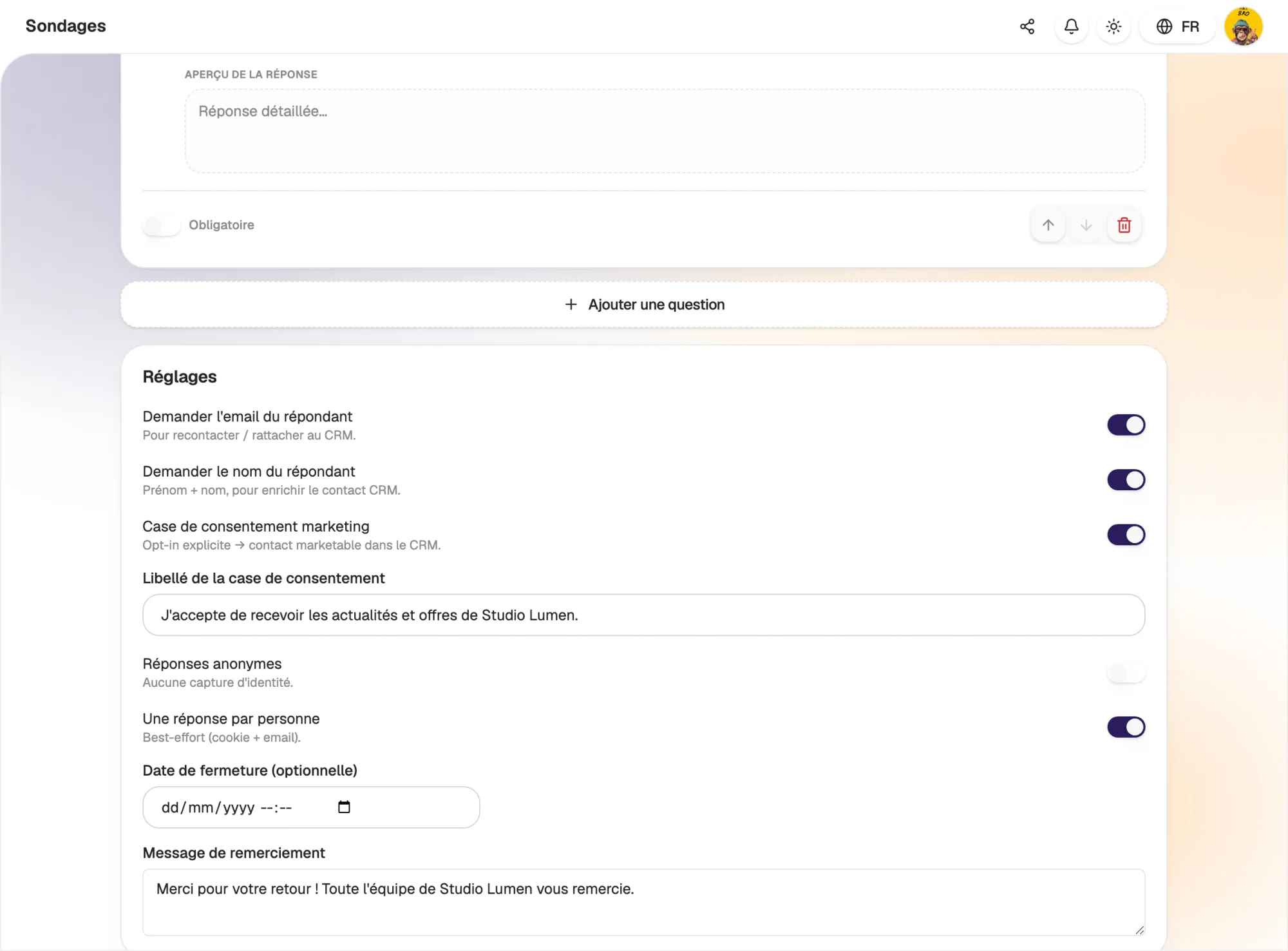
Ask for respondents' email and name so you can get back to them. Add a marketing consent checkbox with the wording of your choice: only those who tick it are treated as subscribed.

For honest feedback, switch the survey to anonymous mode: no identity data is stored. You can also limit it to one response per person and customise the thank-you message shown at the end.

  • Optional email and name
  • Explicit, customisable consent checkbox
  • Anonymous mode and one response per person
Anonymous or identified, you decide

Results

Readable results without a spreadsheet

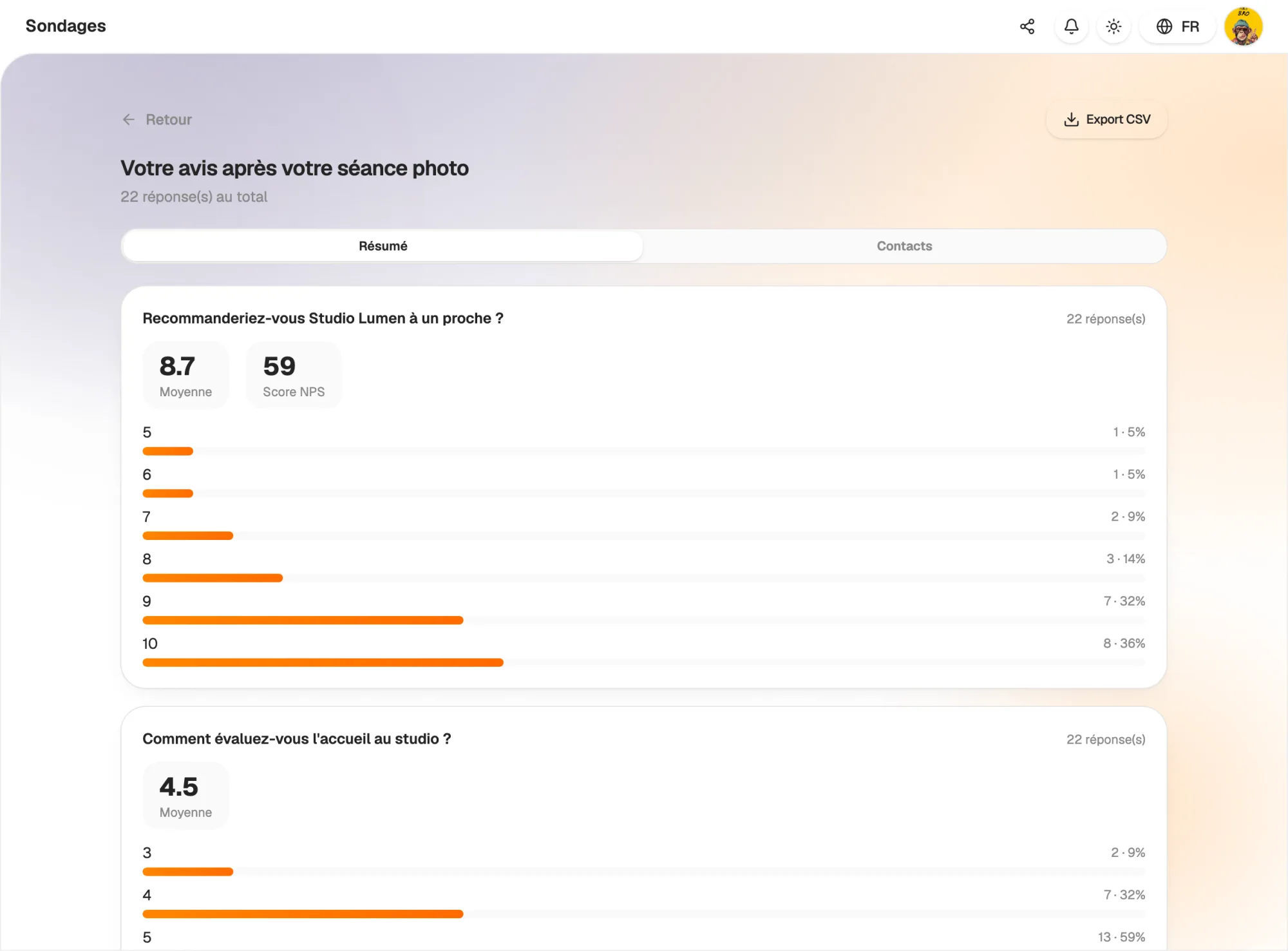
Each question has its own summary: breakdown of choices with percentages, share of yes and no, average rating. For an NPS question, the score is calculated for you.

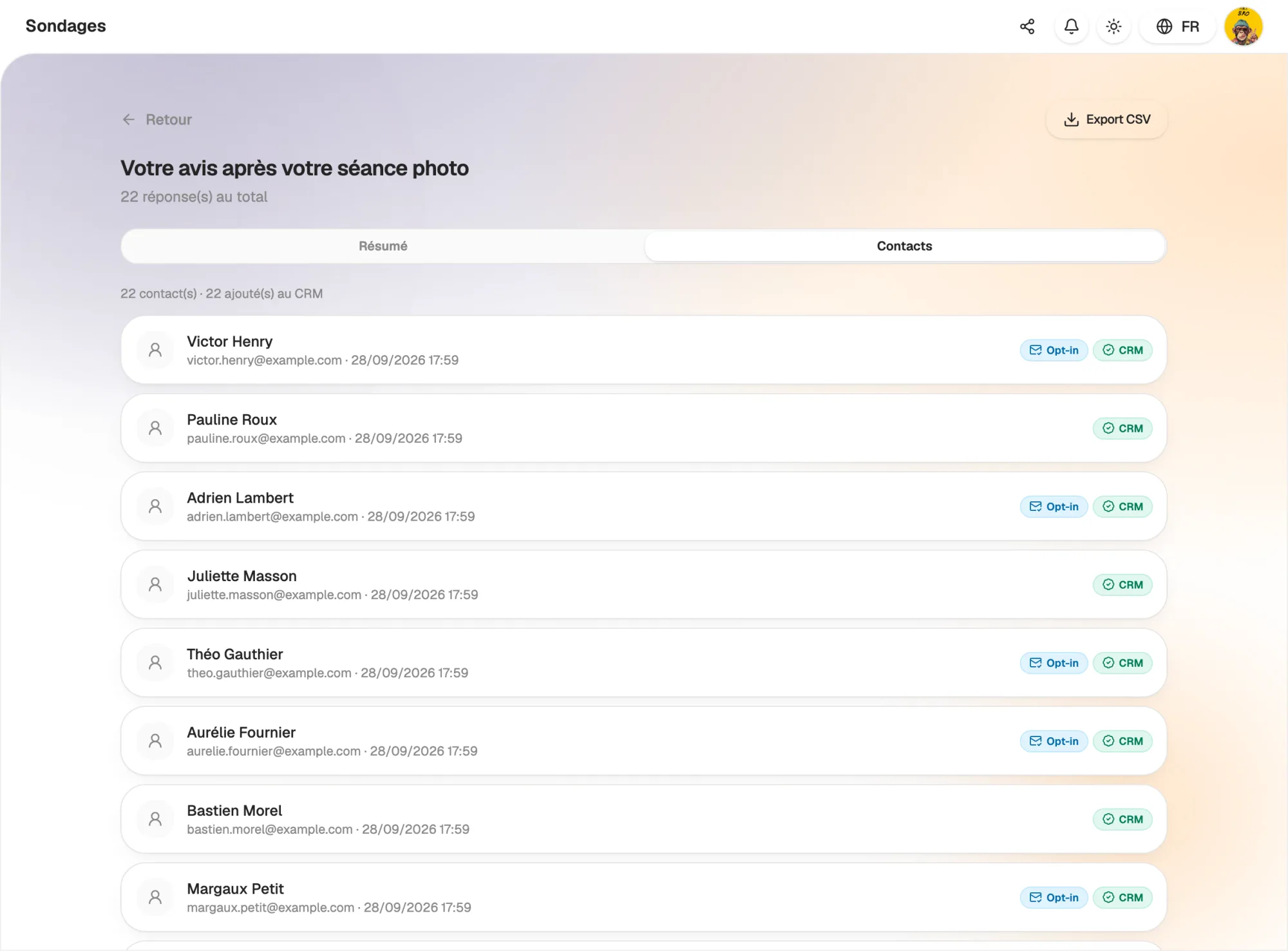
The Contacts tab lists identified respondents, with their response date and two markers: subscribed to communications, added to the CRM. Need to go further? Export every response as a CSV file.

  • Percentage breakdown for each question
  • Average rating and NPS score
  • CSV export of all responses
Readable results without a spreadsheet

Connected

Every respondent can become a contact

When a respondent leaves their email, they are added to your CRM or linked to the existing contact. Their name completes the record, and their marketing consent is kept.

With the Automation app, a new response can trigger a thank-you email, a text message or a tag. Your surveys feed your campaigns, with no exports or copy-pasting.

  • Respondents added to or linked in the CRM
  • Marketing consent kept
  • “Survey response” trigger in Automation
Every respondent can become a contact

And also…

  • NPS score

    Measure how likely clients are to recommend you on a scale from 0 to 10.

  • Rating scales

    Set the minimum, the maximum and the label at each end.

  • Anonymous mode

    No identity data stored, for candid answers.

  • Closing date

    The survey stops accepting responses on the date you choose.

  • Duplication

    Start from an existing survey to create a new one.

  • Closing message

    Thank respondents with the message of your choice.

  • CSV export

    Get every response in a file you can open in your spreadsheet.

  • Consent

    An explicit opt-in checkbox, with wording you write yourself.

Works with

Your surveys share the same contacts as the rest of Hob's Space: a respondent joins your CRM, receives your campaigns if they have agreed to it and can trigger an automation.

Frequently asked questions

Get started today.

Create your account and publish your first page in minutes.

Create my account