All applications

DocumentsPro plan

All your files in one place, ready to share

Contracts, visuals, presentations, receipts: upload them to Hob's Space, sort them into folders and send a download link to anyone you like. You decide how long it stays valid.

Create my account

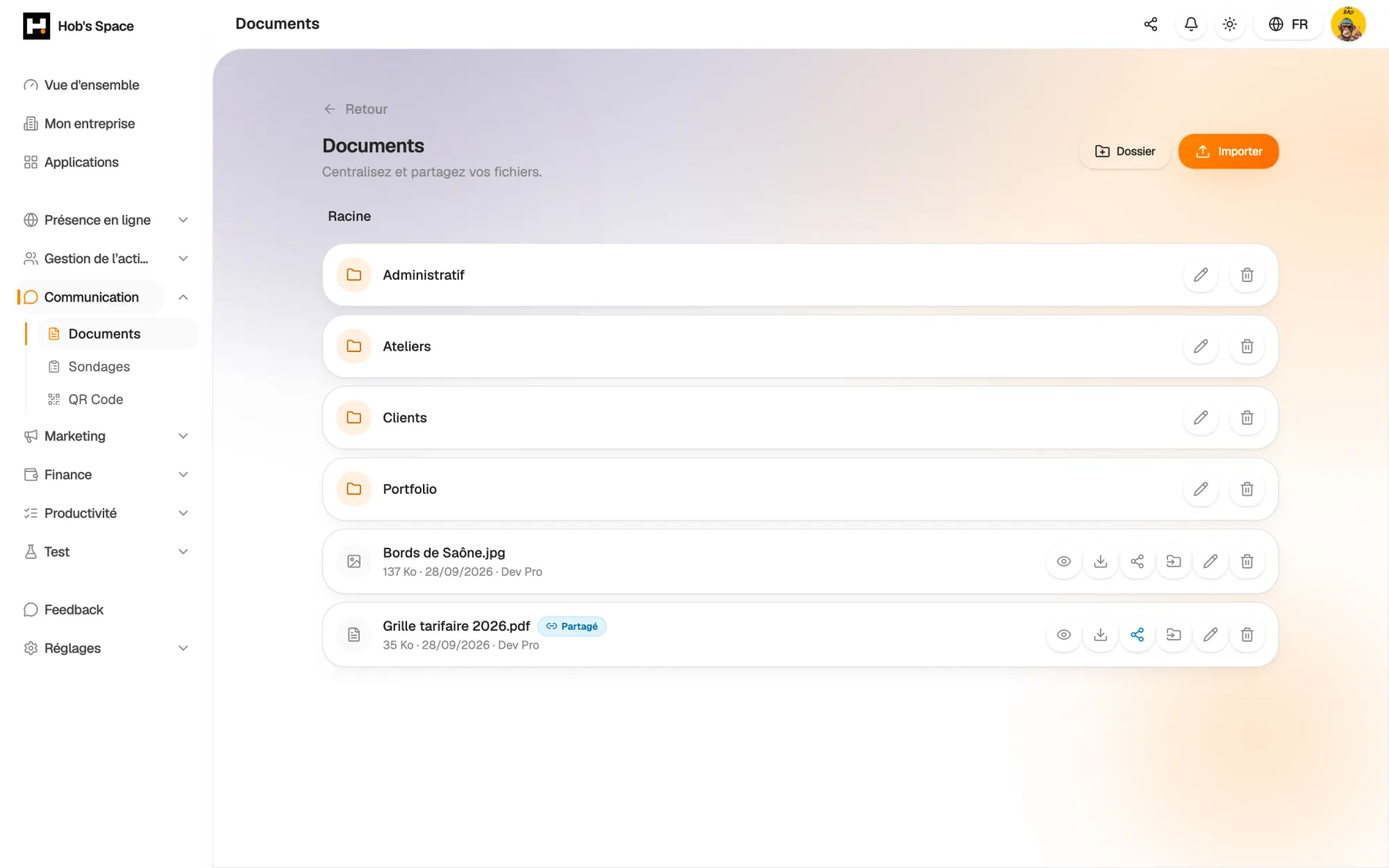
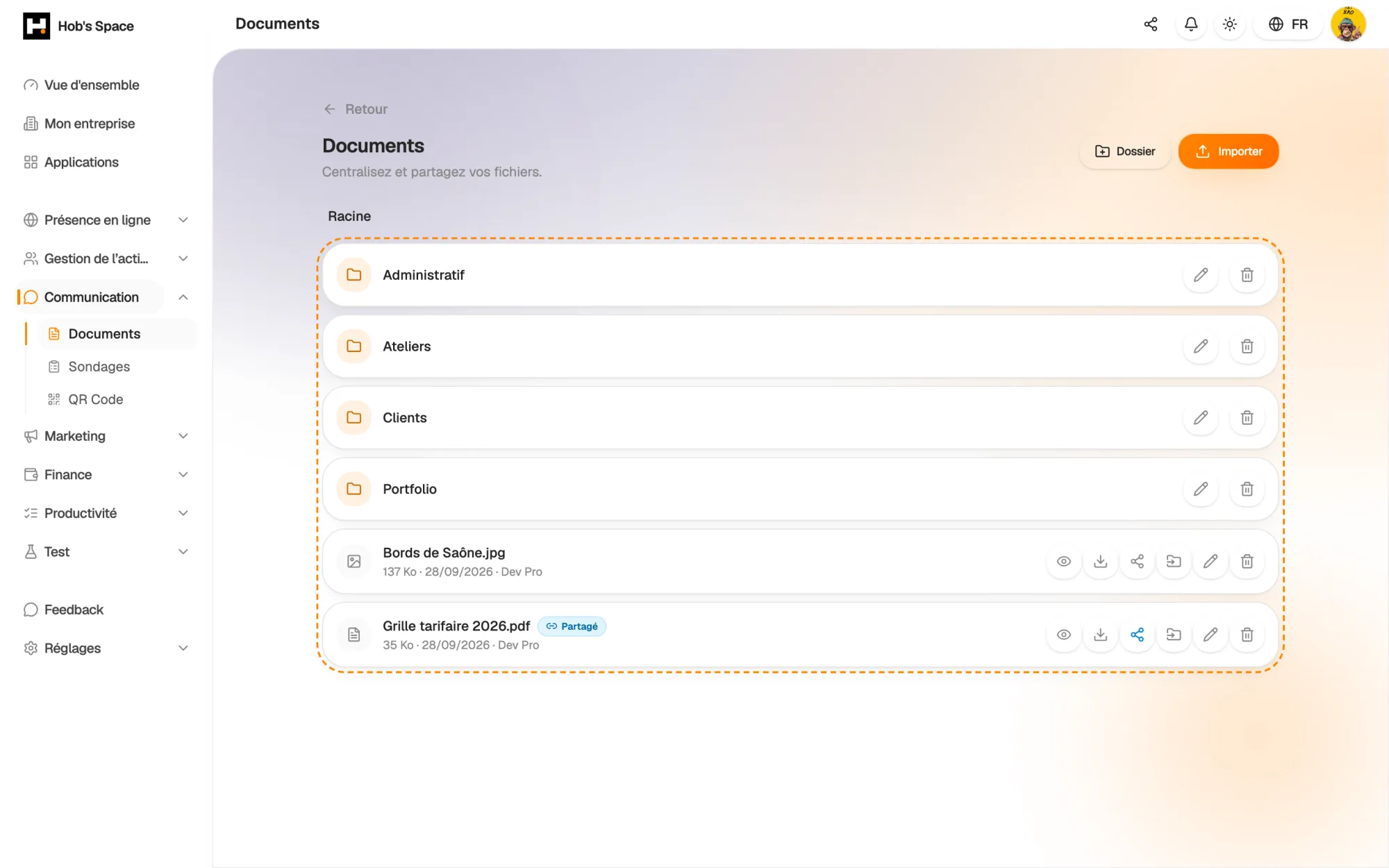
Your folders and files, with their size and upload date

Your folders and files, with their size and upload date

Upload

Drag, drop, done

Drag one or more files onto the page, or pick them from your computer. They land straight in the folder you are viewing.

Each file can be up to 50 MB. An icon shows its type, so you can tell an image, a PDF or a video apart at a glance in a long list.

  • Drag and drop several files at once
  • Up to 50 MB per file
  • Uploaded straight into the open folder
Drag, drop, done

Organisation

Folders, just like on your computer

Create folders and subfolders: “Clients”, “Contracts 2026”, “Supplier invoices”. A breadcrumb trail shows where you are and takes you back to any level in one click.

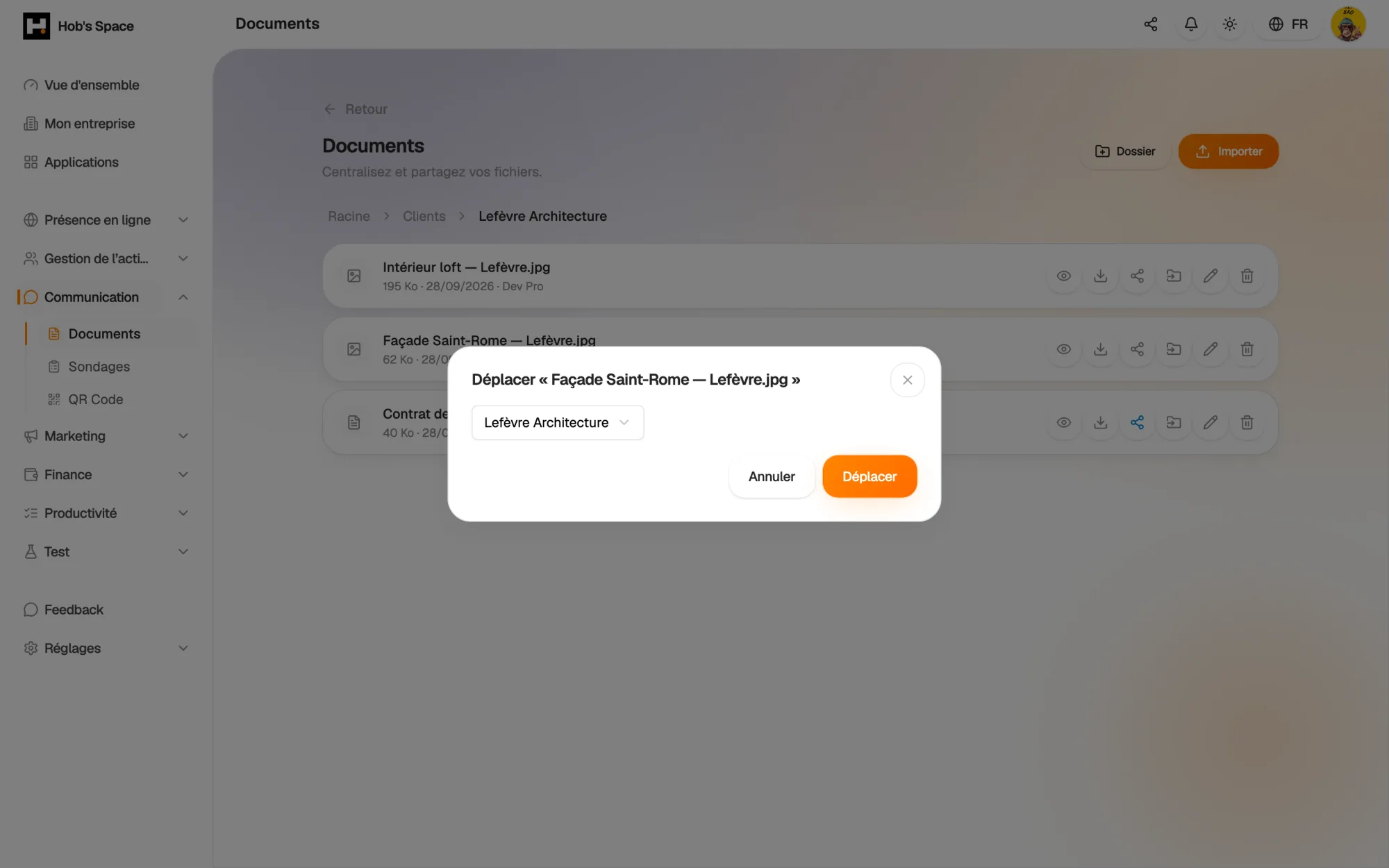
Rename a file or a folder, move a document from one folder to another. If you delete a folder, its contents are not lost: they move back to the root.

  • Folders and subfolders
  • Rename and move in one click
  • Contents kept when a folder is deleted
Folders, just like on your computer

Preview

Open a file without downloading it

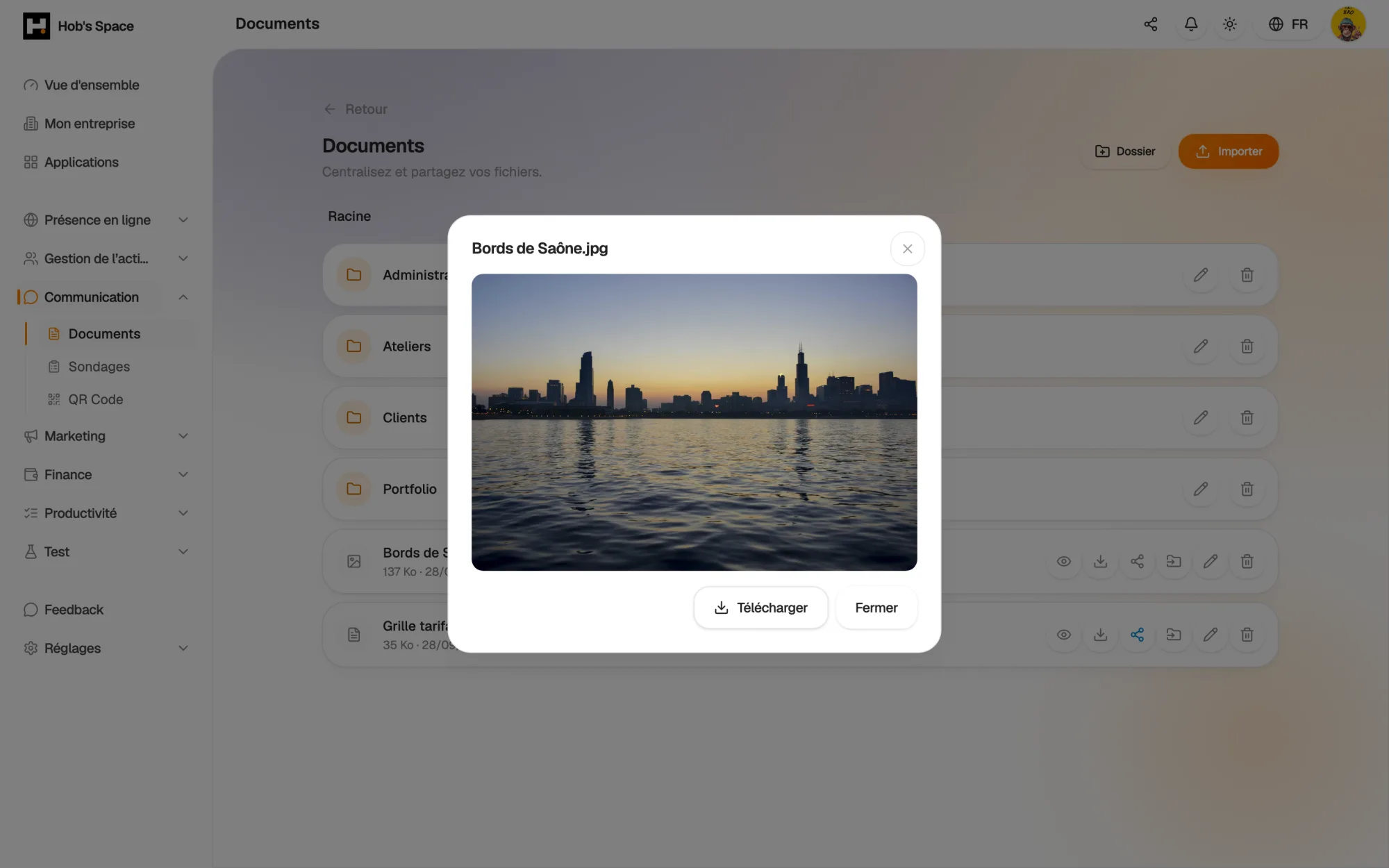
Images, PDFs, text files, videos and audio open in a preview right inside Hob's Space. You check it is the right document before sending it, without cluttering your Downloads folder.

When you need the original file, one click downloads it, with its name intact.

  • Preview of images, PDFs, text, video and audio
  • Download of the original file
  • File name preserved
Open a file without downloading it

Sharing

A public link you stay in control of

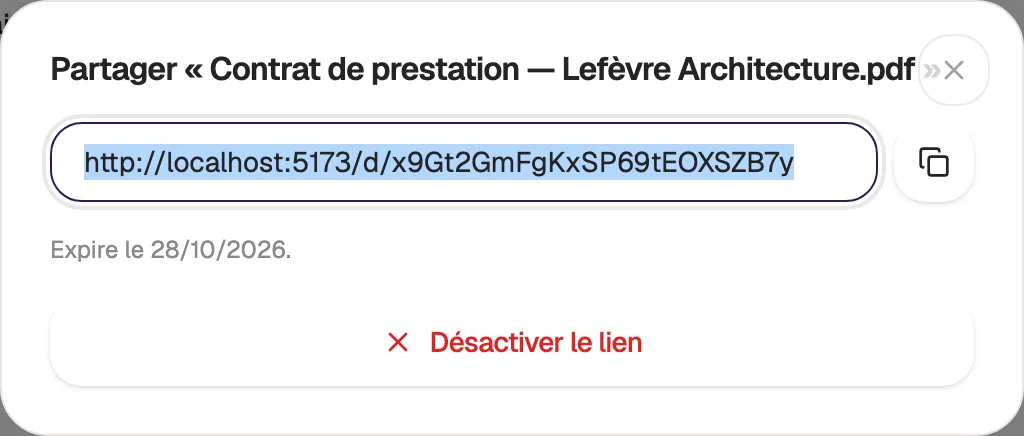
Turn on sharing for a document and copy its link. Your recipient opens a clean page showing the file's name and size, then downloads it, without creating an account.

Choose how long it stays valid: 7, 30 or 90 days, or with no expiry. A “Shared” badge flags the files concerned, and you can turn sharing off at any time. An expired or disabled link simply states that the document is no longer available.

  • Download link with no account needed
  • Expires after 7, 30 or 90 days, or never
  • Sharing can be turned off at any time
A public link you stay in control of

Team

Everyone has their own files, the manager sees them all

In a team, each member manages their own documents and cannot see their colleagues' files. Your files stay yours.

The manager, however, has access to all of the company's documents, with the name of the person who uploaded each file. They can find a contract or a receipt without having to ask for it.

  • Private documents for each member
  • Full view for the manager
  • Owner's name shown on each file
hobs.space · documents
12
Contrats
48
Factures
31
Médias
Proposition_2024.pdf
2,4 Mo
Lien
Charte_graphique.png
5,1 Mo
NB
3,8 / 10 Go

And also…

  • Drag and drop

    Drop several files at once, straight onto the page.

  • Subfolders

    Sort your files into nested folders, by client or by project.

  • Breadcrumb trail

    Go back to any parent folder in one click.

  • Built-in preview

    Images, PDFs, videos and audio open without downloading.

  • Time-limited links

    A sharing link valid for 7, 30 or 90 days, or with no limit.

  • Revocable sharing

    Cut off access to a shared document in one click.

  • Moving files

    Move a document to another folder without uploading it again.

  • Visible owner

    In a team, the manager sees who uploaded each file.

Works with

Documents works with the rest of Hob's Space: paste a sharing link into an email, a campaign or a QR code, and keep your files in the same workspace as your clients and invoices.

Frequently asked questions

Get started today.

Create your account and publish your first page in minutes.

Create my account